An artists journey

Tag: photographic technology

  • Mix a New Image

    Mix a New Image

    Recently I was watching a video series on audio mixing. That is a separate story. But I was struck by some of the similarities between the process of mixing for certain genres of music and image editing and creation for certain types of art. It made me think of the ways we mix a new image.

    Audio mixing

    Producing an audio recording is simple but difficult. Let me take a rock band as an example. The group goes into a studio and the source material is captured, sometimes for the group all together but more often by “tracking” each band member individually. It is fairly typical to start with the drummer, because the percussion is the base beat that everything else fits into. Then guitars and/or other instruments are overlaid. Finally, the vocals are recorded last, because the singer needs to hear everything else.

    Each individual or instrument is recorded on one or more tracks. The drum, for instance, might need 10 or more tracks to capture the full drum kit. And there are multiple takes for each track.

    Then in the studio, the recording engineer works with the performers to create a mix that pleases them and had good production value.

    Digital image creation

    Let me take an example of creating a fine art composite image. It will be built of many layers and elements.

    The artist has a general plan for what will be needed and how it will come together. This helps to ensure that all the pieces are photographed and the individual images are created with consistent lighting and perspective and mood and focal length, etc. The artist shoots each element separately.

    Working in the computer, the elements are brought together and blended to create the final image.

    On the surface, there seem to be certain parallels of structure and process. but let’s go a little deeper.

    What really goes on?

    What I observed in several videos and in first hand experience is that a song is basically re-built from scratch in the mixing phase. Of course, simple problems are fixed. Pops and noise is removed. Parts of tracks may be re-pitched. The best parts of several takes are cut together for each performer or instrument to make the master.

    Then it gets weird. After a good basic master is put together the producer goes on to ‘liven up” the sound. This may involve equalizer changes, to tailor the frequency response of a track. It probably involves effects processing that will add delays and reverberation and echoes to give the sound depth and sound like it is performed in a large venue. Maybe even adding things like claps or new percussive effects.

    And it goes on. The producer then may start to “play”. It may involve intentional distortion in parts. It may introduce new sounds that were not in the original recording. As an example, one trick I saw was playing tracks into a garden hose and recording the weirdly distorted sound and mixing it in subtly. You miight even see them put is a track played backwards! Several other very strange techniques can be used to create strangely distorted effects that you would not directly notice, but that add character to the overall sound mix.

    My learning was that, to the recording producer, the original recordings were just raw material to be used, changed, distorted, added to and anything else that could be thought of to produce a sound they liked.

    Similarities

    Isn’t it about the same with photography sometimes? I used the example of fine art compositing. Brooke Shaden and Renee Robyn are 2 good practitioners I think of.

    All the individual pieces that were shot are just raw material. The artist puts them together to create the basic image, then starts to mold it into a final work of art.

    The finishing may involve distortion, warping, masking, radical color changes, and extreme lighting changes. Then new elements are probably introduced, like textures or patterns. There may be multiple layers of them combined using blending modes. Often subtle and not immediately recognized, but making the image into something different.

    An artist using a non-destructive workflow will end up with dozens of layers to create this final image. The end result may only look a little like the original parts.

    Let go more

    This emboldens me to think I am usually too cautious with my vision of what the final image could be. Being an ex-engineer I have an ingrained tendency to go for realism. The final image must look exactly like the original.

    This is probably a mistake. I am self-limiting my artistic freedom. Long past are the days then the novelty of capturing a scene gave interest to a picture. Now an image needs to be a work of art. It needs to show vision and creativity from the artist. That involves letting go of an absolute realistic goal for the image.

    Have you ever heard a “dry” (unmodified) recording of a famous singer? There are very few of them who are so perfect they would let it be heard. All music is heavily processed. It is coming to be the same with images.

    I do not mean AI. That is a separate issue. I am claiming that, to be well received, many images need to be heavily and artistically processed. We have the tools. Let’s use them well.

    A song is built by getting good tracks recorded. Then the producer takes it apart and builds a final song. In a similar way, we can often do the same with an image. The only thing stopping us is our self-imposed limits.

    I will try to learn to not be afraid to mix a new image. Think like a song producer. The original data is raw material to be created with. Post processing is just another tool we use to achieve our vision or feeling.

    Today’s image

    This is me starting to let go. A little. It seems like a pretty conventional aerial image. But of someplace you don’t recognize. Looks can be deceiving.

    Sometime I may describe what it is.

  • Color Perfection

    Color Perfection

    At the risk of sabotaging potential sponsorships from the color matching industry, I suggest some of us obsess too much about color. There is a difference between color perfection and color correction and color as an artistic decision and color as one of the processes we deal with. Know why you are doing it.

    Obsession

    Photographers seem to be obsessive about a lot of things. Color is only one of them. But we have color equipment manufacturers (arms merchants?) and blogs and videos constantly preaching to us that we must have a perfect color matched system from our camera to the final print or our work is amateur.

    This all sounds logical and authoritative, so we buy into it. And it can get expensive.

    So we buy colorimeters and special color corrected monitors. We make sure we have proper profiles for the printer and paper combinations we use. We even buy special systems to color profile our cameras.

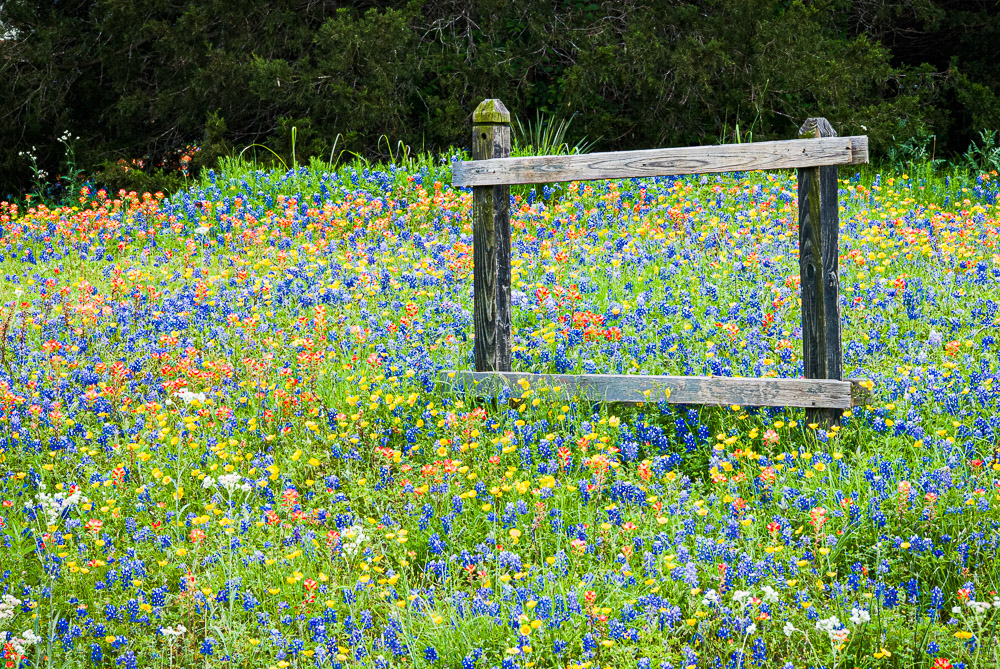
    Now we can be confident that our wildflower picture exactly matches the colors of the flowers in the wild.

    Why?

    Why are we going to all this trouble? Does it really matter so much?

    Maybe, maybe not. It depends on your needs and values.

    All the steps to color correct your workflow are generally good. But unless you are doing product photography, it may not matter as much as you have been told. A corporation cares very much that the company logo exactly matches it’s color standards and that their official color pallet is correctly used.

    But if you are shooting landscapes, is it critical that the color of that leaf is the exact match of the leaf you shot? Or is it more important to match your memory and your preferences?

    My attitude

    I am not a purist about this. Actually, I am less and less a purist about anything as I evolve in my style. Any work I do is an artistic interpretation. I have no problem with changing colors if it gives me a more pleasing image. More pleasing means I like it. It has nothing to do with the match to the original scene.

    But I do it deliberately and intelligently. To do that, it is necessary to have control over your color process. And without a controlled color process your results are not repeatable. What comes out of your printer is likely to be wildly different from what you see on your monitor and different from session to session.

    That is chaos. You cannot reliably create your art. It is unprofessional and unsatisfying.

    But you need to have a color managed work flow

    It is important to color manage your workflow. That is not the same thing as obsessing about color perfection.

    Every month I calibrate my monitor with my trusty old obsolete i1 Display Pro colorimeter. And I print using proper profiles for my paper and printer. This gives me pretty repeatable colors. The biggest problem is keeping my monitor brightness low enough to match the prints.

    So far I do not find it necessary to profile my camera. Since I only shoot RAW, I can “re-profile” the images at will. And Lightroom Classic’s Camera Landscape profile is usually a good start for most of my work. Now days there are lots of profiles to try out to get a color starting pointl

    Overall, the biggest problem I have is dealing with printer gamut issues. Some of my work is highly saturated. It is disappointing when these images do not look as good as what I see on my monitor.

    Black & white

    The outlier in many parts of photography is black & white. Is it important to color manage black & white images? It seems wrong, but I would say yes, it is. It may be more important than in images that will stay in color.

    In color images, we look at the color, obviously. We tend to be pretty tolerant in what we accept as reasonable. But in black & white we only see the color indirectly through the tone relationships of the print.

    The colors are mapped to monochrome tones and shades. This makes it important to precisely control the color relationships to give separation of the tones. We may need to distinguish between fine shades of green, for instance, to give body to the b&w print. More than if the print were in color.

    What I do to the color may look strange if you saw it in color, but the important thing is the precise control required. This makes me believe color precision is more important in b&w than in much color work.

    Conclusion

    Have I confused you? I seem to have said color perfections is not important but you have to have a good color balanced workflow. Yes, that is right. Learn to live with ambiguity. ๐Ÿ™‚

    My work is art. Everything is an interpretation of what I saw or felt. I usually do not care if the colors are “true”. They often intentionally are not.

    But it is very important to me to control and repeatably achieve the results I want in the final print. This requires understanding how to color balance my process and how to use it to achieve my vision.

    For me, color control is part of a repeatable process, not a commitment to absolutely match a scene.

    Today’s image

    This is Texas wildflowers in the spring. They really are like this, and in great bands over much of the state. Go there in the spring sometime. Spring in Texas wildflower country is about mid March through mid April.

    This is an accurate representation of what you will remember when you are there and see them. Is it totally accurate color? Probably not. Don’t know; don’t care. If you’ve been there, you will say “Yes! That’s what they look like!”.

  • I Want That Job

    I Want That Job

    I got a job ad recently that really caught my eye. The position was for an “Intermediate Unreal Technical Artist”. My first reaction was: I want that job! But my scatterbrained mind spun up a lot of questions.

    Unreal

    The “unreal” part immediately got me. Yes, I know that Unreal is a 3D animation platform. It looks quite capable. You don’t have to write me about that. But that is not the point. Just the surreal nature of the job description gave me a laugh.

    Depending on where I am mentally at any time, I like to take flights into the unreal. I never guessed it could be a paying job.

    The coincidence I could not ignore is that I have been working on a project I call Terra Incognita. It envisions imaginary, unexplored regions of our world. In doing it, I had to become an unreal artist, for real.

    It turned out a little more difficult than I thought to create imaginary, unreal worlds that look real. I want you to look at my images in this project and tell yourself that it could be an undiscovered part of the world. Creating a fake Sci Fi movie scene was not interesting to me.

    Intermediate

    The “intermediate” adjective added to the surreal situation. The possibility that there might be quantifiable levels of unreal-ness in our artistic abilities jumped out at me.

    Well, I knew that I wanted my images to seem real, not fantastic or unworldly. But what would an intermediate level unreal artist be capable of doing? Would I have to be an advanced unreal artist to look real? Or does an advanced unreal artist only do obviously fantastic scenes? Would a beginner unreal artist “fail” in his unreality and create a real seeming scene? Should I be striving towards beginner or advanced level unreal art?

    Inquiring minds want to know. I never knew the questions lurking here.

    Technical

    And it says they are seeking a “technical” unreal artist. Again, the surreal nature of the words caught me. If there is technical unreal then is there non-technical real or non-technical unreal or technical real?

    Technical real is probably what most photographers do all the time. After all, we use high resolution lenses on great high mega pixel sensors to capture huge amounts of detail. Photography is inherently a technical art. We want our images to be more real than real.

    The job posters seem to be seeking someone to create unreal scenes with a high degree of technical precision. Although I know what they mean, it still sounds absurd. Would non-technical unreal be like old 1950’s Sci Fi movies with the rubber creatures and terrible sets? Actually, what they did back then was the highest degree of technical unreality they could do before computer graphics.

    Maybe non-technical reality would be street photography shot with a cheap plastic film camera. Terrible technical quality but real scenes. There seems to be a niche market for that with people who value alternate processes.

    Artist

    And they are calling the position one for an artist. Really? Maybe in that industry, which I suspect is movies, that is true by their standards. In my experience, when someone is hired to create visual work as specified by an employer, I would call them a designer or an illustrator.

    A Pixar animated film or something like Despicable Me is a great achievement. I know there are large teams of animators and character illustrators and colorists and groups doing hair and fur and fabric. Others doing lighting and other effects. And many other teams doing software and asset management and other coordination roles. It is a large and complex process requiring many people.

    I am probably projecting too much of my values on this, but I believe an artist creates work he conceives and in his own style. That does not sound like an employee. I am not in any way minimizing productions like an animated movie, just questioning if the roles are what I would call an artist.

    The whole package

    So, could I be an “Intermediate Unreal Technical Artist”? Probably not. As much as I like the sound of it, I do. not understand it. And besides, they are looking for someone to work for them. When I retired I vowed I would not be an employee again unless I was desperate. Been there; done that. I want to only do what I choose to do and on my own terms.

    Thank you for following this strange diversion. It is quite a sidetrack from what I normally write. But as I mentioned, the coincidence with a project I am working on now was too much to ignore.

    In addition, it fits in with a long term theme I keep bringing up about whether or not photography is about reality. To me, it is not any more. Unless an image is presented as documentary, it is not to be believed as reality. And with the rapid encroachment of AI, I suggest we be very skeptical of all images, even if they claim documentary status.

    So maybe all photography is an unreal art. Maybe the job description I saw is redundant.

    Today’s image

    The image today is from the series Terra Incognita that I mentioned above. It tries to represent unexplored areas of our world. Maybe it just has not been seen before. Maybe it only exists in our imagination. Either way, consider yourself a modern day explorer flying over this never before seen vista.

    I want to hear your comments! Let’s talk!

  • Outside the Frame

    Outside the Frame

    The frame is one of the most important aspects of our images. I’m referring to the edge, the border, not what may or may not surround the outside of a print as it hangs on a wall. Sometimes part of the storytelling is to suggest our viewers think about what is happening outside the frame.

    The frame

    The frame or border around our image is a powerful component of our design. An image is created within a frame. The frame defines the extent and what is included. The frame also defines what is excluded.

    This is one of the unique and beautiful things about photography. A painter starts with a blank canvas and is free to include anything he wants for his image. No limits. And if he doesn’t want something, just don’t put it in. The photographer knows that everything in the field of view of the lens is recorded in his image when the shutter opens.

    So a photograph is constructed by deliberately deciding what is included and what is excluded and what the viewpoint on them is. Unless you are constructing a still life or compositing images together. My focus here is on natural scenes.

    It’s a dance with the frame. It’s a succession of tradeoffs and optimizations. The result is the artist’s unique viewpoint.

    The edges

    Magic happens at the edges. Most of the standard “rules” of composition are relative to the frame. For instance, the famous “rule of thirds” is relative to the frame edges. Leading lines come in from the edge. Diagonals are diagonal because of their relationship to the frame.

    And how often has someone advised you to look carefully for things poking in from the edge of the frame. They tend to be distracting, because things near the edge of the frame are powerful. As you become experienced it is an automatic action to scan the edges to check for these elements.

    The famous Jay Maisel rightly said: “You are responsible for every part of your image, even the parts youโ€™re not interested in.” This seems especially true around the edges of the frame.

    It’s kind of a paradox. Small elements at the edge are distracting. But large features projecting well into the frame are strong design elements.

    A window on the world

    So then our frame is our window on the world. The image is the projection within the frame. We are trained to compose carefully within the frame. To make sure the image is self-contained. Anything outside the frame is unknown. It doesn’t exist.

    Or does it?

    Imagining the unseen

    Have you ever considered using things outside the frame as a design element? Is that even possible?

    Think of a repeating pattern within the frame. If it is not stopped before the edge, we assume it continues. This brings up questions, like does it actually continue? How far does it go?

    Or perhaps you consciously include a shadow coming in the edge of the frame. It can raise questions about what is the thing, is it about to come in, what will happen when it does?

    Have you ever intentionally had someone or something leaving the frame? It can raise questions about why, where is it going? What will happen outside? Why is this composed this way?

    Ever shoot an image with the subject looking out of the frame? It raises lots of questions with the viewer. We try to analyze the person’s expression and figure out if they are looking at something amazing, or startled, or apprehensive. Is something scary coming? We want to know.

    Another example is shooting a tight section of something and leaving the rest to your imagination. We probably know what the overall thing looks like and we start filling is the rest in our mind.

    Today’s image

    You want to know who he is talking to. It seems to be a happy moment. We wonder what the conversation is. You want to join in the moment, so you make up your own story about what is going on. All because we are directed out of the frame to complete the scene.

    The frame is a strong component of the composition of our images. We are very careful to arrange things within the frame. But it does not have to fully constrain our world. Sometimes leaving the outside of the frame as a suggestion to tweak the viewer’s imagination can be powerful.

  • Stability

    Stability

    Even the most adventurous of us need a certain amount of stability. But I’m not talking about financial or mental or interpersonal stability today. I’m referring to the never ending debate about tripods vs. monopods.

    Why do we need them?

    Many people today value crisp, tack sharp images. To achieve this requires good cameras, good lenses, and good technique. One primary factor of the technique is minimizing camera shake.

    We tend to talk about camera shake as a binary thing: yes/no, on/off, shake/no shake. The reality is that it is a range. It is kind of like focus. If something is considered in focus, we really mean it has an acceptable level of focus. Good enough for our purpose, not an absolute.

    Likewise, for camera shake, we must take the point of view that it must be minimized enough for our need.

    Most people tend to hand hold their cameras. I know I do when I can. It is much faster and easier. Achieving sharp images hand held requires special techniques that we will discuss later.

    But when we know we need maximum sharpness, the standard response it to pull out the tripod, or monopod. It’s a debate.

    Tripods

    Tripods are the three-legged things we are all familiar with. They seem to have been around forever and they tend to be pretty large. The three equally spaced legs provides an optimum stable platform in all directions.

    Tripods used to be made of wood. Classical and lovely to look at, but heavy, Then they moved to generally bring made of aluminum or alloys. These were lighter and durable. A problem they had, though was vibration. Referred to as dampening when we’re talking about stability. The metal was kind of springy. It would vibrate when perturbed by a force. Like bumping it or when the mirror of your big DSLR “slaps” up to take a picture. The metal legs would vibrate for many milliseconds before stopping. This caused distortion while the shutter was open, which was probably for those same milliseconds.

    Later, most high end tripods moved to carbon fiber construction. This material has many advantages, but, of course, it is more expensive. The carbon fiber is strong and relatively light. It has much better dampening than metal, so vibrations are smaller. And if your hand has ever frozen to a metal tripod in the winter, well, carbon fiber doesn’t do this nearly as bad. For me, that by itself is a reason to switch to it.

    I have an excellent carbon fiber tripod with a great ball head. I use it for some critical images or long exposures.

    Tripod disadvantages

    Good tripods, used correctly, provide excellent stability. But this means you have to have it, there, when you need it. Perhaps this means carrying it miles over rugged trails for that one shot.

    Personally, I don’t do that much anymore. For me, a photo expedition should be a joy. I’m too old to enjoy carrying a heavy tripod a long ways. Sure, there are small versions that strap conveniently to your camera bag, but they have their problems too. Usually the small ones are short and I have to squat down uncomfortably to use them. Or if they are tall enough, they are not stable enough.

    I have a small one that fits nicely in a checked bag for air travel. I often take it. And just as often do not use it.

    And using a tripod slows you down a lot. Deciding where to set it, setting it up, mounting the camera, adjusting and leveling it all take quite a bit of time and effort. Some say this is an advantage, because it makes you spend more time considering what you are shooting and the composition of the shot. I partially agree and have experienced this. But often I am in a flow and shooting instinctively. The tripod absolutely gets in the way of this.

    Monopods

    A monopod is just one leg of a tripod, right? To some people that makes it 1/3 or less as useful as a tripod. Others (including me) would say it can be as useful or more so.

    If you are not familiar with them, try this experiment. Take a broom and hold it upside down with the handle down on the floor. How does it move?

    You will see that it does not move up or down in the vertical axis. It does more fairly freely in a circular arc left and right, back and forth. Is this minimal amount of stabilization worth it?

    To me it often is. The vertical axis is one of the most vibration prone areas for me. And being constrained on the monopod seems to add mass or resistance in the other axes. Either it is real or it is psychological. But in any case, it makes my images more stable.

    Monopod advantages

    Yes, it is unfair to only talk about tripod disadvantages and monopod advantages, but I want to make a point. There are often ways to overcome the disadvantages of a monopod.

    I have a great monopod. It extends to about 7 ft. and has a small but very nice ball head with quick release on it. It is my walking stick. I like that it is light enough and very strong to serve well as a useful and comfortable walking stick. I am far more likely to take it on a hike than I am a tripod.

    When I want to take an image, it sets up quickly – basically just attaching my camera to the quick release. It provides a decent degree of stability, and there are techniques I can use to improve if necessary.

    For instance, if a railing is handy, I can brace the foot of the monopod against my shoe and force the leg tight against the railing. I have taken very sharp 30 second exposures this way. Trees work fairly well, too. Lean the mounted camera against a tree for added stability. It can be a great tool.

    Which to choose?

    I probably seem biased. It is more of a pragmatic choice. Tripods are great for stability. It is usually the best choice for long exposures.

    Monopods are great when you are out on the trail or otherwise away from your car. If you practice and learn to work with it instead of against it, it can improve many situations to an acceptable level.

    I own a really good tripod and a really good monopod. The monopod gets used about 10 times more than the tripod. But I hand hold about 10 times more than either of them.

    Parameters of sharpness

    To put things in perspective, today’s high pixel count sensors force us to use very good technique to get the results we want. If the image moves as much as 1 pixel during an exposure, we can often detect a blur.

    Pixel pitches are measured in microns today. A micron is 1 millionth of a meter. The length of a bacterium is about 1-10 microns. A strand of spider silk is 3-8 microns in width.

    How is it ever possible to take a sharp image?

    Alternatives

    Several things can work for us. The amazing technology in our cameras provides things like in-body stabilization to minimize the effect of camera shake. It usually improves things a lot.

    And the electronics are improving to allow higher and higher ISO settings to be used. I consider 400 ISO to be my normal setting rather than the 64 ISO native value. That automatically gives me about a 3 stop speed advantage.

    The old “rule” when I was shooting film was that, if you are good, you could hand hold at a shutter speed of twice the focal length. This doesn’t work anymore for our high density sensors. People say the shutter speed should be 3-4 times the focal length. But with the better electronics allowing higher ISO with good results, this is often possible.

    Don’t overlook simple but obvious tricks. There may be something to brace the camera on or against. I often lean against a tree or a pole or a wall for added stability. Or I have put the camera on a rock or a bench and used a self timer to trigger the shot. Simple things like these can let you take amazing images in unlikely places.

    And there are simple techniques you can adapt that increase the stability of hand held shots. Things like bracing the camera against your forehead and forcing your elbows close against your body. And exhaling slowly as you slowly press the shutter. A video on gun shooting technique could be helpful. They have studied the problem a long time.

    So tripod or monopod? I lean toward the monopod. But it is not necessarily an either or choice. There are many creative ways to stabilize your camera. Unless you’re out in the desert with nothing around, there is often something that can be used.

    Today’s image

    This was shot in an airport (obviously) with no tripod or monopod. I couldn’t set the camera on the table in the restaurant where we were eating because there was a joint in the glass that was in the way. I put my camera on my camera bag on the floor. This is a composite of several 4 second shots.

    I used a 2 second timer to allow me to get my hand away and not shake the fragile setup. I could have used the camera app on my phone to trigger it, but that is always so tricky and slow to set up that I seldom do it.