An artists journey

Tag: photographic technology

  • It’s Just a Camera

    It’s Just a Camera

    That piece of technology we use to make images, it’s just a camera. Not magic or sentient or automatic. It still needs someone to take the picture.

    Brushes

    I really like my camera. It is a good tool to use to make images I like. When I’m in the field, my camera is the vehicle for my creative expression.

    Have you ever had someone look at one of your pictures and say “Wow, you must have a great camera”? Or see you taking pictures and say “You must be a professional, since you have a big camera.” I have. Many times. Now, I basically just smile and go on.

    But if you see a painting hanging in a gallery, who looks for the artist and tells them “Man, those must be some great brushes you have.” Or, seeing a nice wood carving, tell the sculptor “you must have some really sharp chisels”.

    The public has a tendency to attribute a good photograph to the camera more than to the photographer. Being a piece of technology, somehow there is the implication that the camera somehow made the picture.

    As artists, we should not encourage this attitude.

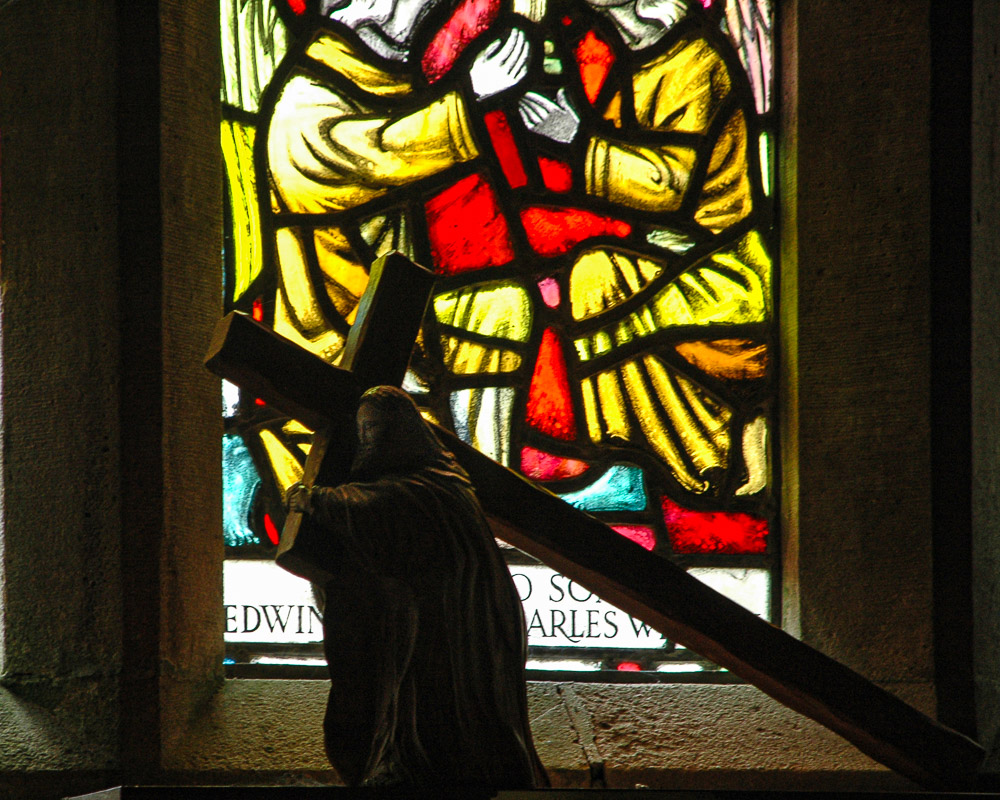
    Canterbury Cathedral©Ed Schlotzhauer

    A box

    At it’s most basic, a camera is a box that keeps out light. The name comes from “camera obscura”, which was a dark space, often a room, with a small opening to let in light. This caused an inverted and reversed image to be projected on the back wall. It is believed this technique has been used since 500 BC.

    The first “modern” cameras were wooden boxes that had a lens on one end and a holder for coated glass plates on the other. This is how many great historical photographs were exposed.

    They have certainly become much more sophisticated now, with auto focus, camera shake compensation, exposure measurement, ability to automatically set exposure parameters, etc. Too much to list. The user manual for my Nikon Z7 II is 823 pages. Astounding, but it still doesn’t take the pictures. At it’s most basic, it is still a closed box to keep light off the sensor until time to record the image.

    I appreciate many of the features in modern cameras. They make my art easier and extend the range I can operate in. It is great to have our little “dark spaces” getting smaller all the time. Even to becoming little flat things we can put in our pocket (phone).

    I fear there will come a point where we will face some major decisions.

    It’s still a tool

    Right now our cameras and phones have amazing capabilities. Some of them are just basic technological advances. Some are deemed “AI”. Many of the best features are appearing first in our phones.

    The ability to “sweep” our phone across a scene and have it automatically stitch together a panorama is very useful. Face detection is common now and can be useful for some types of work. An interesting feature I have seen is where, when taking a group shot, some cameras actually take many images and pick out and merge together the “best” look for everyone. At least, ones when they are smiling and their eyes are open.

    Features like these make shooting pictures less technical and less stressful. Anyone can get “professional” level results. That is probably a good thing. It is an aid.Lines of graves in Arlington Cemetary. A poignant moment.©Ed Schlotzhauer

    A coming “revolution”

    There are still some of us who want to make the artistic decisions ourselves. Even if it is difficult and requires lots of training. Even if we make mistakes and bad choices. Those don’t matter. It is our art, our decisions, our responsibility. The technology is likely to get a lot more intrusive.

    Probably right now most major camera manufacturers and all phone makers have teams of smart people trying to go all in with AI. People who actually believe in it and confidently think AI actually is or will become intelligent. Some who actually think AI can do art.

    I can imagine one of the user stories they are working from: “(Camera speaking) Attach the 24-70 lens. It is best for this shot. Move me 34.7 inches left and lower me 9.3 inches. I detect a glare. Attach the lens hood. Place the subject at the Rule of Thirds point I am illuminating in the viewfinder. I will shoot it now and remove the non-subject person traversing the frame. I am also correcting the 3° tilt to the right and the overall color. Done. “

    To me, this is a dystopian scene. I do not want to relinquish my artistic vision to anything, especially a machine. I am very willing to use smart tools to assist my work. In-camera features like eye identification and focus tracking can be very handy. On the computer, making it easier to make selections or to remove distractions is useful. But I do not plan to give control over to the camera to make it’s own decisions

    Plasticity.

    In The Interior Landscape, Guy Tal states

    For any medium to be useful to an artist, it must allow a generous degree of plasticity. It must lend itself readily to subjective expression of concepts and feelings originating in the artist’s mind and not just those inherent in or commonly associated with the subject.

    Mr. Tal was not referring to AI here, but I believe it applies. An AI controlled camera could probably expose images that would be regarded by most consumers as pleasing. The pictures would be a faithful and well exposed depiction of the subject. Most users would be happy. Unfortunately, the AI could not know the subjective expressions that are in my mind. It cannot know my vision and intent.

    Again in The Interior Landscape, Guy Tal states

    There are well-established compositional templates knows to impress viewers, requiring only mechanical skills but no expressive intent. Art raises the bar. Art requires from the artist a degree of emotional investment and an elevated subjective experience, as well as the skill to express visual concepts beyond “here’s something pretty,” “look where I’ve been,” or”see how lucky I was”.

    I resonate with this concept of plasticity. It gives structure to my desire to create images that are not simply representations of what is there. I want to use the camera and other parts of the technology of photography simply as tools to help me capture what I visualize and feel.

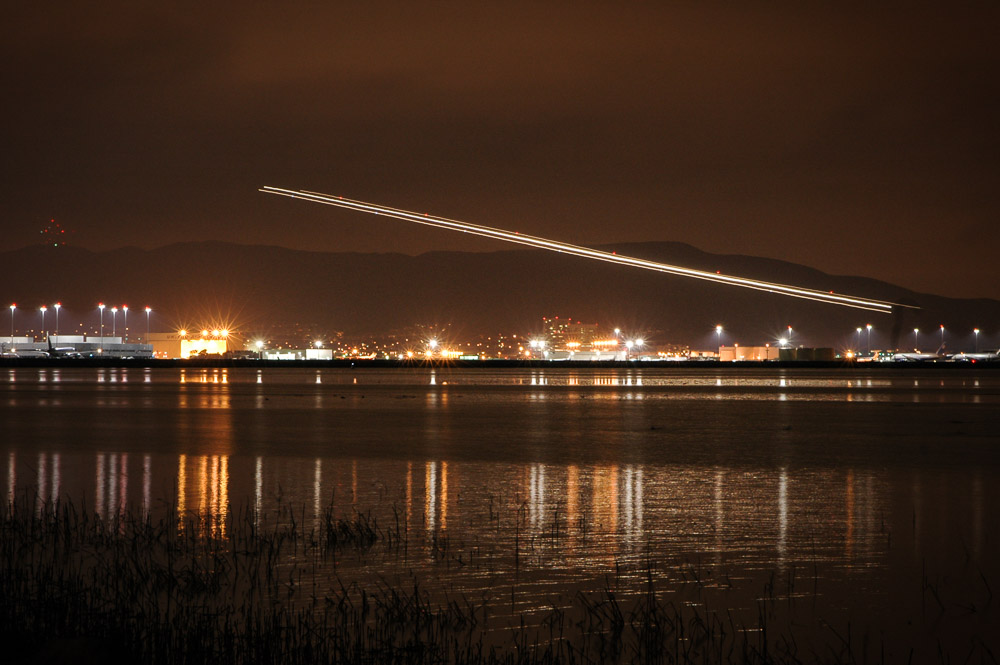
    Airport at night©Ed Schlotzhauer

    Make art

    You might get the impression that I am not a fan of AI. Well, I definitely am not a true believer. It could be a useful tool for some things. One of the big problems is that most people do not understand its limitations, so they believe it is something it is not.

    By it’s nature, AI cannot be creative. It is a compendium of what it has been trained on. The output of AI is a statistical prediction of a response given an input. So, at best, it is an average of what it has been given. It cannot think or feel or have inspiration.

    I am a human. I do think, get depressed, find inspiration, feel love, and see things in my own quirky way. If those are faults compared to AI, then I readily admit to being deeply flawed. But from those flaws, and all the other strange bits of my makeup, I can create art. Because my art comes from my unique human understanding and viewpoint.

    I like my camera. It is a great tool. I have actually read most of the user manual in order to know what features it has and to pick which I choose to use. The reality is that I probably only use, I would guess, less than 20% of its capabilities. That’s OK. It’s a tool, not the center of my attention.

    I know that designs have gotten so good that camera manufacturers are up against boundaries of physics. It is easier to add value through new “intelligent” tricks than to expand resolution or dynamic range or reduce noise. AI is a hype magnet and a path of least resistance. I get it.

    Who/What is in charge?

    But if the next camera I select is bloated with AI features and the price is double because of that, I will pass. I can even envision them wanting me to pay a monthly subscription to use the features in my new camera. If these things happen, my next camera is likely to be an older, used camera with less features but better raw performance and easier manual operation. Yeah, I’m an old curmudgeon. I get to be. I’m the artist in charge.

    The camera does not make images. The artist does. It will continue that way for me as long as I have something to say about it. And I do. 🙂

    So modern cameras are wonderful tools. I would love to have a new one. But are you an artist or just someone who takes pictures? If you are an artist, do not forget that the camera is basically just a dark box that holds the lens and sensor in the right positions. It is an instrument allowing us to create art. The artistic intelligence is in you. Do not surrender your artistic vision to a machine.

    Photography is based on technology more than most other arts. That does not mean the technology makes the art.

    “The equipment of Alfred Stieglitz or Edward Weston represents less in cost and variety than many an amateur ‘can barely get along with.’ Their magnificent photographs were made with intelligence and sympathy – not with merely the machines.”

    Ansel Adams

  • Why Do We See 255 Everywhere?

    Why Do We See 255 Everywhere?

    Do you ever wonder about the magic number 255 you see all over Photoshop and even in Lightroom Classic if you look? It seems like 255 pops up everywhere. Why is that? It is a strange number to choose.

    It’s just a number

    First let me say that at this point in time, 255 is just a number without meaning. It is the number chosen to represent the maximum value of a channel or color. Something has to be used to represent the maximum value. Looking back, 100 (as in 100%) would have probably made more sense. But we have 255.

    Think of it like Fahrenheit and Centigrade scales. The boiling point of water is 212 in Fahrenheit and 100 in Centigrade. Either way, it represents the same thing, the boiling point of water. That does not change no matter how the number is represented.

    So when you see 255 just read it as the maximum value of that thing. If that is the level you wish to understand, this would be a good point to stop reading this article. 🙂

    Personally I hope you continue. Understanding some of the history and details of our tools can only help improve our craft.

    Roots in binary

    Before we go deeper I need to justify where the number 255 comes from. It is rooted in binary coding. You are probably familiar with digital notations. We have lived with it for so long it seems to permeate everything around us.

    Please pardon me for going full on Geek here. I so seldom get to use my training that it is fun. A very, very brief background: when digital computers were being developed, it was found to be simpler and more reliable to create circuits that were either on or off, no in between states. This was called a bit. A piece of data that was either off or on, noted as 0 or 1. The advantage of this seemingly silly decision is that the bits could be made very small and can be operated on very fast.

    Dev on market©Ed Schlotzhauer

    A single bit by itself isn’t very valuable. To represent realistic information and do calculations bits were combined together in larger units. The next widely used unit was 8 bits. This came to be called a “byte”. Eight bits is a byte – Geek humor.

    It turns out that 8 bits is enough to start encoding useful information. For instance, it will hold 1 character. A byte is big enough to code all the upper and lower case letters, punctuation, and some special symbols. At least in English. And we will see that it holds a useful amount of image data.

    Let me give a very simple description of digital value coding using 3 bits:

    Each combination of the 3 on/off values is assigned a value. The encoded values range from 0 to 7.

    Going back to the unit we called a byte, the 8 bits can encode 256 values, 0 to 255. This is the origin of the magic 255.

    History of Photoshop

    It is hard to think that there was a “before Photoshop”. Thomas Knoll needed to develop ways of doing analysis on images for his PhD thesis. In those days, nothing was available, so he taught himself programming and developed a library of operations. Here is an interesting interview with Thomas.

    His brother John worked for Industrial Light and Magic. He saw applications for image processing in some things they were doing, so he encouraged Thomas to enhance his library. Eventually they decided to try to make it a product. Adobe was interested. It is amazing how things come to be.

    In the days when the library, later Photoshop, was developed, the state of the art of image representation was to code each pixel as 3 8 bit values. One byte each for red, green, and blue. Each color had the value range 0 to 255. This number scheme became baked in to Photoshop and a standard metaphor of the user interface.

    Airplane taking off. A short project.©Ed Schlotzhauer

    Today’s data

    Early digital cameras shot 8 bit images. Today, though, images and Photoshop has grown well beyond that. As an example, my Nikon Z7 II captures 14 bit data. Each red, green and blue channel is 14 bits. That is 16384 values per channel instead of 256. Some other cameras have even more bit depth.

    Photoshop allows us to select if we will treat our files as 8 bit or 16 bit or 32 bit. With all these variables it could impose a huge burden on the user to deal with the actual value range of the data he is editing. Some of these numbers get to be staggering (for 32 bit data each channel has 4,294,967,296 values). Adobe chose to keep the maximum number we see at 255. In effect, it became an arbitrary measuring scale we work with across the apps.

    By the way, Lightroom uses 32 bit data internally. You do not get a choice. But even in Lightroom (Classic at least) the 255 illusion peaks through in one place. Look at the Tone Curve tool. The scale is 0 to 255.

    Still, it’s just a number

    Fahrenheit or Centigrade. It is just an arbitrary number to represent the same thing, the boiling point of water. Adobe has kept that historical number 255 and given it the implied meaning of “maximum”. It no longer has a tie to the actual size of the data you are editing or the maximum value of an 8 bit chunk of data.

    Eerie headstones©Ed Schlotzhauer

    They have done us a service in this. I would hate to think of the mental complexity I would have to go through if this number changed all over the place to be the actual values I am working with. But a simplification comes with some challenges. People tend to forget why the simplification was made. Even that one was made at all.

    When you are using the curves tool and other things, freely accept 255 as meaning “maximum”. Do not forget and think that your data only goes to 255. Or that it has somehow discarded all those other wonderful bits our modern cameras give us. When someone tells you that white is 255/255/255 and seem to think that is the actual value of their data, remember that is just a number on a scale. Smile to yourself knowing you probably understand it at a deeper level than they do.

    I don’t have many images in my catalog that are actually 8 bit data. I am very glad the technology has moved on in wonderful ways. And I am grateful for the simplified scale that normalizes what I see when I am working with all this data. Thank you Adobe. This is something you did right. It doesn’t matter what the number is, something had to be defined as a convenient value for “maximum”.

    Today’s image

    The image at the head of this is actually 8 bit. An 8 bit jpg file. All the data is actually 0 to 255. Back in 2006 that was about the best I could do with the camera I had. It’s not terrible. I like the image, but I wish I could shoot it again with a modern camera.

    As a matter of fact, all the images in this article are 8 bit. I wanted to emphasize that it was a very workable system.

    Side note

    In today’s digital systems we seldom worry much about a few bytes. Every time I press the shutter on my camera it writes about 50 million bytes to my memory card.

    I mentioned that digital bits could be made very small. As an example, Apple’s M4 processor, which is their main CPU as of this writing, has 28 Billion transistors. On one chip. That is hard to comprehend. It certainly wasn’t anticipated when Thomas Knoll developed Photoshop.

  • The Magic of the Lens

    The Magic of the Lens

    Do you ever stop to think about your lenses, besides wanting a shinny new one? There is a magic of the lens that we seldom consider and perhaps do not even understand.

    Many constraints

    My perception is colored by my background as an engineer. I see a modern lens as serving so many constraints that it is a wonder they do the job as well as they do. We expect high resolving power and “good” bokah. It needs to have a good zoom range but be small. It must be weather sealed and rugged, but inexpensive. And, of course, issues like low chromatic aberration and great edge to edge sharpness and low distortion and minimal light falloff (vignetting) and minimum flare are all givens. Oh and blazing fast auto focus, too.

    The poor lens designers are in a tight place. Luckily for them computer design tools have advanced greatly. Also, new materials are available to help overcome some of the design problems of the past.

    Still though, we ask a lot of a professional grade lens. Probably more than we realize.

    Simple lens

    We have an idea in mind of how a lens works. You probably did an experiment in High School Physics with a simple lens. Then you took it out and fried some ants.

    What we normally picture is a biconvex lens. Don’t let a fancy word scare you. That just means both sides are thicker in the middle than on the edge. Like this:

    By DrBob at the English-language Wikipedia, CC BY-SA 3.0, https://commons.wikimedia.org/w/index.php?curid=2065907

    The rays (red lines) illustrate how the lens focuses on a point. That focusing is what images the outside world sharply onto our sensor.

    This is true. It works. But nothing in life is simple anymore.

    Reality

    The reality is that, because of our high expectations and the piles of constraints to satisfy, real lens design has to be much more complex.

    I am going to use the Nikon Z 24-120 f/4 zoom as an example. For two reasons: it is a representative high quality modern design, and I like it – a lot. It is my go-to lens for everyday use.

    Lens design has gone far beyond the “simple” lens pictured above. Here is a cutaway of the Nikon lens:

    Photography Life: https://photographylife.com/reviews/nikon-z-24-120mm-f-4-s

    We can see that it has many lens elements (a word for a piece of glass in a lens) – 16 of them to be exact. Few of them are simple biconvex elements. Some of them are exotic glass. Things like high refractive index (they bend light more sharply than regular glass) or other properties. Some are aspherical. This means they are quite complex designs to achieve specific results. These are hard to design and manufacture. Usually they are necessary to correct for effects of other things and make the resulting image better.

    Zoom

    Let’s look at a few specific features. This lens has a 5x zoom range, from 24mm to 120mm. Now you would think that, for the lens to zoom 5x, it would have to get 5 times longer. This would be true for a straightforward design.

    However, us users of the lens would not like that. It would have to be very big and bulky to do that. And it would be awkward when zoomed all the way out. It would be long and off balance the camera.

    But complex design magic and some of those special lens elements allow them to shortcut physics. it zooms over the 5x range while only extending to less than twice it’s collapsed length. Amazing and very welcome.

    Reflections

    The real world is not a well behaved bundle of parallel rays coming into the lens, like in the simple lens picture above. Light is coming from everywhere. Most of it is what we want to end up on the sensor. But a lot isn’t. Light coming in from a sharp angle tends to “bounce around” inside the lens and cause a lowering of contrast. Kind of a fog look.

    Modern lenses have special coatings on the glass and use some of the special types of glass i mentioned to fight this. These go a long way to canceling the reflections.

    It used to be that shooting in the direction of a very bright source, like the sun would always cause unwanted internal reflections that degrade the image. Now it is amazing how little that happens. I really only worry about that if the sun is directly or nearly directly in view.

    Abstract study in texture and shape©Ed Schlotzhauer

    Chromatic aberration

    Chromatic aberration is something we seldom consider, except when we are getting down to the last details of a final print. One of the nasty realities of physics is that each “color” of light is a different frequency. The amount of “bend” the lens gives to light is dependent on the color (frequency) of the light. This means not all the colors focus at the same point. That’s bad.

    Have you every looked very closely at magnified blowup of a sharp edge in one of your photos? Especially if it is in a high contrast lighting situation. You may see a slight fringe of green or purple around the edge. This is called chromatic aberration. Not all the colors focusing together.

    One of the purposes of the exotic glass and all the elements in modern lenses is to minimize this. They do a pretty good job.

    But they are not perfect. Luckily it is a simple check box in Lightroom Classic to have the software automatically remove chromatic aberration.

    Other considerations

    If you ever carry a camera around all day you learn to appreciate light weight. Lens designers would like to design their lenses with a very sturdy metal shell and structure. But we would not like to carry that. Modern plastics and design techniques have allowed the designers to create our lenses at a more user friendly weight while still being sturdy enough to hold up to hard use. Thank you.

    Did you know that some lenses make the light come into the sensor is a certain direction to make the sensor receive the photons better? Did you know that most of our zoom lenses, especially, have quite a bit of distortion and vignetting and resolution falloff at the edges? Those are some of the things that are part of the tradeoffs. But one reason they are traded off is there’s a bit of perceptual and software slight of hand.

    First, we don’t notice it much. Really. We are not as sensitive to it as you would think. Unless you spend your time photographing test charts. Second, many of us set Lightroom Classic to look at the model of the lens and automatically apply a “correction” to the image we see. Adobe has a database of lenses with mathematical models to correct their distortions. This is a good thing.

    As a matter of fact, Nikon has a special deal with Adobe such that the great Z 24-70 f/2.8 lens is automatically corrected in Lightroom Classic, whether or not the user selects that. It is impossible to defeat it. Hardware and software are joining in a symbiotic relationship. Making an image is a blend of both and it will only increase with time.

    Almost everything done to solve one problem creates another. This is why designs are so complex and expensive. Everything is a tradeoff. It is all a question of how good can we make this property while not letting that other one get worse than a certain level.

    Example black & white image©Ed Schlotzhauer

    Magic

    I am in awe of these brilliant designers. They achieve beautiful balance. Like I said, I regularly use this example lens I have talked about and I am generally very happy with it. But let me emphasize that pure, unexcelled technical perfection is not usually my goal. A lens like this is “good enough” for 99.9% of my needs.

    For me, as a user, I take the camera out and start using it. What I see and feel is more important than technology. Sometimes, though, my engineer nature kicks in and makes me marvel at the complexity. But really, I shoot and expect my great gear to capture what I want. And it usually does. Marvelous.

    The magic of the. lens. Like most good magic, how it works is invisible to us. But occasionally stop to consider how lucky we are and what an incredible piece of technology we have attached to our camera body.

    Feature image

    The image at the top was shot with this Nikon Z 24-120mm f/4 zoom lens I have been using as an example. This is the Hotel de Ville in Paris – their Town Hall. You can’t really tell in this small jpg, but I am completely happy with the capabilities of this lens. If the opportunity arose I am sure I could make a very good 60″ print of this. Here is a section of it zoomed to 100%.

    100% section, ©Ed Schlotzhauer

    Let me assure you that I am not affiliated with or sponsored by Nikon. I am just using this nice lens that I use frequently as a representative example of what a modern zoom lens is and is capable of doing.

  • Out of Focus

    Out of Focus

    A few months ago I wrote about being in focus, both technically and mentally. I want to go a little deeper into how technical focus happens in modern cameras and an an experience I had recently where what I did was out of focus.

    What is focus

    Technically, focus is simple when the lens is adjusted so that the part of the subject you are most interested in is sharply defined. Your lens has a focus ring to use to manually focus. Most of us probably use the camera’s built in auto focus capability. This is much more precise than my old eyes. And a lot faster than most of us can do manually.

    Focusing physically moves one or more of the lens elements inside the lens barrel. This is required to adjust the focus point.

    I will let you argue whether focus is an absolute, precise point or just an acceptable range. I will just say that I am swinging away from being adamant about absolute technical perfection and leaning more toward artistic judgement and intent. Set your own values you will live by.

    Whether we manual focus or use auto focus, we observe in the viewfinder the image moving from a fuzzy blob a crisp, detailed representation of the scene before us. Unless we have a very old piece of technology in our camera with something called a split image viewfinder. I had this in my first SLR. It was magic and awesome for most of the subjects I shot.

    The split image viewfinder showed the image sharp regardless of focus. The image was divided into 2 pieces in the central circle. The pieces were offset from each other when out of focus. Use the focus ring to bring the 2 halves into alignment and the image was sharply focused. Magic. Enough trivia, though.

    Little did I know this was a type of and precursor to what we now call phase detection auto focus. Let’s get a little deeper into the technology.

    How does it work?

    Auto focus in a DSLR or mirrorless camera is complex and requires many precise components. But it works so well now that we tend to take it for granted.

    There are 2 basic technologies in modern cameras. The older one is called contrast detection and the newer and better one is called phase detection.

    I have written on histograms, a subject I consider vitally important to photography. Histograms and their interpretation are the basis of contrast detection auto focus. It is brilliantly simple in concept and in process as what we do when we are manually focusing.

    If an image in the viewfinder is out of focus, the pixels are blurred together. Kind of like looking through a fog. A result is that in the histogram, the values are clustered in the center. This is an indication of low contrast. But when an image is sharp, there is a wider range of brighter and darker pixels. This illustrates it:

    From https://digital-photography.com/camera/autofocus-how-it-works.php

    Focus process

    So conceptually, the system moves the focus a little and measures again to see if the histogram got more narrow (more out of focus) or wider (sharper) . If it got more in focus, continue moving that direction and measuring until the peak contrast if found, But if it got more out of focus, move the focus the other direction and continue the process. It is a hunting process to find the optimum focus point. Just like we do to manually focus.

    Unfortunately, this process is slow. It can take seconds to arrive at the focus. This is why phase detection auto focus came to prominence.

    In phase detection auto focus, some of the light coming through the lens is split off to a separate sensor. Like the split image viewfinder I mentioned above, it is further split into two paths. Through some brilliant engineering, they can determine in one measurement how far off focus is and in what direction. The focus moves there quickly. Note that in mirrorless cameras all the light goes directly to the sensor, so these auto focus sensors are built directly into the sensor.

    I said that phase detection is “better” than contrast detection. That is true as far as being very fast. Actually, contrast detection can achieve more precise focus. There is a kind of system called hybrid the combines the strengths of both. I will not discuss that or go into the bewildering variety of focus areas or focus modes.

    Out of focus

    This is all great as far as technology goes. It works quite well in the cases it is designed for. We are lucky to have it.

    But all of these systems rely on the sensor having enough light to see some contrast. It doesn’t work in the dark. Yes, there is another variation on auto focus that is called active auto focus. It shoots a red beam from the camera to illuminate the focus area. This has a very short range and does not help the scenario I’m about to describe.

    Recently I was in Rocky Mountain National Park, over on the west slope where there is little light. It was full dark on a moonless night. The mountains all around provided lovely silhouettes. The stars were astonishing. Beautiful. I had to stop and get some star images.

    A trailhead parking lot provided a great and convenient place to set up – wondering if those occasional sounds I heard in the dark were bears. I guess not. It was perfect. Except. There was not enough contrast to focus, even at 6400 ISO. And the viewfinder image was too noisy to be useful for manual focus. I did not have a powerful enough flashlight to cast enough light on the nearest object, over 100 yards away, to allow the focus system to work.

    Adding to the problem, the lens I brought on this outing did not have a focus scale (a curse of modern zoom lens design). Normally, in low light, I switch to manual focus and set the lens to infinity for a scene like this. I guessed, but missed badly for a big section of the images. They were uselessly out of focus. I am ashamed to show an example, but like this:

    A blurry night shot©Ed Schlotzhauer

    Experience is a great teacher

    I write frequently advocating that we study our technology to become expert with it. And to practice, practice, practice to know how to use our gear, even in the dark. I failed. I encountered too much dark and a lens I had never tried to use in low light. The combination tripped me up. I am ashamed to admit I did not follow my own advice well enough.

    But every failure is a learning opportunity, right? It can be a great motivator and reinforcer. I did some research and discovered a “hidden feature” I never knew my camera had. It should save me the next time I do this.

    My Nikon camera has a setting I had never paid any attention to called “Save focus position”. When On (the default) it remembers the focus position of the current lens when the camera is turned off and restores it on wake up. But when Off – this is the brilliant part – it sets the lens to infinity on wake up. Now I will have a known infinity focus setting, even in total darkness! This setting is now in my menu shortcuts so I can access it quickly.

    I would never have learned about this feature if I had not failed so spectacularly. Experience really is a great teacher.

    So dig into those obscure settings you never bother with. There sometimes is gold there.

    Keep learning and failing!

    The featured image

    That night’s shooting was not all bad. I nailed the focus on this star shot. It was purely of the stars and had no foreground. This foreground has been substituted from another blurry image that night (actually, redrawn by hand).

    This is artistic expression rather than literal reality. I do that a lot. As photography progresses and matures, I believe that is more and more the norm.

  • It Looks Like a Painting

    It Looks Like a Painting

    This comment used to make me angry. But I have now rationalized that most people mean it as a compliment. If it looks like a painting then it must be art.

    Is painting the standard?

    For most people, painting means art. It is what they were taught. Photographs are those low value things they do on their phone. They’re mostly for memories and bragging rights on social media.

    I believe most people view painting as “high art”. Like they might view classical music. After all, both are remote and fairly difficult to understand. Removed from their daily lives. High art is something they have been taught that they should value, but they seldom partake of it.

    And paintings are viewed as difficult, labor intensive works requiring lots of training and “suffering”. That instills them with high value in many people’s estimation. It is not unusual for painters to encourage an aura of this being something so great and high that we cannot understand it. We viewers are lucky the artist will share a glimpse of such truth with us.

    And on a practical note, a painting is one of a kind. The artist paints one original. This increases the value of the work in some markets.

    Some people, looking at one of my images, describe it as “painterly”. To them, this is a compliment. Even photo reviewers occasionally use the term. Internally, I usually cringe, unless it was actually my goal to look like a painting.

    So for my peace of mind I have decided to accept “it looks like a painting” as a sincere compliment. It may be alien to my goals and values as a photographer, but is probably the best way a lot of people know of to say “it is art”.

    What does a painting look like?

    I will consider that a “painting” is some type of color medium applied to a substrate like paper or canvas by hand. I will stretch the definition to include pouring or throwing paint. Typical color mediums are oil, acrylic, watercolor, or pastel.

    The “by hand” seems to be important. Until print reproductions are made, all paintings are originals. Many people consider a “mechanically created” print inferior to a painting because it was too easy to make.

    Brushes are most often used to apply the color. Although they come in a wide range of sizes, and it is possible to create very detailed paintings, generally paintings are a somewhat coarse expression of a scene. That expression is considered part of the artistry.

    This is what people think of as a painting. It is an Albert Bierstadt painting titled “Rocky Mountain Landscape”. As someone who lives in the Rockies, I can attest this is purely fictional:

    Albert Bierstadt painting, 1870From the White House Collection. Image from Google Art Project

    An artist typically paints a scene they can observe (or make up). This means the scene is fairly static. Unless, of course, they take a picture of it and paint from a photographic print. Is that allowed? Does that make the painting something else? 🙂

    So paintings are generally relatively large, static scenes, less detailed than a photograph, and created by hand.

    Do I want my image to look like a painting?

    Do I want my image to look like a painting? Great question. Sometimes yes. Usually no.

    This is a fairly typical image I do that screams PHOTORGRAPH. It could be painted, but then that would be a painter trying to make his work look like a photograph. 🙂

    Classic B&W photograph.© Ed Schlotzhauer

    Why would I want an image to look like a painting? I do occasionally enjoy creating abstract images. Sometimes they work best done as a dreamy, blurry, hand drawn look. I love that photography can achieve a wide variety of effects. I enjoy pushing the boundary and creating an unexpected look.

    But in these cases, I have chosen to create the image with this look. My goal was not to “make it look like a painting”. Sometimes an image tells me what it wants to look like. Sometimes what it wants to look like is what most people consider “painterly”. If that is what is right for the image, then OK.

    Don’t feel inferior

    I think photography is an amazing art form. Its versatility is unsurpassed. Being technology based allows it to operate somewhat outside the limits of the artist’s mind. We can explore time and scale and space and even non-visual realms in ways that other artistic mediums can only copy.

    With photography, we can make one print and stop or we can make 1000 prints. We can re-scale a file to make a print very small to fit into a locket or up to wall-sized for a gallery or to decorate a large room. Or even billboards or the sides of buildings.

    Never let the intelligentsia convince you you are somehow inferior to painters or other “real” arts. They are just trying to protect their self interests. Photography is as real as any art. Be proud of your art.

    So when someone tells you your image looks like a painting, be gracious. Don’t launch into a lecture about why they are wrong and how they do not understand. This would be rude and even insulting. Accept it as a compliment. They are using terms they know to tell you they like your work and consider it good art. Be happy. But also be confident that it does not have to look like a painting to be great art.

    Today’s featured image

    The image at the top would be considered “painterly” by many people. Did I want it to look like a painting? No. I was exploring possibilities of long shutter speeds with flowing water and reflections in a river. I knew from experience that I could often get abstract results I like. This is an example.

    I like it. It is abstract, and it flows and has a lot of subtle details of interest. Does it look like a painting? That is for you to decide. If you think that, great. But it is not a label I try for when I am creating. I would not market my work as “looks like a painting”.