An artists journey

Tag: photographic technology

  • You Still Need To Backup

    You Still Need To Backup

    Backup is one of those hygiene subjects we would rather not think about or talk about. But it is important. You need to backup intentionally and consistently.

    Film days

    Back in the “good ole’ days of film”, (they weren’t really the good days) we never had to worry about backup. The developed film was the permanent physical backup.

    All we had to worry about was storing it properly and in a fireproof location. These days, finding a fireproof location is more of a challenge. Photographers who had some exceptionally valuable images might have duplicate film images created and stored in a vault or safety deposit box.

    I have many filing cabinet drawers full of slides and negatives. Sadly, I never look at them. Partly because they are old and I have improved a lot and changed my interests some. But mainly because, being physical instead of digital, they are hard to search and locate. I can’t see me ever taking the time to scan them all.

    Sunset, Oklahoma plains©Ed Schlotzhauer

    Digital days

    I expect most of you reading this shoot digital exclusively. I know I do. Digital has many advantages. Obviously, since it has almost completely taken over photography.

    But digital. has a huge disadvantage. The image data is ephemeral. It has no physical presence. If we delete the file, it is gone. Permanently, if it is not backed up.

    What would happen if your main image disk said “poof” and a little smoke leaks out? All your images are gone unless they are backed up. As if they never existed. Most of us would consider this a disaster.

    Tennessee Stream©Ed Schlotzhauer

    Disks fail

    But disks are very reliable, aren’t they? We can find published reliability numbers like 1,000,000 hours MTBF (mean time before failure). That sounds very safe.

    But those are projected statistics for large numbers of disks. My particular drive could fail tomorrow. And they do. I am sitting here looking at a stack of 11 failed disk drives that I am waiting to get in the mood to take outside and smash with a sledgehammer.

    SSD drives seem to be more reliable than rotating magnetic disks. Seem to be. But let me reveal a dirty secret about solid state drives: they are so unreliable that they are extensively engineered to mask their failures. Bits fail all the time. Whole sections of an SSD can go bad. The drives have sophisticated error correction algorithms built in to allow for this and keep them functioning with no apparent data loss. Kind of like RAID built in.

    They haven’t been around long enough to have conclusive data, but in general, SSDs seem to be more reliable than magnetic disks. But they fail.

    Don’t get me wrong, SSDs are an improvement, and I will switch when prices go down enough for the quantity of storage I need. My point, though, is that SSD’s still fail. They are not some magical devices you can forever trust your valuable images to and be guaranteed safe.

    Rise Against, representing the daily struggle©Ed Schlotzhauer

    Clouds fail

    So, the obvious solution seems to be put all your data in the cloud. Right? Let somebody else handle the storage management.

    There are problems. Cloud storage gets expensive in the quantities most serious photographers need. And keep in mind that this is an ongoing expense.

    And how fast is your internet for upload speed? I am fortunate to be served by one of the best internet providers in the nation. Theoretically, in perfect conditions, I could upload a Terabyte of data to the cloud in a little over 3 hours. IF everything is perfect and if the cloud storage could accept data that fast. Previous internet providers I had would take weeks to upload this much data, because upload speed was much slower than the download speed.

    But even if you successfully get your data into the cloud, it is now at the mercy of the service you use. They can go out of business, or change business models, or raise prices. If you use Azure or the Amazon cloud your data is probably safe. Maybe even Adobe. But you have no control. I like to control what is important to me. And I want to be sure my images are not being used without my permission or used for AI training.

    Lightroom cloud?

    Maybe the Lightroom cloud storage is the right answer for you. It is for some. If you are just starting out in photography, it may be ideal for you.

    The latest data I saw said Adobe offers up to 1TByte of storage. That’s the tip of the iceberg of the 10 TBytes of image data I currently have. If they offer that much storage, it would be expensive. If I work an image in Photoshop and composite multiple images and use lots of layers, it can exceed 4GBytes for one image. That eats up terabytes fast.

    And to access your images, you must have internet access. I have a fantastic internet provider, but outages still happen occasionally. Yes, Lightroom stores a highly compressed small version of images locally on your computer, but that does not seem good enough to me.

    There are some other reasons I will not use the cloud version of Lightroom, but they are not directly related to backup problems.

    Break all the rules: not sharp, subject centered, subject indistinct, no leading lines, etc.©Ed Schlotzhauer

    Seize control

    Digital image data is a blessing and a curse. There are significant advantages to it, but never forget, it can easily go away.

    So, we must proactively manage our data. That means backup. An aggressive, thorough backup plan that you monitor. This is a time to be paranoid.

    If you are on a Mac, step one is to plug in a large external disk and enable Time Machine. This is the automatic backup system built into Macs. It is so good that it may, all by itself, be a reason to switch to Macs. I’m not kidding. Make sure it is configured to also backup your image data.

    I will give you a glimpse into how paranoid I am in protecting my data. Even though my main image storage is a RAID system, my data is backed up hourly to Time Machine, and daily to two external disks, one of which is a network attached RAID drive. Every week I also make a copy that I keep offsite, and about once a month I make another snapshot of my data that is kept offline and safe.

    Some local backup with a layer of cloud backup is a feasible alternative now, but so far, I have chosen not to go that route.

    That sounds like a lot of work, but except for the weekly and monthly offsite backups that are not normally physically connected, it is all automatic. Thank you Time Machine and Carbon Copy Cloner. The CCC plug is FYI and just to let you know the specific tool I use. I get no consideration for recommending it.A scene found walking through an airport©Ed Schlotzhauer

    Make it automatic

    I admit, I am paranoid about my digital assets. They have been created over a long time with lots of work and expense, and they are precious to me. I do not intend to lose them because of a preventable accident.

    Earlier I mentioned a stack of 11 failed disk drives. That is just the current accumulation. Many more have failed over my time of being a digital photographer. But I have never lost a file because of a disk failure.

    I believe a well thought-out, in depth backup plan is a must for any serious photographer today. Perhaps I overdo it. But I am not willing to take the risk of doing too little.

    I have tried to be clear that this is just my way of doing backup. Like all photographic workflow decisions, it is usually a personal choice. Yours may be lighter weight or more rigorous. Do what works for you. But do it.

    Do not let backup be something you might remember to do occasionally, if you think of it. You won’t think of it at the right time. The clock is ticking.

  • The Camera as Teacher

    The Camera as Teacher

    We often are told that as photographers, we need to learn to see. Yes, but… There are probably at least 2 parts to that, learning to be more mindful and learning to see as the camera does. In this second case, the camera will show us what it can do. We need to understand the camera as teacher.

    Seeing

    If we don’t see a scene and recognize its potential, then we will not photograph it. This type of seeing is based on perception and attention, not the quality of our eyesight. I advocate this type of mindfulness in many of my writings.

    This kind of seeing can be learned and practiced. A camera is not even required. David duChemin had an intriguing statement in Light, Space, and Time: “We see through the lens of our thoughts.”

    I recommend that we become so obsessed with our art that we see almost everything as a potential image and be plotting how to capture it best. Obviously, there are some times and scenes we would not want to do that, but it can be our default behavior. It is good training. When I am driving or walking around, I am usually playing a “what’s here and how would I capture it” game in my mind.

    Back road in West Virginia, New Bridge©Ed Schlotzhauer

    Seeing as the camera does

    Seeing potential shots around us does not assure we will execute them well. There is a huge difference between how we see the world and how our camera records it.

    As we become serious about our art, we must become serious about learning our tools and medium. These are our means of expression. A pre-visualization of the greatest scene we have ever imagined is not much use if we cannot realize the shot.

    The camera has its own strengths and weaknesses that characterize what it can and cannot do. Any medium does. This is not a limitation so much as a creative opportunity.

    Our eyes

    Our eyes are marvelous devices. And when I say “eye” I consider the whole path from the lens into our brain. Our visual system.

    I will not try to. analyze this, only point out a few ways our visual system is completely different from a camera.

    Our eyes and our camera both have a lens and a “sensor”. The eye’s sensor is the retina. This is about the extent of the parallels.

    Our camera has a flat, 2-dimensional silicon sensor that captures the scene all at once, in parallel. That is, the entire sensor is exposed to the light coming through the lens while the shutter is open, and this makes one image capture. The pixels are all equally sensitive to light.

    Our eyes, though, are not uniformly sensitive. There is a region of the retina that has the most resolving power (the fovea). So, unconsciously to us, our eyes are always scanning our field of view. This process is called saccade. Our 2 eyes jump and focus together momentarily on a point. Then we move on to another point. We repeat this several times a second.

    Through this process, our marvelous brain works with our eyes to paint this information together into a smooth, seamless visual sensation in full 3D. We effectively have real time HDR, panoramic vision, and image stitching – in 3D.

    Refelctions over airport operations©Ed Schlotzhauer

    Meaning

    Even more exciting is that our brain also constantly tries to make sense of what we see. Scientists postulate that we utilize a bottom-up then top-down analysis process to understand scenes and to develop meaning. And we do this in. milliseconds.

    We tend to see what we pay attention to. If we are looking for something or if we are concerned about something, we see it more readily. The brain constantly attempts to give us the meaning we need in what we see. The process seems also to be directed by our knowledge and expectations.

    Our cameras do not search for meaning. At least, not yet. Eye tracking is not meaning. People detection is a focus aid, not meaning.

    Rise Against, representing the daily struggle©Ed Schlotzhauer

    The medium of photography

    All that helps to let us see that the camera does not see like we do. So if we want to use the camera as a tool for our art, we must learn what it does. Then we can use it for what it can do and stop wishing for what we would like it to do.

    We point our camera at a scene and press the shutter, but the results are not what we expect. Was this a failure on our part? Perhaps it is better viewed as a learning opportunity.

    If we used a very fast shutter speed, movement in the scene was frozen. This is different from what our eyes perceive.

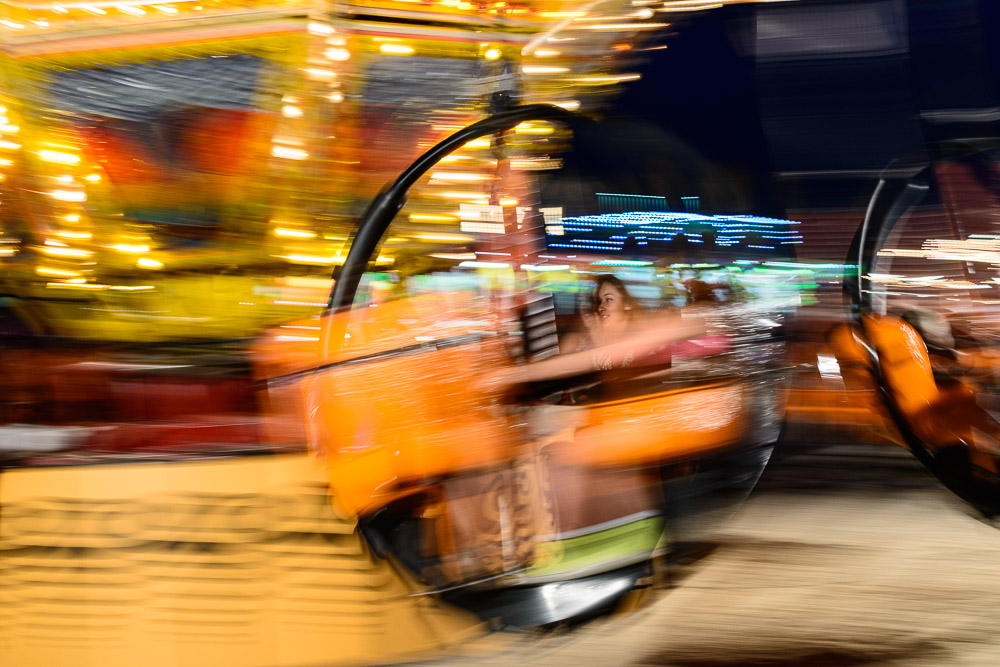
    Maybe we used a very long shutter speed and discovered that all the motion is blurred. Again, our eyes do not perceive this.

    Or we shot it with a wide aperture of, say f/4, only to find that much of the image is out of focus. But we are used to our eyes “seeing” everything in focus.

    If you hand hold your camera you may be disappointed to find that many of your frames are not as sharp as you intended. After all, our eyes seldom perceive things as unsharp, but in the camera there is a balance of exposure settings to juggle to get a crisp image exposed properly.

    We pointed the camera at a brightly lit daylight scene and found that some highlights were overexposed, and some shadows were underexposed. Our eyes usually see everything correctly exposed. The automatic HDR we employ can lead us to forget that the camera can’t do that.

    Through experiments like these, and many more, we eventually learn how the camera will capture a scene under almost any condition. It takes some experience, and a lot of thrown away images. The camera gives us feedback by faithfully recording the scene according to how we adjusted it. We may not always be happy with the result. Failure is a great teacher.

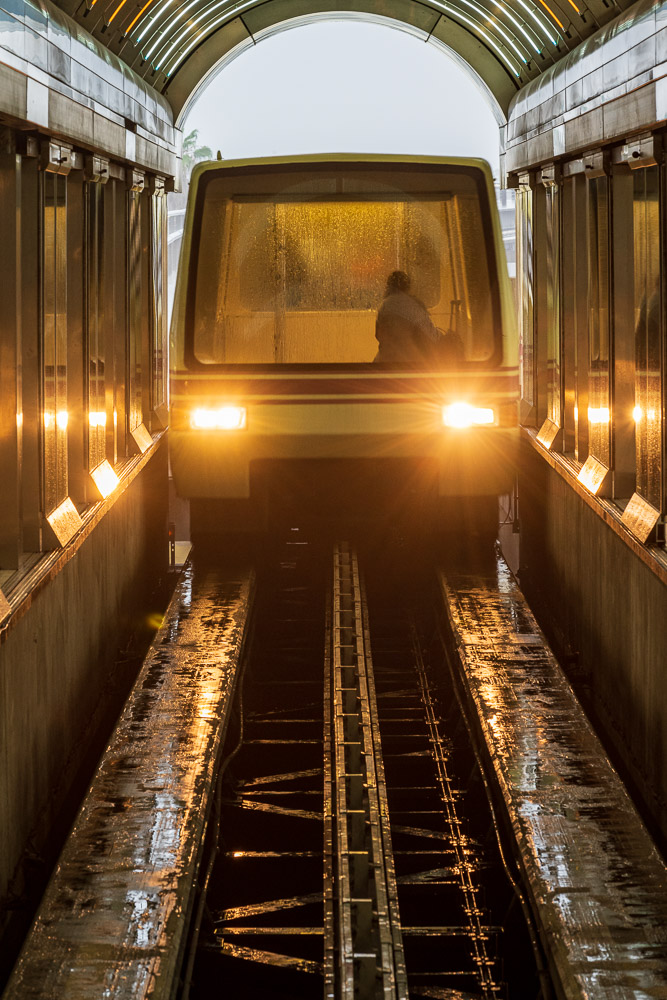
    Blurred intentional camera motion of a passing train.©Ed Schlotzhauer

    Limitations help define art

    But eventually it is no longer mysterious. We learn to control the tools we have and make them work for us. Our camera becomes a means to realize our vision.

    Along the way, we discover something marvelous. These limitations we had to learn to work around are opportunities for artistic expression.

    For instance, we have a whole new perspective on time. The camera can slice time down to thousandths of a second to stop motion. Or it can keep its shutter open for seconds or more to show the effect of motion over time. Our eyes and brain cannot do this, so now we can open whole new views on the world.

    We can intentionally underexpose a foreground to create a dramatic silhouette. Or we can intentionally overexpose the scene to produce a dreamy washout. Basically, we can alter the exposure values to any degree we wish to create the effect we like. They do not always have to be “correct”. What we see with our eyes is almost always correct.

    We can superimpose multiple layers or remove distracting elements. Want to feature the form of something? Black & white is excellent for that. With the right tools we can peer into almost total darkness or shoot a picture of the surface of the sun. We need our camera and software to do these things. Our eyes can’t.

    A good tool is a force multiplier. It allows us to do things we could not do unaided.

    As we listen and let the camera teach us what it can do, we discover new artistic possibilities. Maybe we want to use them. Maybe not. That is up to us and how these things fit in our vision. But the toolbox becomes larger and better stocked as we learn more.

    So, when you look at an image and think “Wow, what just happened here?”, maybe that is an opportunity to discover a new feature of the world of photography. One that you might be able to exploit to your advantage. The camera can become our teacher.

  • Photography Isn’t Creative

    Photography Isn’t Creative

    Photography isn’t creative. I know, those are fighting words. Please put down the pitch forks for a few minutes and let me explain the distinction I see.

    A medium

    Photography is a medium, not something magic. Merriam Webster defines the aspect of “medium” I am referring to as “A means of effecting or conveying something; a mode of artistic expression or communication”.

    I know artists who express their art by taking pictures, some who put paint of a canvas, some who sculpt, others who make fabric creations, some who write or create music or make videos. I have known some who build art from scrap metal, even some who cut out bits of paper and create designs on a wall with them, and one or two who dance. These are just some I know personally.

    These artists all use a different medium for their creation. The medium sets parameters about what the resultant creation is: large, small, heavy, light, 2 dimensional, 3 dimensional, persistent or transient, etc. But the medium does not create the art. It is the mode through which the art is expressed

    Going around in circles©Ed Schlotzhauer

    Cameras don’t create

    A camera is a tool of the photographer. Some people think photography is not art because you just point a camera at something and press the button and capture it. When you do this, you usually get pictures that look like you just pointed the camera at something and pushed the button. No life. No excitement. Not that much interest. A record of something, not art.

    Luckily we have not gotten to the point that AI-equipped cameras try to make art all by themselves. It is still up to the photographer as artist to make the creative decisions.

    These decisions are what shape most of the outcome.

    Skill

    Photography is a medium and a technology. As such, it has limits on what it can do. Some things can be done very well and some things are difficult or impossible. For instance, it is difficult to create 3D images photographically. Not impossible, but difficult.

    Amazing things can be done by a craftsman wielding their tools expertly. As a photographic artist, we learn to think photographically, to internalize how to use the technology to create what we visualize. How to use our tools.

    But what I am describing is a process of an artist using tools to create art. The tool does not create the art. It helps express the artist’s will.

    A general flow for photography is establishing a concept, visualizing the intended result, capturing the image, and refining it on the computer. Which of those stages allow creativity?

    Trick question. All of them.

    Silhouetted tree against glass skyscraper©Ed Schlotzhauer

    People create

    A paintbrush does not create a great work of art. A chisel does not produce an amazing sculpture. And a camera does not produce an amazing, creative photograph.

    It is the artist using the tool that receives the credit, because it is his creative vision that applies the tools skillfully to achieve his intent. Every artist or craftsman I know appreciates excellent tools and likes to use the best he can afford. The quality and precision of great tools makes the creative process more of a joy when you know how to use them well.

    Same with photography. All the photographers I know love to talk about their tools. They long to have the highest quality cameras and lenses, the best computer and monitor. But they also recognize that these things are only tools. Good tools might make their work a little easier, but it doesn’t change their art.

    But the tool does not do the creative work. Photographic technology is a medium. If we are using a camera we must understand the strengths and weaknesses of the medium. As creatives, we must know how to use the medium to achieve our goals. That is very different from just taking a picture.

    Zig-zag shadow©Ed Schlotzhauer

    The medium isn’t the art

    So the medium is the channel we use to create or deliver our art. Nothing more. It is a “means of effecting or conveying something.” What we convey is our artistic vision. How we use the properties of the medium is part of the creative process.

    The way we express our vision may be different in a painting versus a photograph. We may have to choose the correct medium to achieve certain outcomes. You would have a challenge to express your music as a painting, for instance. Or maybe that would inspire you to push the medium of painting in new directions.

    Note: AI isn’t people

    An elephant in the room in conversations about art and creativity is AI. Let me go on record as saying, in my opinion, AI does not and cannot create art. It can make nice pictures that are very useful for advertising and utilitarian use. But it can never create, because computers can’t think, or feel, or appreciate art.

    AI models are trained using data from existing work. This is a major ethical question being debated, but not the issue here.

    Everything the model “knows” is work that has been done in the past. It will not be inspired to create something new. Inspiration requires a consciousness. Only humans are able to do that.

    AI can be useful as a helper, just not as a creator.

    Fall trees via intentional camera movement©Ed Schlotzhauer

    Photographic art

    Despite being maligned and excluded from the ‘inner circle” of fine art by established interests, photography continues to make inroads as a recognized art medium. Photographic artists continually push the limits of the medium and use those limits to inspire their creativity. Much of the creative discovery is at the limits of what can be done.

    Photography is just a medium. As that, it is not creative in itself. But artists can product creative works using it. The medium influences the art. The art uses the medium.

    Postscript

    As I write this, it is the day of the 50th anniversary of the release of the movie Jaws. The story behind it is fascinating. I would like to share a few highlights I have found that are relevant to today’s topic.

    Jaws was conceived as a low budget horror movie. It was given to an almost unknown director named Stephen Spielberg. But 2 unanticipated things happened that set it apart and allowed it to become one of the iconic movies of history.

    First, Spielberg collaborated successfully with a relatively unknown music writer, Jon Williams. Many say half the impact of the movie was the famous theme song.

    But of even more interest to me is that a huge factor in what the final product became was that the mechanical shark didn’t work. It was cheaply made. No one had thought to test it in salt water. Because it didn’t work reliably and he felt it looked pretty dumb, Spielberg showed it a lot less than they originally planned. Surprisingly, this resulted in greater drama and made the shark more menacing. Overall, the movie was a great success, partly because of a balky mechanical shark.

    A great artist, creatively adapting to the limitations of his medium and budget, unexpectedly created something wonderful. Something that is still recognized as great 50 years later. Creative problem solving. That is inspiring.

  • Ethics of Editing

    Ethics of Editing

    I thought this question was completely discussed and laid to rest. But just in the last week I have seen 3 posts questioning the ethics of editing images. Not really saying it is wrong, just questioning it in general.

    Let me give you my conclusion so you can stop reading if you disagree: the question is wrong. It is not an ethical issue for art.

    Are photographs special?

    Because of its nature of recording the scene in front of the camera, some people still assume that photography is some kind of “pure” imaging form. That is, that what you see is reality. It is not and never has been.

    You would never make that assumption of a painting. It is clear to everyone that it is a constructed image. Even if it was painted as “plein air”, the artist would leave out things that distract and freely put in things that “should” be there.

    Just because the sensor (or film) images everything in the field of view of the lens does not certify that the resulting image is “truth”. And speaking of the field of view, changing it is a valid and common way to change the story you are telling. Zooming in on a small part or moving to the side a little may completely alter the message of the image. Is that ethical?

    Giant flamingos, in Colorado.©Ed Schlotzhauer

    Modifying darkroom prints

    Prints were routinely modified even from the days of film and darkroom printing. Filters made serious modification to tonal renderings in the captured negatives. Negatives were spotted to remove dust (or distractions). Dodging and burning further altered the tonality of the original scene.

    If you are familiar with Photoshop, you know that one of the layer blend modes is Screen. Do you know where this name came from? A way of compositing film images was to project 2 images together onto a screen, then re-photograph the resulting combined image.

    Photographers are resourceful. They find a way to make the image they need or want to make. Even if the result departs from the original.

    Modifying digital images

    But it is so much easier to alter digital images. Does that somehow make it unethical to do it?

    We have wonderful technology in our computers and image processing software. But would we be better artists if we printed our images “straight” – unmodified in any way?

    No, we would not. Digital sensors are amazing, but the straight output of a RAW file is bland, low contrast, probably with a bad color cast, and it has dust spots and distractions. You could never sell an image like this, and it would be foolish to even show it to viewers in this state. Other than to make a point about how important correction is.

    Even black & white prints are an advanced modification of color images. It is no longer a throwback to simpler and more pure times.

    We are expected to correct the color and contrast, to remove spots and distractions, to alter the lighting and tonality to make it more pleasing. You could never win a contest or be admitted to a gallery without doing at least those steps.

    Beyond that, pixels can be processed and combined much more freely than film images ever could. To say that it is wrong to do that with digital images is like saying that writing should only use the grammar and vocabulary of 19th Century English, because it was more pure.

    Antique narrow gauge steam locomotive snowplow©Ed Schlotzhauer

    Why do it?

    Is it too simple to say, “because we can”? Simple but true. We can. Pixels are raw material. They can be modified or combined or stretched or colored at our will. The same way that a painter can use any colors or put any brush strokes down on his canvas.

    What we choose to do depends on the image. Sometimes we compose the “final” shot almost entirely in camera. We recognize what we want to do, and we can make it happen in the field. These images still need a lot of work to bring out the quality we want, but the result may be very close to the scene as shot.

    But sometimes I go out shooting what I call “raw material”. These images are deliberately not intended to be a finished image by itself. They become parts blended or composited together with other parts to form a final image concept. Is that valid? Is it ethical? To me, completely.

    Terra Incognita©Ed Schlotzhauer

    When not to do it

    There are times that images should be labeled as “truth”. If you are representing the work as photojournalism or documentary, it should relatively unmodified. Relatively in the sense that it may be cropped or spotted or exposure balanced. Things like that that do not seriously alter the result that is presented to the viewer.

    Even so, there are the issues of point of view and field of view. I discussed field of view. For journalism what the photographer chooses not to show may completely change the ‘truth” of an image. And anyone, even a seasoned journalist, has a point of view they bring to the shoot. That POV determines how they represent the scenes, what to feature, how to frame it, etc.

    So, we must accept that what we see is the truth from their point of view.

    Kentucky Coal Miner©Ed Schlotzhauer

    Ethics?

    One of the articles I read recently asks “how much we can ethically alter a photograph?” My response is that only photojournalists and documentary photographers should be expected to “tell the truth”. Other than that, there are no ethics involved. The concept does not even apply to art.

    All other photographers are creating something artificial. The resulting image is a creative work of fiction. Trying to say that there is some artificial ethical limit on what they do is like saying all writers must only tell the absolute factual truth. I hope not. I like reading fiction.

    There are many reasons for creating images. A few uses of them should maintain a semblance of truth. Most do not have any link to truth.

    My images are only truth in the sense that I created them (no AI involved), they are my product, and they represent what I felt or believed at the moment. Any ethical questions are within my mind and based solely on my values. If anyone else raises an ethical concern about my work, I thank them for being interested, I might want to find out their concerns, but I would tell them to apply their ethical anxieties to their own work.

    Of all the things there might be to worry about in the world, the ethics of altering my images is not one of them.

    The real ethical dilemma

    There is a serious ethical issue that needs a lot more discussion. That is AI generated work and creating images that deliberately lie about events. But I am out of room here.

  • Know Your Masks

    Know Your Masks

    We all put on masks (not Covid ones, thankfully) all the time. Our masks make us look better to other people. But I’m not talking about our social interactions. We are image makers, so we also use masks in our editing tools to make our images look better. Both Photoshop and Lightroom have masks, but they are very different. Understanding the differences helps us better understand our craft.

    What are they

    In their simplest form, masks limit the extend of the edits we make to an image. All of our editing software lets us make global adjustments to an image, like increasing or decreasing the overall exposure. Most of our editors also allow us to restrict edits to selected parts of the image by masking.

    You know the situation. After we get the overall look of an image balanced the way we like we often have to “drill in” and work on smaller parts. For instance, maybe a part needs to be brightened to make it stand out the way we want or darkened to call less attention to itself. No matter what your software calls it, masks are used for this.

    But how we do it and how they work on the image can vary greatly.

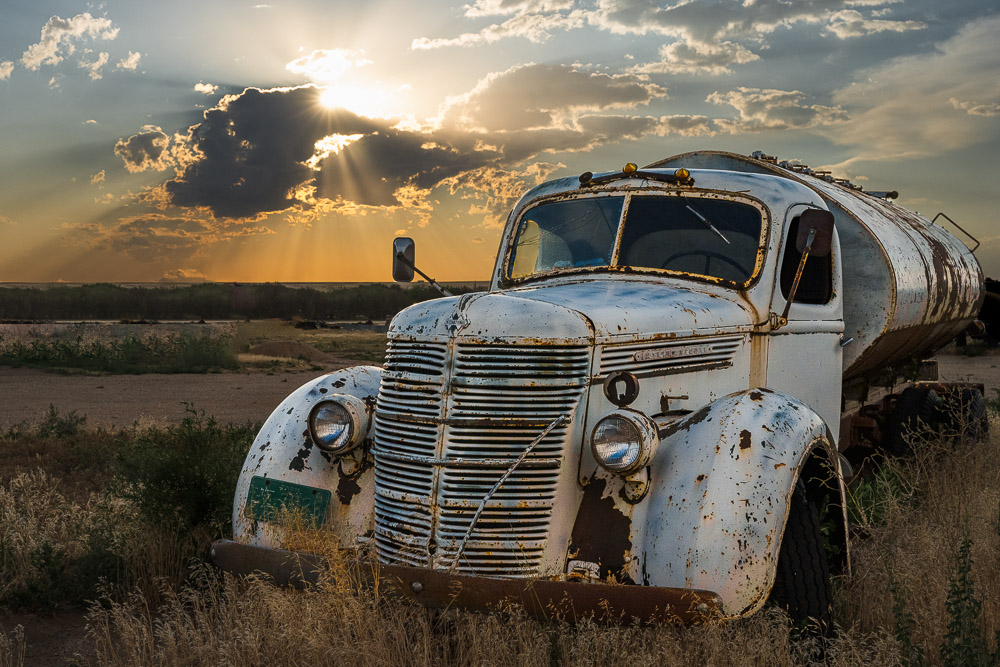
    Old rusty International Truck. I finally got it's portrait.©Ed Schlotzhauer

    A mask

    In the general sense, a mask allows us to isolate part of an image so that we can make selective edits.

    Without masks all of our edits would be global. That is, what we do would affect the entire image. To selectively modify only parts of the image, though, we need the ability to restrict the area to be edited. In a sense, a mask is kind of like a stencil that keeps us from painting outside of an area.

    For photography, the concept of masks comes from the darkroom. In the traditional darkroom, printers used bits of paper or sheets with shapes cut out to hold light back from selected areas or to add light to selected areas during exposure of a print. This was called dodging and burning. It required a lot of planning, and it was a very tedious and labor-intensive process. One mistake and hours of work could be ruined. I personally am very glad we do not do that now.

    Lightroom vs Photoshop

    I’m going to use Lightroom Classic (which I will just call “Lightroom”) and Photoshop as my examples. They are what I know, and I think they are the most commonly used editors of their specific kind. Yes, kind, because for all their similarities they are 2 different kinds of thing. These differences are important to us, and we need to have some understanding of how they work in order to use them better.

    The most fundamental difference is that Lightroom never modifies pixels while Photoshop will gladly do anything you want to your pixels. Because of this basic difference, the way they deal with masking and editing is also completely different.

    In a sense, Adobe has created a problem for their users. They sell the 2 premier image editors. The products are tightly linked, and users often have to use both of them to accomplish their goals, but they are so different that it causes confusion.

    Line of very nice empty wine bottles©Ed Schlotzhauer

    Photoshop

    Photoshop was the first capable and widely used image editor. It springs from the days when images were only pixels. It is a pixel editor, even with adjustment layers and blending modes.

    Photoshop is a bare knife. It eagerly does whatever you tell it to do to your image. Like a sharp knife in skilled hands can do great work, the same knife in unskilled hands can be dangerous. Photoshop will shred your pixels with no remorse.

    Inside Photoshop, a mask is a black & white image that is attached to a layer. Whatever adjustment you do on the layer is restricted by the mask. The mantra is “white reveals and black conceals”. That is, where the mask is white the adjustments are made on the underlying image. Where the mask is black, the adjustment is ignored.

    But note that the mask is just another bitmap image. It can contain any set of pixels including shades of grey. For instance, sometimes frequency separation editing is done by doing something like taking, say, a copy of the green channel and pasting that into an adjustment layer as a mask. That is a complex mask, but Photoshop handles it easily.

    Also, we modify images by building up layers of changes. The order of the layers is very important in Photoshop. The changes are always applied in the order you specify in the layer stack and the results will probably change if the order is changed.

    So in Photoshop you can do anything you want to the pixels. They can be stretched and blurred and painted over and, well, there is little limit. Masks are just another kind of bitmap that lets us limit the area modified by a layer.

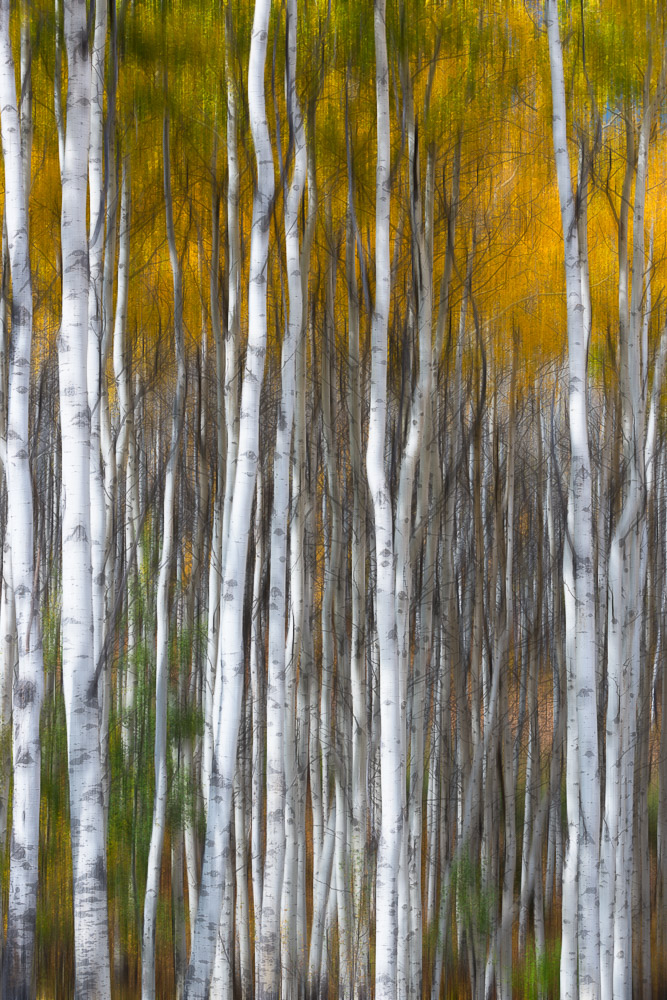
    Hiding in the abstract aspens©Ed Schlotzhauer

    Lightroom

    Lightroom Classic is the newer product and it brings a completely different design and technology approach. It is specialized to be the editor of RAW images like Photoshop is specialized to be the pixel editor.

    Lightroom has become my first and often only step in editing images. One reason I go to Photoshop less is because Lightroom has added very capable masking ability and they continue to enhance it.

    But masks in Lightroom are a totally different thing from Photoshop. Since Lightroom is designed to be incapable of destroying pixels, they have adopted a technology of keeping track of descriptions of the edits to be done rather than actually doing the edits. Same for masks and their edits. These descriptions are separate from the image. They are applied to the original RAW file whenever it needs to be viewed. And the order of edits usually does not matter.

    Generally, Lightroom masks are constructed by combinations of gradients and shapes and range selections and brush strokes. The shapes can be composed together to make complex and useful masks. Some “AI” aids are available as shortcuts for selecting the sky, or people, for instance.

    Sunset at 40,000 ft©Ed Schlotzhauer

    Lightroom markup example

    The edit descriptions are just text that is kept separate from the image and is processed by Lightroom as needed. Here is a sample of the instructions for one of my images. This is only part of the text file, it defines one mask:

    <crs:MaskGroupBasedCorrections>

        <rdf:Seq>

         <rdf:li>

          <rdf:Description

           crs:What=”Correction”

           crs:CorrectionAmount=”1″

           crs:CorrectionActive=”true”

           crs:CorrectionName=”Mask 1″

           crs:CorrectionSyncID=”4F05D072D78C40239D264FC0F8F45469″

           crs:LocalExposure=”0″

           crs:LocalHue=”0″

           crs:LocalSaturation=”0″

           crs:LocalContrast=”0″

           crs:LocalClarity=”0″

           crs:LocalSharpness=”0.215228″

           crs:LocalBrightness=”0″

           crs:LocalToningHue=”0″

           crs:LocalToningSaturation=”0″

           crs:LocalExposure2012=”0.27395″

           crs:LocalContrast2012=”-0.100282″

           crs:LocalHighlights2012=”0″

           crs:LocalShadows2012=”-0.188717″

           crs:LocalWhites2012=”0.127177″

           crs:LocalBlacks2012=”-0.061475″

           crs:LocalClarity2012=”0.730341″

           crs:LocalDehaze=”0.631532″

           crs:LocalLuminanceNoise=”0″

           crs:LocalMoire=”0″

           crs:LocalDefringe=”0″

           crs:LocalTemperature=”0.274462″

           crs:LocalTint=”-0.102011″

           crs:LocalTexture=”0.169762″

           crs:LocalGrain=”-0.100026″

           crs:LocalCurveRefineSaturation=”100″>

          <crs:CorrectionMasks>

           <rdf:Seq>

            <rdf:li

             crs:What=”Mask/CircularGradient”

             crs:MaskActive=”true”

             crs:MaskName=”Radial Gradient 1″

             crs:MaskBlendMode=”0″

             crs:MaskInverted=”false”

             crs:MaskSyncID=”780243712C904039AF01C58DADCB61FA”

             crs:MaskValue=”1″

             crs:Top=”0.219066″

             crs:Left=”0.694605″

             crs:Bottom=”0.301111″

             crs:Right=”0.787517″

             crs:Angle=”0″

             crs:Midpoint=”50″

             crs:Roundness=”0″

             crs:Feather=”34″

             crs:Flipped=”true”

             crs:Version=”2″/>

           </rdf:Seq>

          </crs:CorrectionMasks>

          </rdf:Description>

         </rdf:li>

        </rdf:Seq>

       </crs:MaskGroupBasedCorrections>

    It looks intimidating, but it is not made for us to read. We never see this unless we go looking for it. Computer Science people call this a markup language. Computers process it efficiently.

    It’s our technology

    Photoshop deals only with pixels, and it can change the actual pixels of your image in any way you would like. There is no limit, and it can make changes that are unrecoverable. Lightroom edits are more limited in scope and only deal with information about the adjustments you would like made to your image. A benefit of Lightroom is that it refuses to destroy any pixels.

    This applies to masking, too. Masks in Photoshop are bitmap images that can be as complex as the image itself. The mask is another layer to paint or edit like other images in Photoshop.

    Silhouetted tree at sunset with birds©Ed Schlotzhauer

    Masks in Lightroom are more limited, but still absolutely useful. The masks are combinations of the shapes Lightroom knows about and lists of changes to make within the shape. It does not matter what order you do adjustments in Lightroom.

    We need to be aware of these basic design features as we are using the products. Photoshop works directly on pixels. Lightroom keeps information about how to change the look of pixels. They are fundamentally different in design. When we do not keep these behaviors in mind, we can become frustrated when switching between the tools.

    It is part of the technology we use to create our art. The better we understand how it works the more skilled we can be at using the tools.