An artists journey

Tag: digital photography

  • You Still Need To Backup

    You Still Need To Backup

    Backup is one of those hygiene subjects we would rather not think about or talk about. But it is important. You need to backup intentionally and consistently.

    Film days

    Back in the “good ole’ days of film”, (they weren’t really the good days) we never had to worry about backup. The developed film was the permanent physical backup.

    All we had to worry about was storing it properly and in a fireproof location. These days, finding a fireproof location is more of a challenge. Photographers who had some exceptionally valuable images might have duplicate film images created and stored in a vault or safety deposit box.

    I have many filing cabinet drawers full of slides and negatives. Sadly, I never look at them. Partly because they are old and I have improved a lot and changed my interests some. But mainly because, being physical instead of digital, they are hard to search and locate. I can’t see me ever taking the time to scan them all.

    Sunset, Oklahoma plains©Ed Schlotzhauer

    Digital days

    I expect most of you reading this shoot digital exclusively. I know I do. Digital has many advantages. Obviously, since it has almost completely taken over photography.

    But digital. has a huge disadvantage. The image data is ephemeral. It has no physical presence. If we delete the file, it is gone. Permanently, if it is not backed up.

    What would happen if your main image disk said “poof” and a little smoke leaks out? All your images are gone unless they are backed up. As if they never existed. Most of us would consider this a disaster.

    Tennessee Stream©Ed Schlotzhauer

    Disks fail

    But disks are very reliable, aren’t they? We can find published reliability numbers like 1,000,000 hours MTBF (mean time before failure). That sounds very safe.

    But those are projected statistics for large numbers of disks. My particular drive could fail tomorrow. And they do. I am sitting here looking at a stack of 11 failed disk drives that I am waiting to get in the mood to take outside and smash with a sledgehammer.

    SSD drives seem to be more reliable than rotating magnetic disks. Seem to be. But let me reveal a dirty secret about solid state drives: they are so unreliable that they are extensively engineered to mask their failures. Bits fail all the time. Whole sections of an SSD can go bad. The drives have sophisticated error correction algorithms built in to allow for this and keep them functioning with no apparent data loss. Kind of like RAID built in.

    They haven’t been around long enough to have conclusive data, but in general, SSDs seem to be more reliable than magnetic disks. But they fail.

    Don’t get me wrong, SSDs are an improvement, and I will switch when prices go down enough for the quantity of storage I need. My point, though, is that SSD’s still fail. They are not some magical devices you can forever trust your valuable images to and be guaranteed safe.

    Rise Against, representing the daily struggle©Ed Schlotzhauer

    Clouds fail

    So, the obvious solution seems to be put all your data in the cloud. Right? Let somebody else handle the storage management.

    There are problems. Cloud storage gets expensive in the quantities most serious photographers need. And keep in mind that this is an ongoing expense.

    And how fast is your internet for upload speed? I am fortunate to be served by one of the best internet providers in the nation. Theoretically, in perfect conditions, I could upload a Terabyte of data to the cloud in a little over 3 hours. IF everything is perfect and if the cloud storage could accept data that fast. Previous internet providers I had would take weeks to upload this much data, because upload speed was much slower than the download speed.

    But even if you successfully get your data into the cloud, it is now at the mercy of the service you use. They can go out of business, or change business models, or raise prices. If you use Azure or the Amazon cloud your data is probably safe. Maybe even Adobe. But you have no control. I like to control what is important to me. And I want to be sure my images are not being used without my permission or used for AI training.

    Lightroom cloud?

    Maybe the Lightroom cloud storage is the right answer for you. It is for some. If you are just starting out in photography, it may be ideal for you.

    The latest data I saw said Adobe offers up to 1TByte of storage. That’s the tip of the iceberg of the 10 TBytes of image data I currently have. If they offer that much storage, it would be expensive. If I work an image in Photoshop and composite multiple images and use lots of layers, it can exceed 4GBytes for one image. That eats up terabytes fast.

    And to access your images, you must have internet access. I have a fantastic internet provider, but outages still happen occasionally. Yes, Lightroom stores a highly compressed small version of images locally on your computer, but that does not seem good enough to me.

    There are some other reasons I will not use the cloud version of Lightroom, but they are not directly related to backup problems.
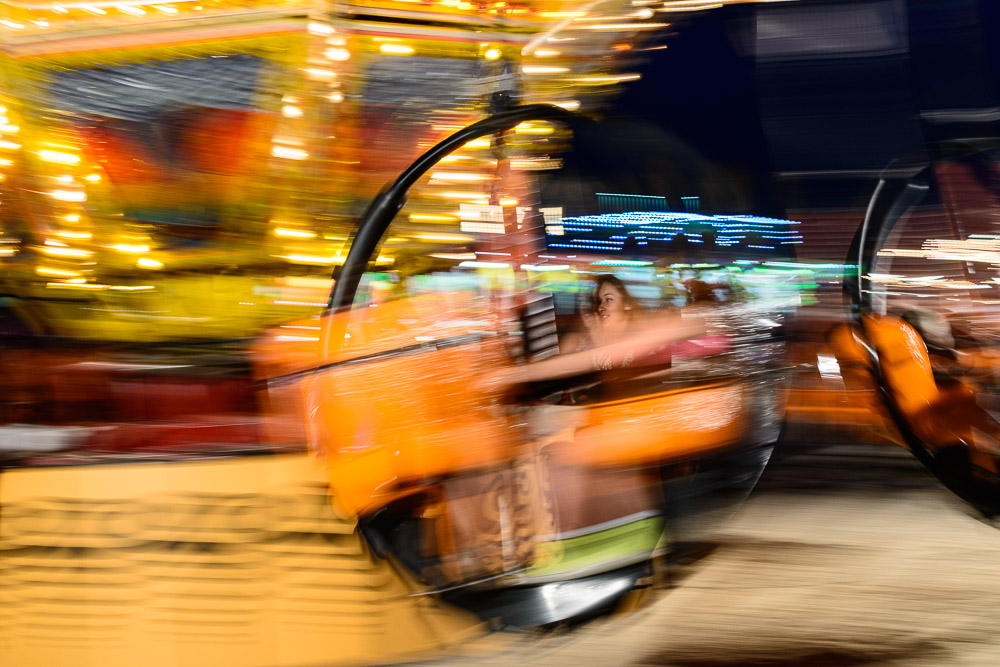
    Break all the rules: not sharp, subject centered, subject indistinct, no leading lines, etc.©Ed Schlotzhauer

    Seize control

    Digital image data is a blessing and a curse. There are significant advantages to it, but never forget, it can easily go away.

    So, we must proactively manage our data. That means backup. An aggressive, thorough backup plan that you monitor. This is a time to be paranoid.

    If you are on a Mac, step one is to plug in a large external disk and enable Time Machine. This is the automatic backup system built into Macs. It is so good that it may, all by itself, be a reason to switch to Macs. I’m not kidding. Make sure it is configured to also backup your image data.

    I will give you a glimpse into how paranoid I am in protecting my data. Even though my main image storage is a RAID system, my data is backed up hourly to Time Machine, and daily to two external disks, one of which is a network attached RAID drive. Every week I also make a copy that I keep offsite, and about once a month I make another snapshot of my data that is kept offline and safe.

    Some local backup with a layer of cloud backup is a feasible alternative now, but so far, I have chosen not to go that route.

    That sounds like a lot of work, but except for the weekly and monthly offsite backups that are not normally physically connected, it is all automatic. Thank you Time Machine and Carbon Copy Cloner. The CCC plug is FYI and just to let you know the specific tool I use. I get no consideration for recommending it.A scene found walking through an airport©Ed Schlotzhauer

    Make it automatic

    I admit, I am paranoid about my digital assets. They have been created over a long time with lots of work and expense, and they are precious to me. I do not intend to lose them because of a preventable accident.

    Earlier I mentioned a stack of 11 failed disk drives. That is just the current accumulation. Many more have failed over my time of being a digital photographer. But I have never lost a file because of a disk failure.

    I believe a well thought-out, in depth backup plan is a must for any serious photographer today. Perhaps I overdo it. But I am not willing to take the risk of doing too little.

    I have tried to be clear that this is just my way of doing backup. Like all photographic workflow decisions, it is usually a personal choice. Yours may be lighter weight or more rigorous. Do what works for you. But do it.

    Do not let backup be something you might remember to do occasionally, if you think of it. You won’t think of it at the right time. The clock is ticking.

  • Run & Gun

    Run & Gun

    There are arguments for working slowly and carefully. But there are times when we must be fast and in automatic reaction mode. There is no one-size-fits-all in photography. Sometimes the best choice, or your only choice, is run & gun.

    What is run & gun

    I doubt there are any hard definitions of this, but by run & gun I mean shooting fast and without prior planning. It is working fluidly, rapidly, instinctively, without setups or lots of takes. Some would call it “fast and loose.”

    This is often constrained by external circumstances. The. idea comes to mind for me because I just got back from a vacation in Europe where I was put in exactly this situation on most of the tours I did. These were not specific photo tours. Rather, one where the guide says, “here is the Strasbourg Cathedral; go in and look around and meet back here in 15 minutes.” Gulp. No planning, no chance to work the scene, no bracketing, not even a tripod. I have never even seen this place before and do not know what to expect, other than that it is one of the tallest churches in the world.

    Other situations where this is necessary are sports photography, concert photography, or candid wedding photography. All are places where we cannot control the action or pose the subjects.

    Red barn, red truck©Ed Schlotzhauer

    Arguments for slow

    It’s easy to argue the merits of shooting slow. We have time to contemplate, to consider options. To walk around and look at different angles. Maybe to wait for better light.

    This is the kind of shooting Ansel Adams or John Fielder would do. When you are carrying heavy, large format cameras way out into the field and exposing expensive film plates, it imposes a discipline on you.

    You would always use a tripod (necessary for slow film anyway). You would compose carefully and thoughtfully. Exposures would be calculated in detail, maybe using the Zone System to make sure all the tones are captured and placed where you can do the darkroom work you want later.

    In slow shooting you may go out for a day of shooting and come back with a dozen or so exposed images. But each is very carefully considered.

    Sailboat, healed over in the wind.©Ed Schlotzhauer

    Arguments for working a scene

    On the other hand, in Light, Space, and Time: Essays on Camera Craft and Creativity, (I get no consideration for the reference) David duChemin argues eloquently for working a scene thoroughly. That is, to shoot your first instinct, then to move and shoot more, look at it from different angles, try to refine your idea and improve on what you did.

    He says that, when teaching workshops, if a student says they are not happy with their work, he scans through their images on their camera. He is not looking for technique but for the number of frames they shot of it. His point is that if the student shot 3 images of something and then stopped, they did not explore the possibilities adequately.

    I believe most photographers would improve their work if they did this. Most of us shoot digital now, so we are not limited by the cost or bulk of film. We can review our images immediately on the camera. This quick feedback can help, especially if we are learning composition and camera technique.

    It is amazing how even a slight movement or re-framing can make a huge difference in the impact of an image. Having the time and self-discipline to do this can be beneficial.

    An unexpected travel shot. It came from taking the time to stop and watch and wait.©Ed Schlotzhauer

    Arguments for shooting less

    On yet another hand, I just read an article by a friend, Dean Allen, arguing that we should shoot less. His is a minimalist argument. The burden of sifting through all those excess images we shoot to find the few good ones is time consuming. It is hard to find the needles in the haystack.

    Doing this would certainly save a lot of time culling and editing. I think most photographers would rather be out making images instead of sitting at the computer. So yes, in this sense, fewer is better.

    It sounds attractive to say to only shoot the good ones, but I would counter that it is very hard to tell at the time which one will be the best.

    But when that doesn’t work

    There are situations where one of these disciplined approaches can’t be used effectively. I mentioned being on a tour with limited time to see a spectacular location. There are others.

    My nature is that I do not like to perturb a situation to set up a shot. Whether that is on a tour in a cathedral or at a sports event or a family gathering or doing street photography, I prefer to accept what I find then use my skill and experience to be able to get a good image.

    This is a basic conflict with my wife. She thinks good pictures of people have them lined up in front of whatever the scene is, staring at the camera, with big smiles on their faces. I would never do this. To me the shot to work for is a candid capture that reveals someone’s personality or thoughts or feelings. One that shows them doing something natural and characteristic.

    Not trying to control the situation is a healthy acceptance of reality. And an opportunity for creativity.

    Peeking child in cathedral©Ed Schlotzhauer

    Skill and reflexes

    Sometimes you must shoot fast and instinctively. There is no opportunity for planning or even thinking much. The run & gun approach. This is a learned skill. One that I enjoy working on.

    To me this is a kind of dance between me and the subject. They are moving or doing whatever they do, and I have to be in sync with them, to anticipate the movement, to recognize the right composition and moment and be ready to react instantly.

    It would be nice at times to be able to spend time to move and re-frame and shoot lots of trials, but that is usually not an option in this style of shooting. I find that I am in reaction mode. That is not bad. It is a kind of hunting, where I have a general idea of what I want, and I am patiently looking and waiting for the situation or composition to develop, then I must recognize it and act fast.

    It is a rush of adrenaline and satisfaction when I press the shutter and know I have captured a good image.

    One way to practice this is to go to a High School football game. Decide what the interest is to you – the action on the field, the sidelines, the cheerleaders, the fans – and to concentrate on that.

    If you have kids or grandkids, they are a rich opportunity. They will be comfortable enough with you around that they will ignore you and go about their play.

    Using a camera is the best practice, because you are working with the actual framing and exposure and lighting and people. And the get the real feedback to see how you did.

    But sometimes in these situations, I simulate it. That is, I imagine I am using a certain focal length lens, I try to visualize the composition as the camera would see it, then think “click” when I would press the shutter. It is good practice for reacting, but you do not get the feedback of seeing actual results.

    Expect lots of bad pictures until you get the timing and reflexes. Don’t be discouraged when good results do not come fast. Keep on learning and practicing. Even after a lot of practice, do not expect the same percentage of keepers you normally get.

    Menu on the mirror©Ed Schlotzhauer

    Adapt to the situation

    I do not believe there is a single right approach to photography, unless you are a commercial photographer in a narrow product niche. Different situations present different opportunities and challenges. It is good to practice approaching scenes from a variety of perspectives and with different skill sets.

    Shooting in a run & gun manner is right for some times. And there is a certain wild exuberance from shooting this way. Especially if you are comfortable with it and you have practiced enough to have a good success rate. It is one of my preferred ways to work.

    I love the challenge of taking things as I find them and seeing what I can make of them. In some situations, it may be the only way to shoot.

    Try it. You may love it.

  • Know Your Masks

    Know Your Masks

    We all put on masks (not Covid ones, thankfully) all the time. Our masks make us look better to other people. But I’m not talking about our social interactions. We are image makers, so we also use masks in our editing tools to make our images look better. Both Photoshop and Lightroom have masks, but they are very different. Understanding the differences helps us better understand our craft.

    What are they

    In their simplest form, masks limit the extend of the edits we make to an image. All of our editing software lets us make global adjustments to an image, like increasing or decreasing the overall exposure. Most of our editors also allow us to restrict edits to selected parts of the image by masking.

    You know the situation. After we get the overall look of an image balanced the way we like we often have to “drill in” and work on smaller parts. For instance, maybe a part needs to be brightened to make it stand out the way we want or darkened to call less attention to itself. No matter what your software calls it, masks are used for this.

    But how we do it and how they work on the image can vary greatly.

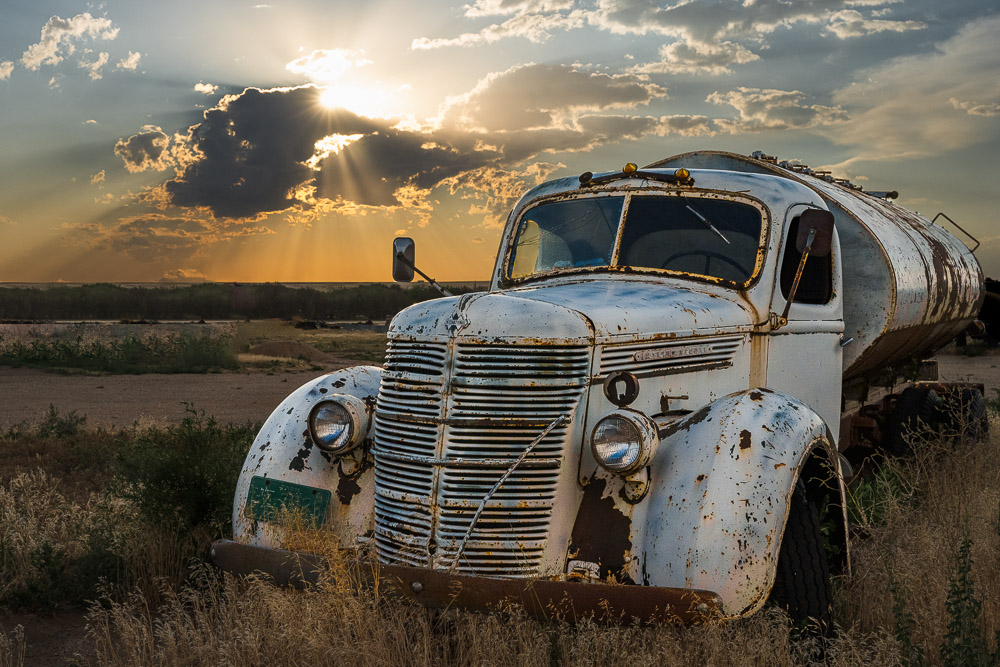
    Old rusty International Truck. I finally got it's portrait.©Ed Schlotzhauer

    A mask

    In the general sense, a mask allows us to isolate part of an image so that we can make selective edits.

    Without masks all of our edits would be global. That is, what we do would affect the entire image. To selectively modify only parts of the image, though, we need the ability to restrict the area to be edited. In a sense, a mask is kind of like a stencil that keeps us from painting outside of an area.

    For photography, the concept of masks comes from the darkroom. In the traditional darkroom, printers used bits of paper or sheets with shapes cut out to hold light back from selected areas or to add light to selected areas during exposure of a print. This was called dodging and burning. It required a lot of planning, and it was a very tedious and labor-intensive process. One mistake and hours of work could be ruined. I personally am very glad we do not do that now.

    Lightroom vs Photoshop

    I’m going to use Lightroom Classic (which I will just call “Lightroom”) and Photoshop as my examples. They are what I know, and I think they are the most commonly used editors of their specific kind. Yes, kind, because for all their similarities they are 2 different kinds of thing. These differences are important to us, and we need to have some understanding of how they work in order to use them better.

    The most fundamental difference is that Lightroom never modifies pixels while Photoshop will gladly do anything you want to your pixels. Because of this basic difference, the way they deal with masking and editing is also completely different.

    In a sense, Adobe has created a problem for their users. They sell the 2 premier image editors. The products are tightly linked, and users often have to use both of them to accomplish their goals, but they are so different that it causes confusion.

    Line of very nice empty wine bottles©Ed Schlotzhauer

    Photoshop

    Photoshop was the first capable and widely used image editor. It springs from the days when images were only pixels. It is a pixel editor, even with adjustment layers and blending modes.

    Photoshop is a bare knife. It eagerly does whatever you tell it to do to your image. Like a sharp knife in skilled hands can do great work, the same knife in unskilled hands can be dangerous. Photoshop will shred your pixels with no remorse.

    Inside Photoshop, a mask is a black & white image that is attached to a layer. Whatever adjustment you do on the layer is restricted by the mask. The mantra is “white reveals and black conceals”. That is, where the mask is white the adjustments are made on the underlying image. Where the mask is black, the adjustment is ignored.

    But note that the mask is just another bitmap image. It can contain any set of pixels including shades of grey. For instance, sometimes frequency separation editing is done by doing something like taking, say, a copy of the green channel and pasting that into an adjustment layer as a mask. That is a complex mask, but Photoshop handles it easily.

    Also, we modify images by building up layers of changes. The order of the layers is very important in Photoshop. The changes are always applied in the order you specify in the layer stack and the results will probably change if the order is changed.

    So in Photoshop you can do anything you want to the pixels. They can be stretched and blurred and painted over and, well, there is little limit. Masks are just another kind of bitmap that lets us limit the area modified by a layer.

    Hiding in the abstract aspens©Ed Schlotzhauer

    Lightroom

    Lightroom Classic is the newer product and it brings a completely different design and technology approach. It is specialized to be the editor of RAW images like Photoshop is specialized to be the pixel editor.

    Lightroom has become my first and often only step in editing images. One reason I go to Photoshop less is because Lightroom has added very capable masking ability and they continue to enhance it.

    But masks in Lightroom are a totally different thing from Photoshop. Since Lightroom is designed to be incapable of destroying pixels, they have adopted a technology of keeping track of descriptions of the edits to be done rather than actually doing the edits. Same for masks and their edits. These descriptions are separate from the image. They are applied to the original RAW file whenever it needs to be viewed. And the order of edits usually does not matter.

    Generally, Lightroom masks are constructed by combinations of gradients and shapes and range selections and brush strokes. The shapes can be composed together to make complex and useful masks. Some “AI” aids are available as shortcuts for selecting the sky, or people, for instance.

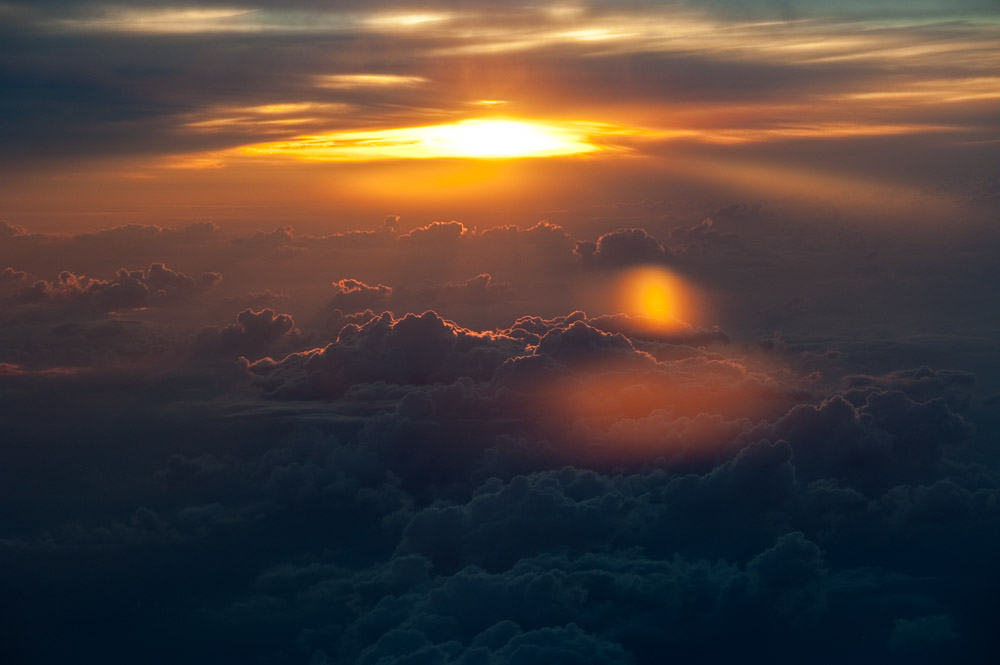
    Sunset at 40,000 ft©Ed Schlotzhauer

    Lightroom markup example

    The edit descriptions are just text that is kept separate from the image and is processed by Lightroom as needed. Here is a sample of the instructions for one of my images. This is only part of the text file, it defines one mask:

    <crs:MaskGroupBasedCorrections>

        <rdf:Seq>

         <rdf:li>

          <rdf:Description

           crs:What=”Correction”

           crs:CorrectionAmount=”1″

           crs:CorrectionActive=”true”

           crs:CorrectionName=”Mask 1″

           crs:CorrectionSyncID=”4F05D072D78C40239D264FC0F8F45469″

           crs:LocalExposure=”0″

           crs:LocalHue=”0″

           crs:LocalSaturation=”0″

           crs:LocalContrast=”0″

           crs:LocalClarity=”0″

           crs:LocalSharpness=”0.215228″

           crs:LocalBrightness=”0″

           crs:LocalToningHue=”0″

           crs:LocalToningSaturation=”0″

           crs:LocalExposure2012=”0.27395″

           crs:LocalContrast2012=”-0.100282″

           crs:LocalHighlights2012=”0″

           crs:LocalShadows2012=”-0.188717″

           crs:LocalWhites2012=”0.127177″

           crs:LocalBlacks2012=”-0.061475″

           crs:LocalClarity2012=”0.730341″

           crs:LocalDehaze=”0.631532″

           crs:LocalLuminanceNoise=”0″

           crs:LocalMoire=”0″

           crs:LocalDefringe=”0″

           crs:LocalTemperature=”0.274462″

           crs:LocalTint=”-0.102011″

           crs:LocalTexture=”0.169762″

           crs:LocalGrain=”-0.100026″

           crs:LocalCurveRefineSaturation=”100″>

          <crs:CorrectionMasks>

           <rdf:Seq>

            <rdf:li

             crs:What=”Mask/CircularGradient”

             crs:MaskActive=”true”

             crs:MaskName=”Radial Gradient 1″

             crs:MaskBlendMode=”0″

             crs:MaskInverted=”false”

             crs:MaskSyncID=”780243712C904039AF01C58DADCB61FA”

             crs:MaskValue=”1″

             crs:Top=”0.219066″

             crs:Left=”0.694605″

             crs:Bottom=”0.301111″

             crs:Right=”0.787517″

             crs:Angle=”0″

             crs:Midpoint=”50″

             crs:Roundness=”0″

             crs:Feather=”34″

             crs:Flipped=”true”

             crs:Version=”2″/>

           </rdf:Seq>

          </crs:CorrectionMasks>

          </rdf:Description>

         </rdf:li>

        </rdf:Seq>

       </crs:MaskGroupBasedCorrections>

    It looks intimidating, but it is not made for us to read. We never see this unless we go looking for it. Computer Science people call this a markup language. Computers process it efficiently.

    It’s our technology

    Photoshop deals only with pixels, and it can change the actual pixels of your image in any way you would like. There is no limit, and it can make changes that are unrecoverable. Lightroom edits are more limited in scope and only deal with information about the adjustments you would like made to your image. A benefit of Lightroom is that it refuses to destroy any pixels.

    This applies to masking, too. Masks in Photoshop are bitmap images that can be as complex as the image itself. The mask is another layer to paint or edit like other images in Photoshop.

    Silhouetted tree at sunset with birds©Ed Schlotzhauer

    Masks in Lightroom are more limited, but still absolutely useful. The masks are combinations of the shapes Lightroom knows about and lists of changes to make within the shape. It does not matter what order you do adjustments in Lightroom.

    We need to be aware of these basic design features as we are using the products. Photoshop works directly on pixels. Lightroom keeps information about how to change the look of pixels. They are fundamentally different in design. When we do not keep these behaviors in mind, we can become frustrated when switching between the tools.

    It is part of the technology we use to create our art. The better we understand how it works the more skilled we can be at using the tools.

  • Photography is Technology

    Photography is Technology

    There is no separating photography from technology. That is its nature. Photography is technology as much as it is art. It is one of the most technical art forms.

    What is technology?

    One definition of technology is “the application of scientific knowledge to the practical aims of human life.” Other definitions I like refer to applying knowledge to achieve practical goals.

    There is no getting around the fact that there is a tremendous amount of scientific and engineering knowledge packed in all the devices and tools we use in our photography.

    Technology pervades most things in all parts of our life these days. But photography is steeped in it.

    The technologies we use

    When you step back and look at it, every part of the chain from initial image capture to a final print or post relies heavily on technology.

    Our camera is a wonderfully crafted marvel. From the lens to the camera body and all that goes on in it. None of this would be possible without the almost magic technology behind it.

    Just consider the sensor. It can convert incoming light into electrical signals in a tiny fraction of a second. These signals are read out and converted to digital data (yes, the sensor captures analog data) in milliseconds. Our tiny memory card takes in all this data, again in milliseconds.

    And it does all this reliably and repeatably, day in and day out, in all kinds of weather, wherever we are.

    And it is almost impossible to work with images today without a good computer and great software tools. Again, these are technologies that are marvelously better than what anyone had just a few years ago. We regularly and quickly color correct, remove distractions, change tones, and sharpen our images – with far better control and precision than in film days. If we choose, we can bend and stretch pixels in ways that could not have been imagined a few years ago.

    Do. you post your images on social media for your followers to comment on? The scale and extent of the technology behind this is almost unimaginable. That post requires billions of dollars of cutting edge technology to happen.

    It is impossible to do anything photographically without technology.

    Fast action at a County Fair©Ed Schlotzhauer

    Shiny things

    This great technology that benefits us so much can be a liability. It is all too easy to get tangled up in the learning and the process of what is happening. A lot of specific knowledge is required to do our craft well.

    So we get trapped in chasing the technology itself. There are always raging arguments about how many mega pixels we need. Or which sensor has the lowest noise and best dynamic range. And are zoom lenses evil? Do we have to only use prime lenses?

    Is Lightroom Classic the best place to be managing and editing our images or should we use Capture One? And Photoshop is a life-long learning experience all by itself.

    Resolution, color accuracy, modulation transfer functions, RAW image processing – it can make our heads ache.

    A good or bad thing about technology is that there is always more of it we “need”. Studying reviews and specifications of gear can become an obsession. So much so that some spend all their time thinking about what they would do with the next big thing if they could get it and little time actually going out and making images with what they have.

    Don’t get me wrong. I’m an Engineer. I love to compare specs and I can swim in data all day. It would be a pleasant journey for me to spend a day lost in details of acutance or chromatic aberration or dynamic range. For nerds like me, comparing lenses is kind of like shopping for cars. We could talk all day about which one is best and go into great detail about why, even if we do not intend to buy one.

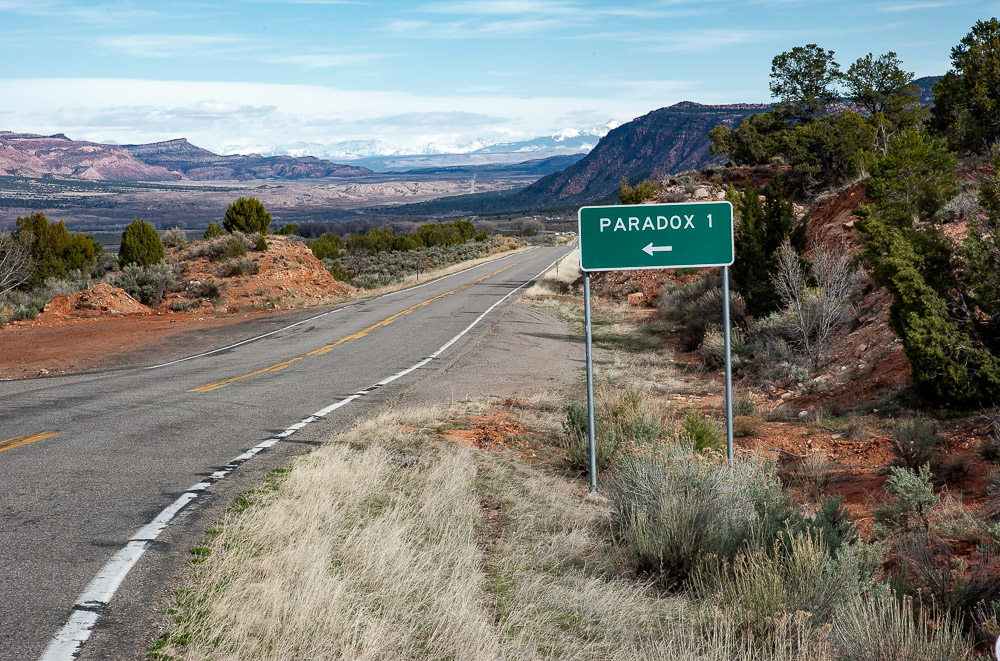
    This way to a Paradox©Ed Schlotzhauer

    Accumulating

    A problem with this focus on technology for its own sake is that we feel the need to always be searching for the “best”. New equipment always comes out and it is a little better than the old. We believe that to do the best job of our photography, we need the best new stuff. So it is an endless treadmill of acquiring shiny new things that will make us a better photographer.

    And it can get to the point where we get into a state of analysis paralysis. Have you seen someone out in the field lugging a huge, heavy pack with most of their “must have” gear? After all, no telling what we may encounter. So we bring the full range of ultra fish-eye to extreme telephoto lenses. And, of course, macro and perspective control lenses. A backup body (or 2) is a must. And a computer for checking our images on a larger screen and maybe doing a quick edit. Just to be safe.

    This person may spend more time trying to decide what to use and fiddling with equipment than they do finding subjects and composing and capturing images. Yes, “fiddling” is a technical term. ☺

    From what I have seen, when painters and sculptors get together with their peers and “talk shop”, there is a certain amount of discussion of technology and tools and equipment. But not like photographers. It can be an obsession with us.

    Dilapidated old store©Ed Schlotzhauer

    Make it disappear

    I don’t want to paint a gloomy picture of technology. I like it and need it, at least when it works right. It would be impossible do my art without technology.

    But go back to that original definition that technology is about applying knowledge to achieve practical goals. Its purpose is to help us do things better. It should not become an end in itself.

    Great technology used right should “disappear”. It is not about the wizard’s wand or the warrior’s sword. It is about what they can do with them. One way to make it disappear is to learn to use it so well that it is fluid and natural.

    I recommend that we choose a small set of equipment and learn it well. Learn its strengths and weaknesses. Yes, weaknesses can become strengths if used artistically. Think of film grain for example.

    Have you noticed that a lot of music pushes an instrument to its highest or lowest range? Pushing the limits can lead to interesting effects. And it tests the skill of the performer. Our photography can be a little like that. Push the limits.

    Practice with your equipment frequently. Go overboard with it. Pick up your camera every day and run through scenarios. It should be automatic. Learn to operate it in pitch dark, relying on familiarity and feel to guide you. Even if you only use one lens, get to know what it can do and learn to see like it sees. You do not always need to carry a full range of lenses. That is what feet are for. Move.

    If we develop this intimate knowledge of our technology, it becomes a tool we can wield for our creativity. It “disappears” in our creative process. Great things happen.

    I love the technology we have available today. It allows us to create great things. Always remember that the technology is for us to make art. Use it. Don’t be controlled by it.

  • Be The 1%

    Be The 1%

    We can choose to be the 1% of photographers. Those who make prints. A print is a special thing with its own life.

    The 1%

    I’m not talking about that 1% we hear talked about in the news – the richest people in the world or the country. The latest data I could find for the USA says that, on average across the country, to be in the 1% financially you need a salary of about $600,000 or a net worth of $11 Million. Another article said that 1% of the people in the world own over 50% of the total household wealth.

    I am not bringing this up to get into any discussion of income inequality, investing practices, demographics, or anything related to that.

    No, I am referring to a group of photographers we can easily choose to join. Peter Eastway speculates that only about 1% of photographers make prints. Why do you think we don’t print more?

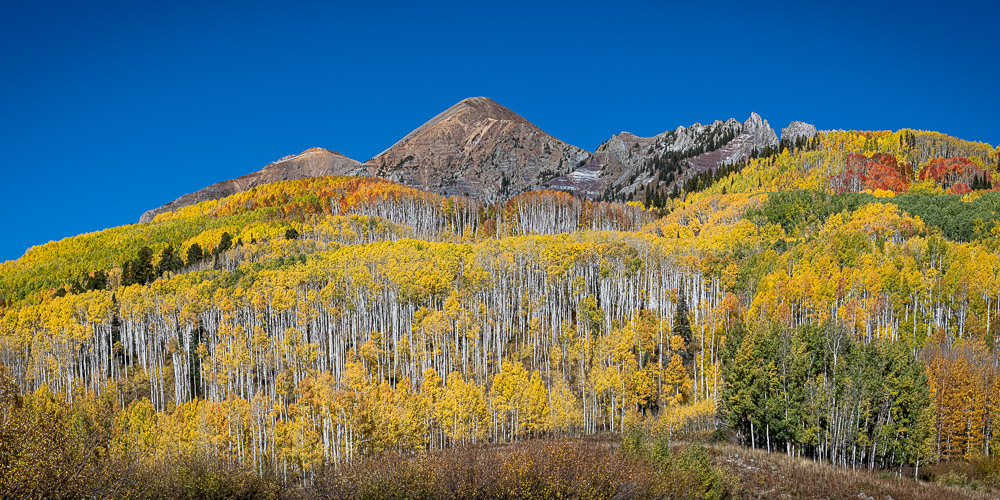
    Fall aspen in Colorado©Ed Schlotzhauer

    What is a print?

    First, what do I mean by a print? This may seem obvious, but I want to make sure we are on the same page, so to speak.

    By a print I am referring to an image presented in a fixed physical medium. A print is an object with weight and space and presence. We can hold it and touch it. We perceive it with our physical senses. And it is “permanent”. That is, it persists unchanged over time.

    A print is an enduring expression of the artist’s intent at the time. I say at the time, because it is quite possible for my intent to change with time. The print I make today may be quite different from one of the same image file 5 years ago, or even a few months ago. My vision changes and I often come to see it different. That is natural. I am the artist. Ansel Adams, for example, is famous for drastically changing his vision of how some of his famous images should be printed over time.

    What is a print not? It is not an image on a screen. Not your computer monitor or an iPad or your phone. It is not a fleeting image scrolled by on social media or your web site.

    Screens are important in the production of our art, but I hope they are not the main goal. Psychologically, we know that what we see on a screen is ephemeral. It has no permanence. We discount it easily. Being on a screen, we subconsciously consider it fluid and flexible.

    Why a print?

    A print is tangible. It is an artifact that persists in time and space. That is, it is physical. It is an object. We can hand it off to a client who buys it, and it becomes their possession.

    By giving the print this life of its own, we are creating a new piece of art. It is no longer under the control of the artist. Kind of like a child growing up and going out on their own. They are your family, but they have their own life now.

    As the artist, I can no longer “huddle over it” and protect and explain it. It is on its own. Now it is hanging on a wall. Maybe in someone’s home. Maybe in a gallery. But no matter where, it is now perceived for itself in isolation. It must explain itself, justify itself, fend for itself.

    A mindful view of fall colors near me©Ed Schlotzhauer

    New thought process?

    Deciding to make a print changes our perception of what we are doing.

    For one thing, we must commit our interpretation of what we see or feel in the image. We must resolve the “it could be like this or it could be like that” questions in our mind. Once we make the print, we can’t come back next week and change it. If we do, it becomes a different piece of art.

    And we will go through a more stringent selection process to pick it. Out of thousands of good images, why print this one? Does it do a better job of representing my view on the subject? Is it a more perceptive representation of something I feel? Will this give my viewers more insight than the many other images I could have picked? Is this an image I will hand to the world and say, “this is me?”

    New creative decisions

    And making a print involves new creative decisions. What size should it be? Some images seem to call to be large while others seem to prefer being small. Should this be a paper print or canvas or metal or acrylic? Will it look best as glossy or matte? Sure, some of the decisions will be dictated by the intended application. But many are purely artistic.

    And there are technical considerations that come in now. Does the file have the quality and resolution to make a large print? Can I print it and mount it myself or must I send it out to a service bureau to be done? The selected media imposes constraints on the image itself. If the desired effect is soft and ethereal then a matte finish may be best. But if the image relies on sharp detail a glossy substrate will make that pop more.

    I encourage you to make your own prints when you can. A good, medium size desktop pigment ink printer costs about the same as a mid-range lens for a 35mm camera. Having your own printer encourages you to experiment more. And the immediate feedback you get is gratifying.

    Break all the rules: not sharp, subject centered, subject indistinct, no leading lines, etc.©Ed Schlotzhauer

    Technical considerations

    Creating a good print is a specialized process that requires some detailed knowledge. The fundamental problem is one of basic physics. Screens generate light and emit it. It is an RGB mix, and it is additive. That is, red + green makes orange.

    We see prints by reflected light. Light hits the surface of the print and what bounces back is what we see. It is a subtractive process. The ink absorbs some colors. We see the reflected light that is not absorbed. To reduce the red you add cyan. Cyan is the opposite of red. More cyan absorbing red means less red reflected.

    This and other differences mean that a print will never look exactly like the image on screen. How close we can come is one of the challenges. How close we need to come is an artistic judgment. A print is another art form.

    Editing the image for printing is a task on its own. We load profiles for the media and printer and inks that we are using. A special profiling view is switched on so we see a simulation of what the final print will look like. This is, at best, a fair but not exact model. The reality is it may require several rounds of test prints and re-edits to get to a final print we like.

    It can be a lot of work, but it is part of the artistic process. This is work we must do to “birth” the print as its own entity.

    I usually have a number of prints hanging around my studio. Some because I just like them. But often it is to live with them a while to see if I like them long term. Results vary.

    Obscure found image. Track to nowhere©Ed Schlotzhauer

    Viewing it

    We have gone through all this work and expense to create a print. Why? Was it worth it?

    This is a personal evaluation.

    Sometimes you are disappointed with the result. Some images just do not seem to print well. That could mean we did not choose the best medium or size. Maybe it would have worked better in black & white.

    But most of the time you will feel the satisfaction of creating something new. Because the print is a new work of art. It is a distinct physical object with a life of its own. It lives in the world and is evaluated by viewers.

    We did our best job of composition and subject selection and lighting and a host of other things. We edited it carefully and prepared it for printing. Now it passes into another realm. We have tried to guide the viewers to see what we saw, but now they are on their own to discover it.

    The child leaves home and starts its own life. We are proud of it, but we cannot control it. It is not ours anymore. Likewise, a print becomes an independent entity. The viewers evaluate it on its own by their own criteria.

    Something tugged their interest enough to spend more than a passing look at it. Maybe we can draw them in and take them on a journey they did not anticipate. That is joy for the artist and the viewer.

    Take the leap. Be one of the 1% of photographers who make prints. It can change your art and give you a different relationsip with your images. And it can be a legacy.