An artists journey

Category: Technology

Ideas about the mechanics, techniques, and technology behind image making.

  • Black & White – in Color

    Black & White – in Color

    What? Isn’t that contradictory? Isn’t black & white is about the absence of color? I wanted to follow up on a previous article on how we get color information in our digital cameras with a nod to the purity of black and white and emphasize how it is still dependent on color.

    Remove the color filter?

    I indicated before that our sensors are panchromatic – they respond to the full range of visible light. If we want black & white images, shouldn’t we just take the color filter array off and let each photo site respond to just the grey values?

    We could, but most black & white photographers would not be happy with the results. It would be like shooting black & white film. A problem with black and white film is that it eliminates all the information that comes from color. Through interpolation of the Bayer data, we get full data for red, green and blue at each pixel position. If we removed the filter array, we would have only luminosity data. So before even starting, we would be throwing away 2/3 of the data available in our image.

    At that point we would have to resort to placing colored filters over the lens, like black & white shooters of old had to do. They did this to “push” the tonal separation in certain directions for the results they wanted. But this filter is global. It affects the whole image rather than being able to do it selectively as we can with digital processing. And it is an irreversible decision we would have to make while we were shooting. Why go backward?

    What makes a good b&w image?

    Black & white images are a very large and important sub-genre of photography. The styles and results cover a huge range. But I will generalize and say that typically the artists want to achieve a full range of black to white tones in each image with good separation. Think Ansel Adams prints.

    Tones refer to the shades of grey in the resulting print. We do a lot of work to selectively control how these tones relate to each other. Typically we want rich black with a little detail preserved in them, bright whites, also containing a little detail, and a full range of distinct tones in between. These mid-range tones give us all the detail and shading.

    Tone separation

    If one of the goals of black & white photographers is to have high control of the tones, how do we do that? Typically by using the color information. I mentioned putting colored filters over the lens. This was the “way back” solution.

    Landscape photographers like Ansel Adams often used a dark red filter to help get the deep toned skies they were known for. Red blocks blue light, forcing all the blue tones toward black.

    Digital processing gives us far more control and selectivity than the film photographers had. We don’t have to put the filter over the whole lens and try to envision what the result will be. We can wait and do it on our computer where we have more control, immediate previews, and undo. But all this control would be impossible without having a full color image to work with. As a matter of fact, modern b&w processing starts by working on the color image. Initial tone and range corrections are done in color. Good color makes good b&w.

    B&W conversion

    Obviously, at some point the color image has to be “mapped” to b&w. This is called b&w conversion. It can be a complicated process. There are many ways to go about the conversion, and each artist has their own favorites. There is no one size fits all.

    It is possible to just desaturate the image. This uses a fairly dumb algorithm to just remove the color. It is fast and easy, but it is usually about the worst way to make a good b&w image.

    You could use the channels as a source of the conversion. The RGB colors are composed of red, green and blue channels. These can be viewed and manipulated directly in Photoshop. They can often be useful for isolating certain colors to work on. Isolating the red channel would be like putting a strong red filter over the lens.

    Lightroom and Photoshop have built in b&w conversion tools. In LIghtroom, choose the Black & White treatment in the Basic panel of the Develop module. This has an interesting optional set of “treatments” to choose from in the grid control right under it. In Photoshop use the B&W adjustment layer.

    Both of these have the power of allowing color-selective adjustments. This is huge. Tonal relationships can be controlled to a much greater degree than was possible with film. If we want to just make what were the yellow colors brighter, we can do that. Of course, Photoshop allows using multiple layers with masking to exert even more control.

    There are many other techniques, such as channel mixing or gradient maps or plug-ins like Silver Effects to give different and added control. It is actually an embarrassment of riches. This is a great time to be a b&w photographer.

    It starts with color

    What is common to all of this, though, is that it starts from the color information. Color is key to making most great black & white images.

    I sometimes hear a photographer say “that image doesn’t work well in color, convert it to b&w”. Sometimes that works, but I believe it is a bad attitude. B&w is not a means of salvaging mediocre color images. We should select images with a rich spread of tones, great graphic forms, and good color information allowing pleasing tonal separation. Black & white is its own special medium. Remember, though, usually it requires color to work.

  • It’s A Green World

    It’s A Green World

    That’s not an environmental statement. As far as our cameras are concerned, green is the “most important” color. I’ll explain why green is foundational to our photography.

    Bayer filter

    In my previous article I discussed the Bayer Filter and how it allows our digital cameras to reconstruct color. I made a cryptic comment that it was important that there were twice as many green cells as red and blue, but I did not explain. I’ll try to correct that. It is fascinating and highlights some of the brilliance of the Bayer filter design.

    Bryce Bayer’s patent (U.S. Patent No. 3,971,065[6]) in 1976 called the green photosensors luminance-sensitive elements and the red and blue ones chrominance-sensitive elements. He used twice as many green elements as red or blue to mimic the physiology of the human eye. The luminance perception of the human retina uses M and L cone cells combined, during daylight vision, which are most sensitive to green light. ” This is quoted from Wikipedia. Let me try to unpack it a little.

    Color description

    There are several ways to describe color. Some, like the HSV or HSB or Lab models, separate the concepts of luminance and chrominance. Luminance is the tonal variation of a scene, the brightness range from black to white. Hue and saturation define the color value and purity.

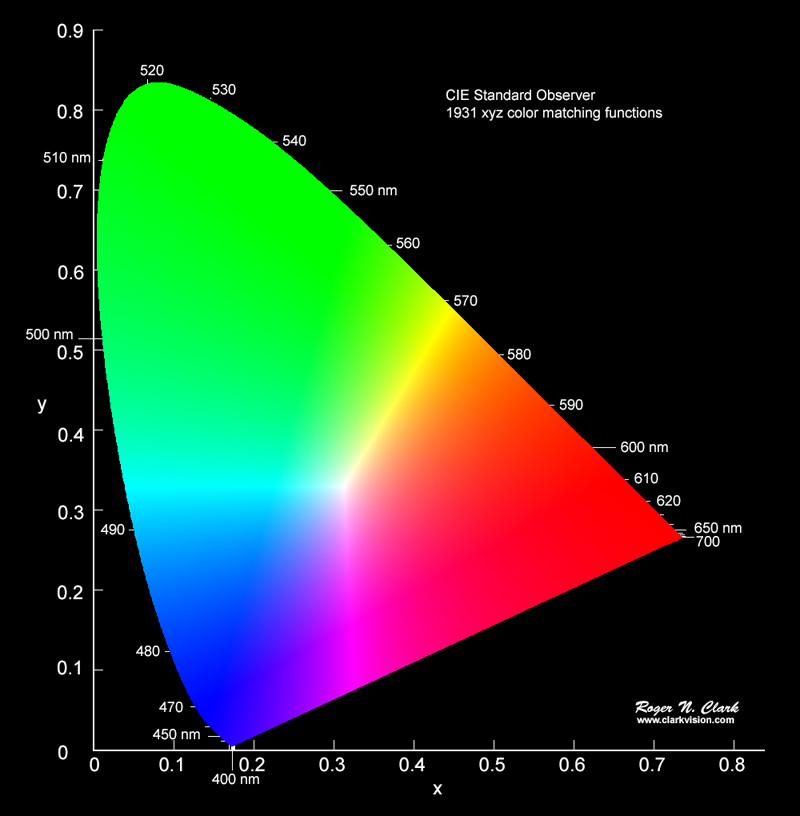
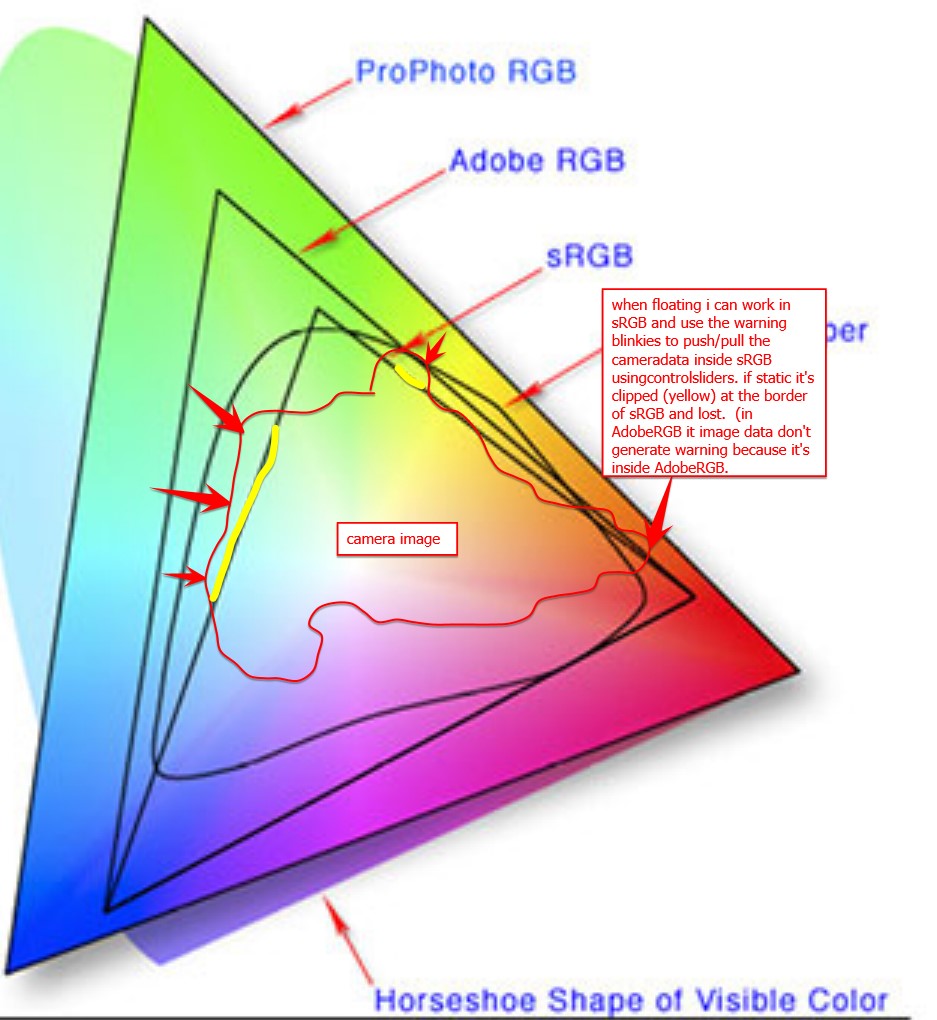
    It is all very complicated and, in reality, only interesting to color scientists. I strongly recommend you view this great video that explains how the CIE-1931 diagram was created and what it means. It answered a lot of my questions. As photographers and artists we have to be familiar with some of it. For instance, we have all seen a color wheel like this:

    This is a simplified slice through the HSV space at a constant, maximum lightness. Such a model is useful to us because it shows all colors with their most saturated form at the outer edge and least saturated (white, colorless) in the center.

    Our eyes

    This is nice, but it is all possible colors, not what we really see. As the quote above about Bayer said, the eye is most sensitive to green. Green is right in the middle of the range of light we are sensitive to, the visible spectrum. Here is a plot of our sensitivity to visible color:

    Subjective response of typical eye
    From: https://lightcolourvision.org/wp-content/uploads/09550-0-A-BL-EN-Sensitivity-of-Human-Eye-to-Visible-Light-80.jpg

    It is clear to see, just as Mr. Bayer said, we are most sensitive to green. This is why there are twice as many green cells in the Bayer filter as red and blue. The green is used to measure the luminance, the tone range of the image. This information is critical to deriving the image detail plus the color information through a complex set of transformations.

    Why is is so important to get a good measure of luminance? Because of another interesting property of the eye. We are more sensitive to luminance than color. Luminance gives detail. Think of a black and white picture you like. That image is pure luminance information, no color information at all. Yet we see all the fantastic detail and subtle tones perfectly.

    Color adds a lot of interest to some images, but we can recognize most subjects perfectly well without it. The opposite is not true in general. If you took all the luminance information out of one of your images it is basically unrecognizable.

    Example

    Here is a quick example of a typical outdoor scene here in the Colorado mountains. This is the original image:

    If I convert it to Lab mode and take just the luminance channel (L) we get a black & white version containing all the detail and tone variation that makes it recognizable:

    But now if I copy just the color information (the a and b channels) it is … surreal?:

    Why green?

    I hope I have demonstrated some of the reasoning behind the Bayer filter. It is a key to our ability to capture color information with our cameras.

    The human eye really is most sensitive to green. Having half the color filters in the Bayer filter array as green allows maximum ability to construct the luminance data we are so sensitive to. The magic of the sophisticated built in data processing algorithms let the Raw file converters take all this information and derive the luninance and color information we rely on for our images.

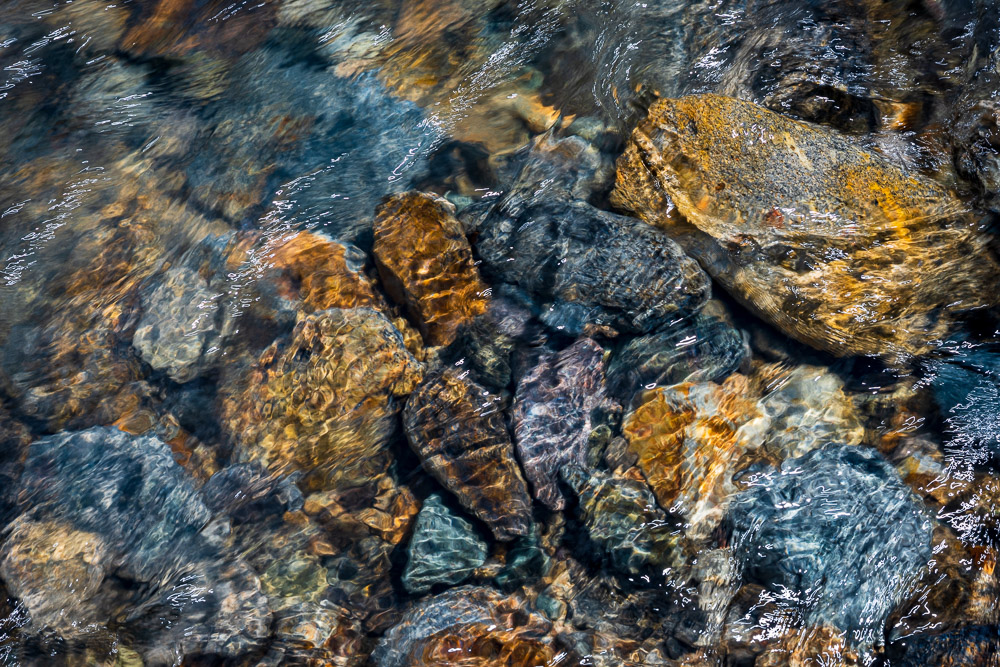
    Does this mean we should shoot more green subjects? No. I don’t. Many on my images have little discernible green in them. Take the image at the top of this article. I love the colors in this mountain stream. I don’t look at it and think “green”. The color range is very full, though.

    As I write this it is the depth of winter here. Much of the shooting I do right now is very monochrome, almost black and white. The Bayer filter is not there to make our images more green. But if you look at your histogram or channels you may be surprised at how much green data is there. Think about it, a black and white image is 33% green.

    Thank you Mr. Bayer and all the scientists and engineers who have done such a great job of perfecting our digital sensing over the decades. You are doing an excellent job!

  • How We Get Color Images

    How We Get Color Images

    Have you ever considered that that great sensor in your camera only sees in black & white? How, then, do we get color images? It turns out that there is some very interesting and complicated Engineering involved behind the scenes. I will try to give an idea of it without getting too technical.

    Sensor

    I have discussed digital camera sensors before. They are marvelous, unbelievably complicated and sophisticated chips. But they are, still, a passive collector of photons (light) that falls on them.

    An individual imaging site is a small area that collects light and turns it into an electrical signal that can be read and stored. The sensor packs an unimaginable number of these sites into a chip. A “full frame” sensor has an imaging area of 24mm x 36mm, approximately 1 inch by 1.5 inch. My sensor divides that area into 47 million image sites, or pixels. It is called “full frame” because that was the historical size of a 35mm film frame.

    But, and this is what most of us miss, the sensor is color blind. It receives and records all frequencies in the visible range. In the film days it would be called panchromatic. That is just a fancy word to say it records in black & white all the tones we typically see across all the colors.

    This would be awesome if we only shot black & white. Most of us would reject that.

    Need to introduce selective color

    So to be able to give us color, the sensor needs to be able to selectively respond to the color ranges we perceive. This is typically Red, Green, and Blue, since these are “primary” colors that can be mixed to create the whole range.

    Several techniques have been proposed and tried. A commercially successful implementation is Sigma’s Foveon design. It basically stacks three sensor chips on top of each other. The layers are designed so that shorter wavelengths (blue) are absorbed by the top layer, medium wavelengths (green) are absorbed by the middle layer, and long wavelengths (red) are absorbed by the bottom layer. A very cleaver idea, but it is expensive to manufacture and has problems with noise.

    Perfect color separation could be achieved using three sensors with a large color filter over each. Unfortunately this requires a very complex and precise arrangement of mirrors or prisms to split the incoming light to the three sensors. In the process, it reduces the amount of light hitting each sensor, causing problems with image capture range and noise. It is also very difficult and expensive to manufacture and requires 3 full size sensors. Since the sensor is usually the most expensive component of a camera, this prices it out of competition.

    Other things have been tried, such as a spinning color wheel over the sensor. If the exposure is captured in sync with the wheel rotation then 3 images could be exposed in rapid sequence giving the 3 colors. Obviously this imposes a lot of limitations on photographers, since the rotation speed has to match the shutter speed. A real problem for very long or very short exposures or moving subjects.

    Bayer filter

    Thankfully, a practical solution was developed by Bryce Bayer of Kodak. It was patented in 1976, but the patent has expired and the design is freely used by almost all camera manufacturers.

    The brilliance of this was to enable color sensing with a single sensor by placing a color filter array (CFA) over the sensor to make each pixel site respond to only one color. You may have seen pictures of it. Here is a representation of the design:

    Bayer Filter Array, from Richard Butler, DPReview Mar 29, 2017

    The gray grid at the bottom represents the sensor. Each cell is a photo site. Directly over the sensor has been placed an array of colored filters. One filter above each photo site. Each filter is either red or green or blue. Note that there are twice as many green filters as either red or blue. This is important.

    But wait, we expect that each pixel in our image contains full RGB color information. With this filter array each pixel only sees one color. How does this work?

    It works through some brilliant Engineering with a bit of magic sprinkled in. Full color information for each pixel is constructed by interpolating based on the colors of surrounding pixels.

    Restore resolution

    Some sophisticated calculations have to be done to calculate the color information for each pixel. This makes each pixel end up with full RGB color values. The process is termed “demosaicking” in tech speak.

    I promised to keep it simple. Here is a very simple illustration. In the figure below, if we wanted to derive a value of green for the cell in the center, labeled 5, we could average the green values of the surrounding cells. So an estimate of the green value for cell red5 is (green2+green6+green8+green4)/4

    From Demosaicking: Color Filter Array Interpolation, IEEE Signal Processing Magazine, January 2005

    This is a very oversimplified description. If you want to get in a little deeper here is an article that talks about some of the considerations without getting too mathematical. Or this one is much deeper but has some good information.

    The real world is much more messy. Many special cases have to be accounted for. For instance, sharp edges have to be dealt with specially to avoid color fringing problems. Many other considerations such as balancing the colors complicate the algorithms. It is very sophisticated. The algorithms have been tweaked for over 40 years since Mr. Bayer invented the technique. They are generally very good now.

    Thank you, Mr. Bayer. It has proven to be a very useful solution to a difficult problem.

    All images interpolated

    I want to emphasize a point that basically ALL images are interpolated to reconstruct what we see as the simple RGB data for each pixel. And this interpolation is only one step in the very complicated data transformation pipeline that gets applied to our images “behind the scenes”. This should take away the argument of some of the extreme purists who say they will do nothing in post processing to “damage” the original pixels or to “create” new ones. There really are no original pixels.

    I understand your point of view. I used to embrace it, to an extent. But get over it. There is no such thing as “pure” data from your sensor, unless maybe you are using a Foveon-based camera. All images are already interpolated to “create” pixel data before you ever get a chance to even view them in your editor. In addition profiles and lens corrections and other transformations are applied,

    Digital imaging is an approximation, an interpretation of the scene the camera was pointed at. The technology has improved to the point that this approximation is quite good. Based on what we have learned, though, we should have a more lenient attitude about post processing the data as much as we feel we need to. It is just data. It is not an image until we say it is, and whatever the data is at that point defines the image.

    The image

    I chose the image at the head of this article to illustrate that the Bayer filter demosaicking and other image processing steps gives us very good results. The image is detailed and with smooth, well defined color variation and good saturation. And this is a 10 year old sensor and technology. Things are even better now. I am happy with our technology and see no reason to not use it to its fullest.

    Feedback?

    I felt a need to balance the more philosophical, artsy topics I have been publishing with something more grounded in technology. Especially as I have advocated that the craft is as important as the creativity. I am very curious to know if this is useful to you and interesting. Is my description too simplified? Please let me know. If it is useful, please refer your friends to it. I would love to feel that I am doing useful things for people. If you have trouble with the comment section you can email me at ed@schlotzcreate.com.

  • Craft Completes Magic

    Craft Completes Magic

    Craft completes magic. I read this in a book on writing poetry by Robert Wallace. This was a new thought to me. It is unusual in my world for a random phrase to seem to crystalize immediately as truth. This did. I have often written about the 2 sides of art as being the creative, the magic, and the technical, the craft. I love the way this brings them together and completes the whole.

    The magic

    Oftentimes we artists focus almost exclusively on the creative aspects of what we do. After all, we think this is what separated us from other artists. And to a large degree, it is true.

    So we look at the work of others we admire. We plan or write or set projects to focus our thoughts. We look for the new and different. The driving challenge is how can we bring a unique perspective to the things we see in the world.

    Sometimes the muse visits us and we feel we have truly made magic. It is a great feeling. Creativity breeds creativity. We try to go on to leverage this new stage into even more.

    But, have you ever had a guilty feeling, looking at your new creative work, that it could have been executed better? Not necessarily more creatively, but with better craftsmanship? Sometimes we don’t know how to make our great idea into a finished work of art. Concentrating too much on just one aspect can throw us off balance.

    The craft

    I believe our craftsmanship is as important as our creativity. Not a replacement, but to balance and complete our work. It’s this completion I want to emphasize.

    There are 2 tendencies I see in a lot of photographers that disturb me. Some seem to feel that a technically perfect image is a good image. Some others take the attitude that “I’m a creative, I don’t know the ‘techie’ stuff”. I believe that either of these, if they drive your behavior too much, lead to bad ends.

    Ansel Adams famously said “There’s nothing worse than a sharp image of a fuzzy concept.” This, to me, is the danger of overemphasizing technical perfection. I see this a lot in online critiques where the objections are things like not enough depth of field or that the color correction may not be completely true to the original scene. The reality in many cases is that no amount of technical improvement is going to give this image life.

    If you don’t have an emotional connection with the scene and a definite point of view to share, then it isn’t going to get great by technical skill.

    On the other hand, it frustrates me to hear even professional photographers dismissively say they don’t do “tech”. Sorry, but photography is a uniquely technical art form. If you don’t understand and appreciate and know how to control the technical aspects you are at a severe disadvantage. You can end up with images that show a great idea but you were unable to produce a gallery-worthy image.

    The whole

    There is a symbiotic relationship between the creative and the craft. Mr. Wallace, who I quoted at the start, related it to the two legs of a runner. The creative leg propels you forward. Then the craft leg helps you bring it into being, which also thrusts you forward to another level. These work together, alternating, each with strengths to add. Neither is complete without the other.

    A comedian doesn’t just walk out on stage and think up funny things. He spends many hours on each skit, refining and rehearsing and tuning it before you ever hear it. Likewise, a magician spends countless hours working on an illusion to make it smooth and believable, to make the magic happen. A musician practices day in and day out for years to get and stay good. Yes, famous musicians still practice scales. It trains their technique.

    Art is hard work. It is hard to do creative things and it requires great skill to make it real. No one can tell you what you can or can’t do, or how you should do your art. But I believe that if we don’t put in as much work on the craft side of our art as on the creative we will never achieve what we could.

    A boring image will never be great because it was technically perfect. On the other hand, you don’t get a free pass to ignore the craft because you are a “creative”. As the initial quote says, craft completes the magic.

  • What’s the Noise?

    What’s the Noise?

    Noise in digital imaging. Is it a problem? Is it part of the art? Should you be concerned? Are there exotic techniques you need to learn to eliminate the noise?

    Fear

    Many of us have been taught to fear noise. So much so that I know people who would pass up a great shot because the image might be noisy. The fear of noise is an irrational, superstitious fear.

    This seems most common in the landscape photography community. Conventional wisdom, and the teaching of most instructors, says we should always shoot at the “native” ISO of the camera for lowest noise. That would be ISO 64 for my camera. If we don’t, we are increasing the noise in our images and that would be a “bad thing”.

    Have you ever examined the feared noise yourself? Do you understand what it is and what effect it has on prints? Have you confronted the monster and stared it down?

    Noise Technology

    The digital sensor is an amazing piece of technology. It has a HUGE grid of photo-receptive sites. My Z7 has nearly 46 million pixels. A strand of the smallest human hair would cover at least 14 of these pixels. No wonder I see dust spots!

    Did you know that “digital” imaging is actually an analog process? Each receptor “adds up” the number of photons it receives for a frame. This is a scalar value, an analog signal. Each site is read out to an amplifier and analog-to-digital converter where it is transformed into a digital value. The amplification is determined by the ISO setting – dialing in a greater sensitivity corresponds to more amplification. This amplification is one source of noise. Any time you take a very low level analog signal and amplify it, some noise is inescapable.

    But in addition, the sensor chip itself contributes noise. There is a phenomenon called “shot noise”. It is beyond my ability to explain simply, but electrons spontaneously generate noise. It is usually low level and it is temperature dependent. This is why your camera probably has a long exposure compensation mode. It is there to reduce this background noise accumulated over a long exposure. During a long exposure the sensor is powered for long enough to raise its temperature, leading to increased noise. The compensation mode takes another exposure, but with the shutter closed. This reads the background noise level with no light coming in. The camera basically subtracts the noise signal from the original image. It does a pretty good job.

    The amplifier and the sensor noise generation are 2 significant sources of noise in digital imaging. Not the only ones, but they are big. Keep in mind that most of the writers you will see do not have a significant technical background. They sometimes give bad advice because they do not really understand what is happeningl

    What does the dreaded noise look like?

    Take an image with the ISO cranked up pretty high, say 12,800. Look at it at 1-to-1 magnification in your editing software. You will see that it looks kind of like blotchy sandpaper. You are seeing the 2 primary types of digital noise: luminance noise and color noise.

    Luminance noise looks kind of like the grain we used to see in fast black and white film. Some people like it and it does add an interesting texture to some images. Color noise is the mottled color patches you may see at high magnification. I don’t know of anyone who likes that. Both of these types of noise can be compensated for significantly by your editing software, like Lightroom Classic.

    Let me point out that noise is just a part of the image capture. It is not something that, when they see it, the authorities kick you out of the gallery or revoke your artist’s certificate. You have an artist’s certificate, right? 🙂

    Noise Techniques

    Noise is part of the technology we deal with because we do digital imaging. We need to be aware of it and know how to deal with it, if it is a problem for us. I mentioned amplification noise and sensor noise.

    To minimize noise, keep the ISO low, keep the sensor cool, and minimize long exposures. Simple. But what if that doesn’t work?

    I will use me as an example. I often shoot in low light, sometimes hand held with no tripod. And I often use long exposures. Am I doomed?

    Here are the decisions I generally make: if I want the image to be free from blurring caused by shake, I up the ISO until the shutter speed is at about 3x the focal length. Yes, conventional wisdom is 2x, but I find that does not work well for very high resolution sensors, even with great image stabilization. If I want a long exposure for the creative effect, I use it. Noise is not a significant consideration most of the time. And, unconventionally, I usually leave the long exposure noise compensation off.

    Let me address that last one. Why would I leave the long exposure noise compensation off? The noise here is made worse by sensor heating. I shoot a lot in Colorado. Unless it is mid summer, the sensor stays pretty cool. As a matter of fact, it is often more of a problem keeping the battery warm enough to not shut off. And even in summer, it is not a problem to wait a few seconds between shots to let it cool. There have been a few times where I have gotten in trouble with this, but very few.

    So what?

    For me, noise is just a part of the creative balance. Sometimes I want to minimize it, sometimes I actually want to introduce it. Even for the vaunted landscapes, noise can introduce a welcome texture at times, maybe to give a grit for effect or to give subtle interest to a featureless sky.

    I do not fear noise. ISO 400 is my default setting – that is 3 stops over the camera native ISO. I do not mind going to 3200 or 6400 if I need to as a tradeoff to capture what I want.

    With my camera it is hard to discern noise at 400. There is not much to find at 1600. I admit, my old training to favor the lowest ISO sometimes interferes with my artistic judgment. I try to fight it.

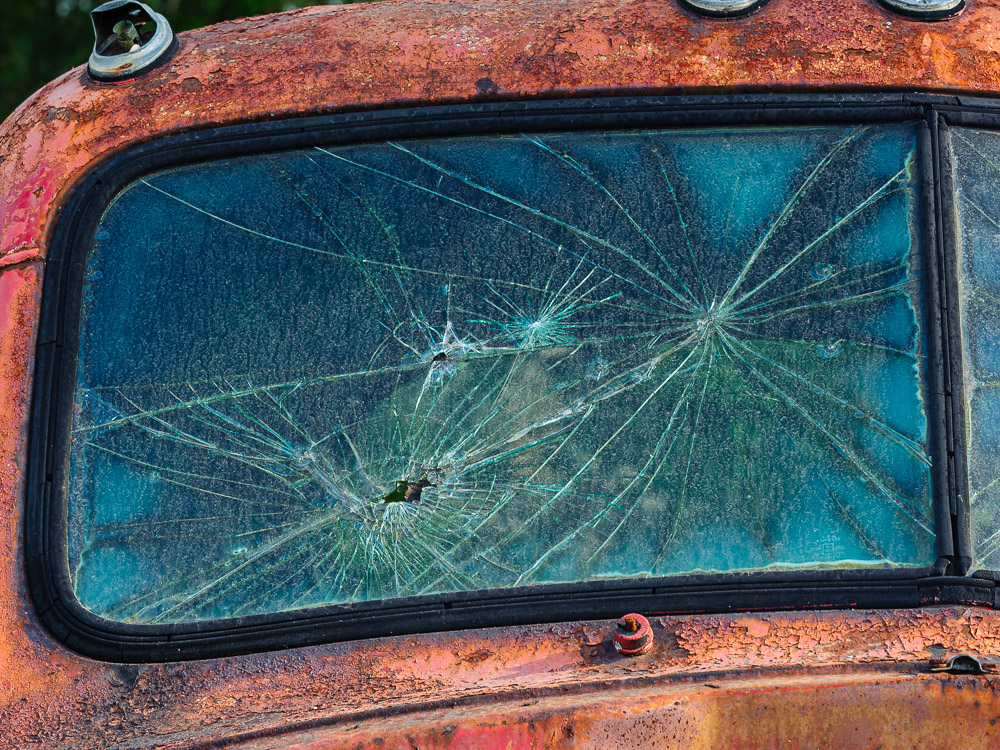
    The image with this article was shot at ISO 6400, with what is, as of this writing, an 8 year old sensor. I’m not ashamed of the noise. It I didn’t shoot at 6400 I would not have gotten the image. Good tradeoff, to me.

    Noise is a traditional part of photography. It is a feature that sets it apart from painting. Black & White photography favored grain for a gritty look. Many artists like the effect. Even the ones who may not use it recognize and accept it as part of the medium. Digital noise is the equivalent.

    So don’t fear noise. Accept it. Use it where you can. Understand where it comes from and what control you have. Your editing tools have ways to reduce it, and they do a pretty good job. Luminence noise is not exactly the same thing as grain, but the overall effect is not that different. Perhaps always totally eliminating noise is not the goal. Did you ever see the slider in LIghtroom Classis in the Effects panel to increase grain? Play with it sometime. It may add to your artistic vision.