An artists journey

Category: Process

  • Stability

    Stability

    Even the most adventurous of us need a certain amount of stability. But I’m not talking about financial or mental or interpersonal stability today. I’m referring to the never ending debate about tripods vs. monopods.

    Why do we need them?

    Many people today value crisp, tack sharp images. To achieve this requires good cameras, good lenses, and good technique. One primary factor of the technique is minimizing camera shake.

    We tend to talk about camera shake as a binary thing: yes/no, on/off, shake/no shake. The reality is that it is a range. It is kind of like focus. If something is considered in focus, we really mean it has an acceptable level of focus. Good enough for our purpose, not an absolute.

    Likewise, for camera shake, we must take the point of view that it must be minimized enough for our need.

    Most people tend to hand hold their cameras. I know I do when I can. It is much faster and easier. Achieving sharp images hand held requires special techniques that we will discuss later.

    But when we know we need maximum sharpness, the standard response it to pull out the tripod, or monopod. It’s a debate.

    Tripods

    Tripods are the three-legged things we are all familiar with. They seem to have been around forever and they tend to be pretty large. The three equally spaced legs provides an optimum stable platform in all directions.

    Tripods used to be made of wood. Classical and lovely to look at, but heavy, Then they moved to generally bring made of aluminum or alloys. These were lighter and durable. A problem they had, though was vibration. Referred to as dampening when we’re talking about stability. The metal was kind of springy. It would vibrate when perturbed by a force. Like bumping it or when the mirror of your big DSLR “slaps” up to take a picture. The metal legs would vibrate for many milliseconds before stopping. This caused distortion while the shutter was open, which was probably for those same milliseconds.

    Later, most high end tripods moved to carbon fiber construction. This material has many advantages, but, of course, it is more expensive. The carbon fiber is strong and relatively light. It has much better dampening than metal, so vibrations are smaller. And if your hand has ever frozen to a metal tripod in the winter, well, carbon fiber doesn’t do this nearly as bad. For me, that by itself is a reason to switch to it.

    I have an excellent carbon fiber tripod with a great ball head. I use it for some critical images or long exposures.

    Tripod disadvantages

    Good tripods, used correctly, provide excellent stability. But this means you have to have it, there, when you need it. Perhaps this means carrying it miles over rugged trails for that one shot.

    Personally, I don’t do that much anymore. For me, a photo expedition should be a joy. I’m too old to enjoy carrying a heavy tripod a long ways. Sure, there are small versions that strap conveniently to your camera bag, but they have their problems too. Usually the small ones are short and I have to squat down uncomfortably to use them. Or if they are tall enough, they are not stable enough.

    I have a small one that fits nicely in a checked bag for air travel. I often take it. And just as often do not use it.

    And using a tripod slows you down a lot. Deciding where to set it, setting it up, mounting the camera, adjusting and leveling it all take quite a bit of time and effort. Some say this is an advantage, because it makes you spend more time considering what you are shooting and the composition of the shot. I partially agree and have experienced this. But often I am in a flow and shooting instinctively. The tripod absolutely gets in the way of this.

    Monopods

    A monopod is just one leg of a tripod, right? To some people that makes it 1/3 or less as useful as a tripod. Others (including me) would say it can be as useful or more so.

    If you are not familiar with them, try this experiment. Take a broom and hold it upside down with the handle down on the floor. How does it move?

    You will see that it does not move up or down in the vertical axis. It does more fairly freely in a circular arc left and right, back and forth. Is this minimal amount of stabilization worth it?

    To me it often is. The vertical axis is one of the most vibration prone areas for me. And being constrained on the monopod seems to add mass or resistance in the other axes. Either it is real or it is psychological. But in any case, it makes my images more stable.

    Monopod advantages

    Yes, it is unfair to only talk about tripod disadvantages and monopod advantages, but I want to make a point. There are often ways to overcome the disadvantages of a monopod.

    I have a great monopod. It extends to about 7 ft. and has a small but very nice ball head with quick release on it. It is my walking stick. I like that it is light enough and very strong to serve well as a useful and comfortable walking stick. I am far more likely to take it on a hike than I am a tripod.

    When I want to take an image, it sets up quickly – basically just attaching my camera to the quick release. It provides a decent degree of stability, and there are techniques I can use to improve if necessary.

    For instance, if a railing is handy, I can brace the foot of the monopod against my shoe and force the leg tight against the railing. I have taken very sharp 30 second exposures this way. Trees work fairly well, too. Lean the mounted camera against a tree for added stability. It can be a great tool.

    Which to choose?

    I probably seem biased. It is more of a pragmatic choice. Tripods are great for stability. It is usually the best choice for long exposures.

    Monopods are great when you are out on the trail or otherwise away from your car. If you practice and learn to work with it instead of against it, it can improve many situations to an acceptable level.

    I own a really good tripod and a really good monopod. The monopod gets used about 10 times more than the tripod. But I hand hold about 10 times more than either of them.

    Parameters of sharpness

    To put things in perspective, today’s high pixel count sensors force us to use very good technique to get the results we want. If the image moves as much as 1 pixel during an exposure, we can often detect a blur.

    Pixel pitches are measured in microns today. A micron is 1 millionth of a meter. The length of a bacterium is about 1-10 microns. A strand of spider silk is 3-8 microns in width.

    How is it ever possible to take a sharp image?

    Alternatives

    Several things can work for us. The amazing technology in our cameras provides things like in-body stabilization to minimize the effect of camera shake. It usually improves things a lot.

    And the electronics are improving to allow higher and higher ISO settings to be used. I consider 400 ISO to be my normal setting rather than the 64 ISO native value. That automatically gives me about a 3 stop speed advantage.

    The old “rule” when I was shooting film was that, if you are good, you could hand hold at a shutter speed of twice the focal length. This doesn’t work anymore for our high density sensors. People say the shutter speed should be 3-4 times the focal length. But with the better electronics allowing higher ISO with good results, this is often possible.

    Don’t overlook simple but obvious tricks. There may be something to brace the camera on or against. I often lean against a tree or a pole or a wall for added stability. Or I have put the camera on a rock or a bench and used a self timer to trigger the shot. Simple things like these can let you take amazing images in unlikely places.

    And there are simple techniques you can adapt that increase the stability of hand held shots. Things like bracing the camera against your forehead and forcing your elbows close against your body. And exhaling slowly as you slowly press the shutter. A video on gun shooting technique could be helpful. They have studied the problem a long time.

    So tripod or monopod? I lean toward the monopod. But it is not necessarily an either or choice. There are many creative ways to stabilize your camera. Unless you’re out in the desert with nothing around, there is often something that can be used.

    Today’s image

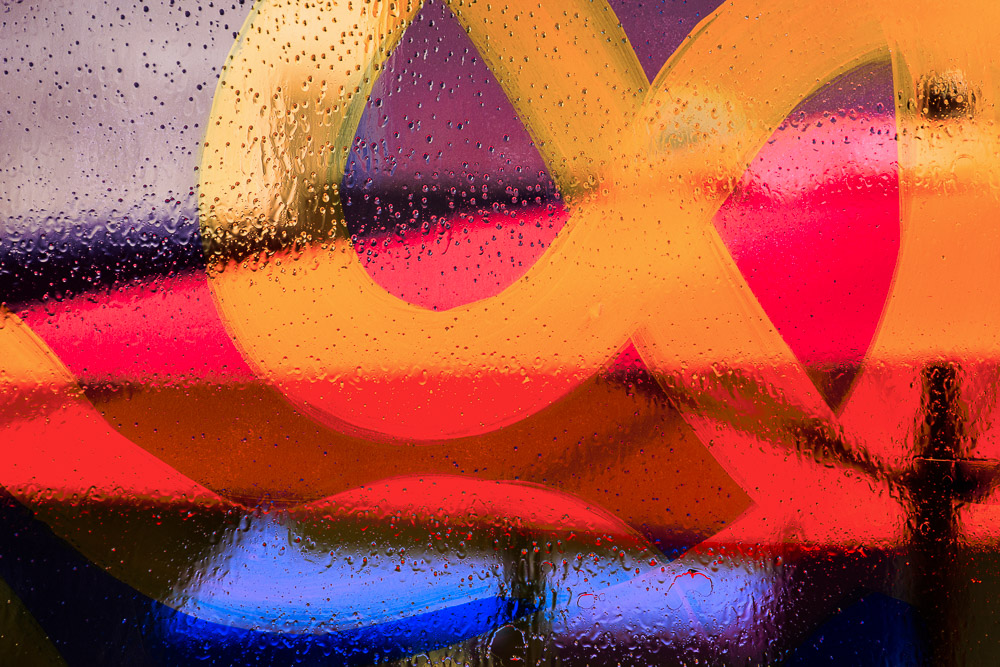
    This was shot in an airport (obviously) with no tripod or monopod. I couldn’t set the camera on the table in the restaurant where we were eating because there was a joint in the glass that was in the way. I put my camera on my camera bag on the floor. This is a composite of several 4 second shots.

    I used a 2 second timer to allow me to get my hand away and not shake the fragile setup. I could have used the camera app on my phone to trigger it, but that is always so tricky and slow to set up that I seldom do it.

  • Find the It-ness

    Find the It-ness

    Sometimes you just have to make up a word when you can’t find the right one. In this case Jay Maisel made it up. I think he is referring to seeing beneath the surface. If we find the it-ness, we are starting to get to a level where we understand more about the scene. Then maybe we can show it to our viewers.

    See past the obvious

    Jay seemed to be telling us to get past the first surface response and burrow down to a deeper response to a subject. The normal mode for a lot of us is to see a scene we like, pull the camera up to our eye, and shoot. Done. Go on.

    But I think Jay i suggesting we slow down and not necessarily give in to our first instinct. With a little more thought and introspection we often come to a different relationship with a subject or scene. In other words, stop and think. Get in touch with why you are reacting to it and see if you can bring that out more.

    There are 3 very interesting videos about Jay Maisel on Kelby One (I am not affiliated with them and I get no benefit for referring them; but it would be worthwhile to subscribe long enough to watch these 3). In each, Jay is spending a day walking around with Scott Kelby, demonstrating his technique and thought process. They are very worthwhile (when Jay is talking, not Scott). It seems like Jay is shooting quickly and instinctively, but keep in mind you are seeing the result of 50 or more years of finely honed craft. When asked about an image he can always articulate a detailed reason why he took it, what it meant to him, and why he composed it like he did. And when he reviews his seemingly quickly grabbed images, it make you want to tell him “I hate you”.

    So maybe there is the promise that, with enough practice, little conscious thought is required.

    Wabi-Sabi

    I always hesitate to bring wabi-sabi up. It is easy to step off into really deep stuff. Apparently you can’t really appreciate it’s true meaning unless you are a native Japanese steeped in Zen Buddhism. There is no simple English translation.

    But that doesn’t deter me from trying. Even though I am American and not at all a Buddhism practitioner. 🙂

    Explanations often start from breaking down the two words wabi and sabi. One good definition says:

    Wabi’ expresses the part of simplicity, impermanence, flaws, and imperfection. On the contrary, ‘Sabi’ displays and expresses the effect that time has on a substance or any object. Together ‘wabi-sabi’ embraces the idea of aesthetic appreciation of aging, flaws, and the beauty of the effects of time and imperfections. The two separate parts when put together, complete each other. They express simplicity and the truest form of an object.

    That seems to be an elegantly simple expression of finding the it-ness of something. Regarding a thing with all its flaws and imperfections and appreciating how it changes and weathers and even decays over time is really getting in touch with its essence.

    More than the subject

    I recently explored the idea of the subject not being the subject. Going on beyond that is this notion of capturing the it-ness of something may be more important that just representing the thing.

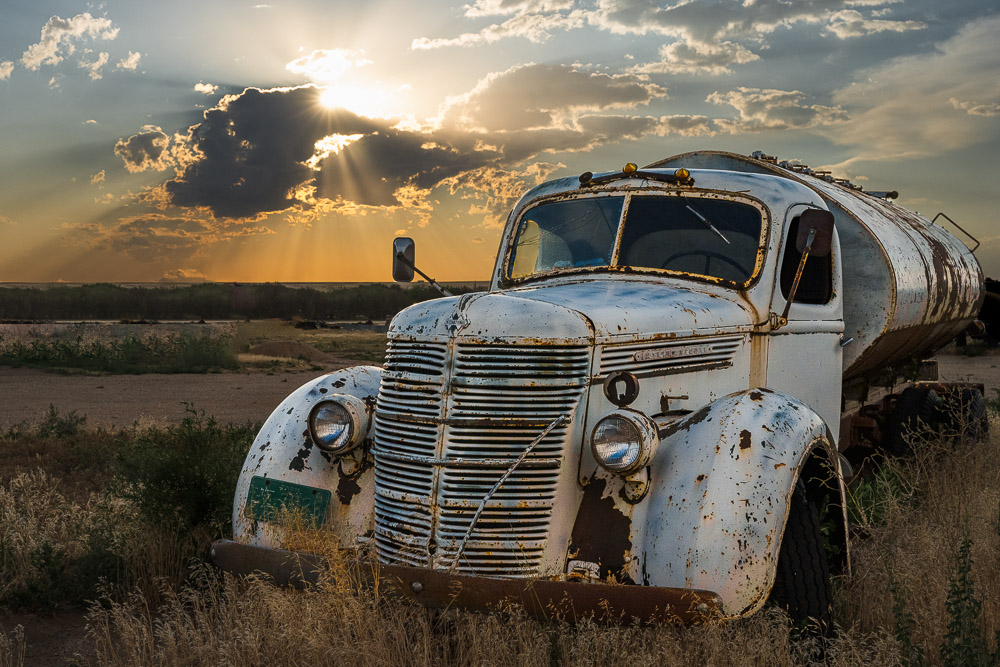
    The image with today’s post is an example. This old International truck fascinated me for years. It is about 50 miles from my house, not on the way to anywhere, but I visited it many times. I was never satisfied that I had photographed “it”. I took many pictures of the truck, but I never felt I actually got what I felt about it.

    Finally, one day I was going by and I knew I needed to visit it one more time. Some junk was starting to encroach on it and, after it setting there rusting for years, it seemed possible that the opportunity might go away.

    But this time, instead of jumping out and taking pictures, I just stared and thought a while. I walked around it slowly. All the while I was trying to explain to myself what my feelings were about this truck and how I would take its portrait.

    After thinking a long time, I basically just took this one image. To me, it perfectly captures the personality, the story, the history – the it-ness – of the magnificent old truck. I felt a relationship to it.

    The next time I came by there, it was all fenced off and junk was stacked all around. The picture opportunity was gone. That makes me sad, but I finally had the picture I wanted. I believe this is a true and accurate portrait of this giant of the Colorado plains. This will always be my memory of that good old truck that I have known a long time.

    This is a wabi-sabi story. It is also an example of another of Jay Maisel’s maxims: shoot it now, because it won’t be there when you come back.

    Find interest

    I have said several times that we can find interest in almost anything if we try. We have to get over looking just at the surface. Maybe it’s not the prettiest of its kind. Maybe there are imperfections. Do those give it character? Does it tell a story of it’s past?

    As an extreme example, we have had a lot of forest fires here in Colorado in the last few years. As have many places. It is sad to see a beautiful forest destroyed. But I have found great beauty in burn scars and the re-growth that is happening.

    It seems to be more and more a case for me that interest does not equate to pretty. Almost to the extent of being a negative correlation, where pretty implies less interest. So a perfect flower is a thing of beauty, but does that make it the most interesting? I’m not saying it is always true for me, but a “past its prime” specimen may tell a more interesting story of struggle, survival, endurance, and the passing of time.

    Try it. Like my example of working on the truck, slow down. Think more. Figure out the it-ness of the thing. Then shoot to capture that.

  • Depth of Field, Again

    Depth of Field, Again

    In my last article I discussed, in probably too much depth, the technical aspects of depth of field. But I try to keep this series focused more on artistic issues and creativity. Let me take a different look at depth of field again as a concept.

    Purely technical

    On the surface, depth of field is purely a technical concept. I went into some of the issues in my last article. Sorry for the math. 🙂 I know most people don’t like that. Actually, I don’t like it much either, but some level of understanding is necessary for mastery of the art.

    Maybe the most challenging concept from that article was “circle of confusion”. The idea that there are acceptable levels of unsharpness. Perhaps there are analogies in our understanding of what we shoot.

    Looking deeper

    Let’s set the math and technical details aside for now. I can hear the sigh of relief.

    I propose that there is an analogous concept concerning the sharpness of our intent when we are shooting. That is, did I just point my camera at a subject, make a decent composition, and shoot? Or was I clear in my mind why I was taking the picture and what it was really about?

    I have often referenced the Ansel Adams quote that “There’s nothing worse than a sharp image of a fuzzy concept.” There are 2 reasons for that. First, it is a brilliant observation. Second, it is something I struggle with, so it is very real and close to me.

    Yes, I can compose and I can use good technique to get the sharpness I want. I can use light to my advantage and I have a lot of experience post processing. But even so, I often look at my images in despair. Too often they are sharp images of a fuzzy concept. When I am honest with myself, I know I didn’t have much in mind when I shot them.

    Art happens in our head

    Maybe it is too obvious to state, but art happens in our head, not in the camera or the computer. As with any definite statement about art, this is a generalization. Sure, there have been many times when I was working with images on my computer and experimenting (e.g. playing) and things seemed to come together. That is the exception, though.

    All too often I look at my images and realize they are, at best, just record shots of a place I was at. No “depth of focus”. Not much below the surface to give you a reason to pause over it and consider it.

    The fault is entirely my own. I didn’t have anything to say, and I said it.

    There is a marked contrast with the images I get when I go out to shoot a project, or ones I shot when I was feeling strongly about the subject or the situation. Many more of them are strong and satisfying.

    We all know this: the more we put into something the more we are likely to get out of it. Why don’t I remember it more when I am out shooting?

    My excuse, other than simply laziness, is that I like to go out exploring and shoot interesting things I come across. I don’t always find interesting or “deep” things. That is just that, an excuse. Maybe it is as much that I didn’t have much to say that day. I try to remind myself of Jay Maisel‘s quote that “If you talk with nothing to say, that’s bad. When you shoot with nothing to say, that’s worse.”

    Circle of confusion

    So, is there a “circle of confusion” concept for our shooting? Maybe so. If we can’t get our ideas into focus, maybe we shouldn’t shoot. Do our ideas have to be in perfect focus? No. Like the technical term, maybe there is an acceptable level of unsharpness. I hope so.

    What do I mean by this? Well, sometimes I realize exactly what the scene means to me and I can determine exactly how to shoot it. That is great. I am often happy with the result. Sometimes, though, I just have a feeling, a sense of what I am experiencing. I have learned to follow those instincts even if I cannot clearly express their meaning at the moment. If something is drawing me, there is probably a reason.

    Later, while editing, I may realize what was calling me to it. If I was diligent enough to work the scene a bit to get several views and takes , I might be lucky to find that one of them captures what I was feeling.

    Maybe I am being too hard on myself. Jay Maisel also said “You always end up with too many pictures to edit and too few that you feel ‘got it’.” I suppose the feeling is common to all photographers, but it still is frustrating.

    Projects to focus

    I am learning to use projects to help me focus more clearly. A project is a chance to think deeply about something, decide how I feel about it, and then find opportunities to express it.

    It is basic psychology that when you are concentrating on something you are more attune to it. A simple example: a friend was thinking about buying a Nissan car. I don’t think about there being many of them around, but after that conversation it seemed like every other car I saw was a Nissan. I was more attuned to them.

    A somewhat more relevant example is from a recent trip to France. It was a family trip and we were going to be traveling around quite a bit but I didn’t want to come back with just random tourist shots. So I created a few projects to keep in mind to focus my thoughts and energy. One of them I called Sacred Places. It helped me be much more aware of cathedrals, of course, but monuments and memorials and standing stones. Even a small village celebration of their liberation in WWII. I felt more aligned with the concept of the project, it helped me to see more opportunities, and I felt I looked deeper at the occasions I found.

    If I don’t see it, why should you?

    Circling back to Jay Maisel’s quote: “If you talk with nothing to say, that’s bad. When you shoot with nothing to say, that’s worse.” If we can’t focus our feelings and experience, are we shooting with nothing to say? Just taking a sharp or well composed picture isn’t enough. If you can’t participate in the experience I felt then I’m not bringing you anything other than an “I was there” picture. Maybe it is pretty, but there isn’t much to feel or remember.

    Perhaps I do not have to be able to precisely express what I was feeling at the moment. Maybe there is a “circle of confusion” associated with our understanding of the image we are creating that gives us some margin for imprecision. But the circle of confusion in focusing helps discuss a range of acceptable sharpness, not permission to be out of focus. Maybe there is a range of acceptable understanding of our feelings leading to making an image. But little or no understanding is definitely out of range. With no real understanding or feeling, there is little interest for viewers. Have something to say.

    Today’s image

    I mentioned having Sacred Places in mind and encountering a memorial celebration in a small village in France. This image was a result of that. We happened, by accident, to be there on the day of their annual celebration of liberation in WWII. They still remember and memorialize it to this day. That in itself is heart warming.

    This flag display was presented while local dignitaries and military officials made speeches. I didn’t understand enough French to follow it, but it was moving.

    Having the Sacred Placed project in mind made me more attuned to this. We actually stayed for all of it and loved being there. When they discovered that we were Americans I barely avoided having to give a speech at their village celebration afterward.

    I hope a little of the dignity and solemnity of their memorial comes through.

  • Depth of Field

    Depth of Field

    In a previous post I said I would talk about this later. Here it is. I believe most photographers only vaguely understand what depth of field (DOF) means. That’s probably OK, as long as we can still use it to our advantage. You don’t have to know in detail how your car works to be able to drive it, but it helps.

    What is it?

    You have seen it. We focus on a subject, but when we look at the image we are disappointed that another subject or the background was out of focus. We have been bitten by too little DOF.

    Depth of Field is the distance between the nearest and farthest points in the frame that are in acceptably sharp focus. OK, we can intuitively understand distance that is in focus. But what does “acceptably sharp” mean?

    The reality is that when your focus your super expensive, multi-element, rare earth material lens, it technically only focuses at exactly one point. Everything else is to some degree out of focus. But like many things in life, the precise details do not matter. What matters is the result.

    For most of us in most of our applications, it is OK for things to be a little bit out of theoretical sharp focus. We can’t really see that unless we magnify an image greatly.

    Circle of Confusion

    So for most of our work, we will accept a certain amount of out of focus as unnoticeable. The measure of this for Physicists and Optical Engineers is called the “circle of confusion“. If you focus on a point of light, you expect it to be imaged as a sharp point. But as one of these points gets in front of or behind the sharp focus plane it becomes a circle instead of a point. You have seen this as you adjust the focus point in a scene.

    The overly technical term “circle of confusion” refers to how large these circles are. And what we care about is how large they can get before we perceive them as out of focus. This picture helps illustrate that. The center diagram is focused precisely. The top one is focused slightly behind the focus point. The bottom one is slightly in front of the focus point.

    Circle of Confusion illustration

    Physics

    You probably don’t actually care about the math. But here is it:

    The approximate depth of field can be given by: {\displaystyle {\text{DOF}}\approx {\frac {2u^{2}Nc}{f^{2}}}}

    for a given maximum acceptable circle of confusion (c), focal length (f), f-number (N), and distance to subject (u).

    This is precise, but not helpful. There are DOF calculators available, but most of us will not use them when we’re out shooting. I never would, and I even understand the math. 🙂

    What does it really mean?

    It means that if we want to maximize the apparent range of sharpness in a scene to our advantage, we need to understand some basic things about our cameras and how to adjust them for the results we want. None of it is magic and we do not need to become mathematicians.

    Controlling the DOF becomes just another of the design choices we make more of less automatically as we set up a picture. When we become familiar with the concept it gets to be an easy thing to take in consideration.

    How do you control it?

    If you unpack the equation above you discover that there are are really only three things to juggle: focal length, aperture, and distance to the subject. I take circle of confusion as a relative constant, since we don’t usually think about it while we are shooting.

    Normally we consider the aperture to be our main control of DOF. That is because it is the easiest one to adjust. You have discovered or been taught that a wide aperture (small f/ number) gives a shallow DOF and a small aperture (large f/ number) gives the most DOF. This is true, as far as it goes.

    But there are 2 other components to the equation. We also affect DOF by our lens focal length choice and by our distance from the subject.

    For any given lens, the closer we are to the subject, the shallower the DOF is. Telephoto lenses exaggerate the effect more than wide angles. Increasing the focal length reduces the DOF. And getting further from the subject greatly increases the DOF. Looking back to the formula briefly, notice that the focal length and distance to the subject are both squared. This means they are a much stronger influence than the aperture.

    Aperture, focal length, and distance to the subject all work together to determine the DOF A smaller aperture (larger f/ number) increases it. Moving further from the subject increases it a lot. Using longer focal length lenses decreases it a lot.

    It is said that wide angle lenses have greater DOF

    Conventional wisdom is that wide angle lenses have more DOF than telephoto lenses. Actually, no. But practically, yes.

    The discrepancy is how we tend to use them. We shoot with a long lens and decide there is not enough DOF. So we put on a wide lens and shoot the scene from the same position. DOF increases a lot. But the field of view has also expanded, so we have a much wider shot. If you were to walk up to the subject to make the image size field the same as before, the DOF would be the same. Thank you physics.

    But in practice, yes, using a wide angle lens usually gives us a great DOF because we usually shoot from relatively far away.

    Hyperfocal distance

    One “trick” that has been used for a long time and that simplifies getting maximum DOF is to know about hyperfocal distance. The hyperfocal distance is an optimum point where everything from infinity to a point near the camera is in acceptable focus. Seems too good to be true, but it is just physics again.

    The technique is getting harder to determine now and is probably falling into disuse. Way back we tended to shoot prime (non-zoom) lenses and they had focusing scales. For a given aperture, all you had to do was adjust the lens so the distant aperture number was at infinity. You were now focused at the hyperfocal distance. Everything from the near focus scale mark to infinity is in acceptable focus. It was easy and very useful.

    Now, though, zoom lenses have gotten very good and most of us use them. The problem is that they are optically complex and do not focus the same. They cannot, by their design, provide us with focus scales.

    What to do? A pretty good solution is called the double the distance method. There is some estimating (e.g. guessing) and approximations involved, but it is better than a lot of alternatives.

    Say you want to have a flower about 5 feet away in focus and have everything in focus all the way to infinity. Focus at about 10 feet. Choose a “suitable” aperture, probably around f/11 to f/16. I told you there was guessing. But by doing this, the field from about 5 feet to about infinity will be sharp. Check it in your viewfinder. Adjust if necessary. The hyperfocal point is about 1/3 of the way from the closest point you want sharp to infinity. You have to estimate it.

    Making some educated guesses based on knowledge of what’s going on is better than a random guess based on no knowledge.

    Just do it

    Photography and video production are probably the most technical of the arts. We are constrained by the physics of the sensors and materials, the properties of the optical systems and lens design, and the effects that can be created by these. Compounding these is the reality that we are typically imaging real subjects with all their flaws and constraints. It’s wonderful!

    Don’t get caught up in the math or the technical details unless you are a nerd that really likes that. It is seldom necessary for making good photographs. I just put the DOF formula in to show you it is based on science, not some mystical mumbo jumbo. I would never use it in the field.

    Learn that depth of field is a balance between the aperture, the lens focal length, and the distance to the subject. Experiment with them. Get a feel of how they relate and practice getting the results you want. It is harder to describe than it is to do.

    Today’s image

    This image demonstrates intentional shallow depth of field. I wanted the foreground and background definitely blurred, but still recognizable. The effect was achieved with a moderate aperture, f/11, and a short telephoto of 70mm close to the subject. Remember, increasing the focal length and decreasing the subject distance both strongly reduce DOF.

    Experiment more. Make the use of your equipment to achieve your intentions automatic.

  • Limiting File Size

    Limiting File Size

    In a previous article I talked about the “bloat” that happens when we edit in Photoshop. Is there anything we can do about it? Should we be concerned about limiting file size?

    RAW vs Tiff

    RAW files are fundamentally different from Photoshop files. A RAW file captures and preserves the data directly from the camera sensor. This data still contains the artifacts from the Bayer filter technology, that is, each pixel represents 1 value of red, green, or blue. Data in this form cannot be shown on your computer monitor until it is processed and expanded by a RAW converter like Lightroom Classic.

    It is very important to realize that this data is unaltered, no matter what fancy processing you do in your RAW editor. The adjustments you make are kept as a collection of “processing instructions”. These are applied in real time whenever you view your RAW file.

    Because of this design, Lightroom can only change the look of pixels. It cannot in any way add or remove or alter individual pixels. No matter what it looks like on screen.

    For instance, even if you use the Healing tool to completely remove a person or object from the picture, the original data is always still there. What it saves is instructions telling it what region to select and what region to copy from. This processing is applied, again, each time you view the image in the editor. Actually, it usually just keeps an edited preview of the image to show quickly, but that is getting too deep.

    Photoshop manipulates pixels

    Photoshop, though, is the heavy duty pixel pusher. It has no moral imperative to prevent you from doing anything to image data. You can freely add or remove or alter or stretch or shrink or copy over anything. Unless you take steps to edit non-destructively (more on that later), you can remove something from the image by simply copying other pixels over the area you want to remove. The original data is permanently gone. Photoshop doesn’t care.

    To do this level of manipulation requires Photoshop to expand the original RAW data to a pixel structure. The pixel data has 3 values, red, green, and blue, for each pixel and each of the values is probably 16 bits if you are editing in one of the “safer” color spaces. I recommend it. This expansion automatically makes Photoshop’s file size at least 3 times larger than the RAW file.

    Once the file has been expanded to pixels and edited, there is no going back. It cannot be reprocessed back into a RAW file. You can’t put the genie back into the bottle.

    Even RAW files can get big

    I am presenting this in a rather black & white (metaphorically) contrast. RAW file editing is no longer immune from growing quite large. The “culprit” is masks.

    It used to be that RAW processing was rather coarse and simple. If I adjusted the exposure of the image it applied to the entire image. And the processing instruction was small and simple. This is the literal data that is saved for that adjustment:

    crs:Exposure2012=”+0.65″

    Don’t worry about the exact meaning of all of it, That is for the Engineers. The point is that only these literal 24 characters are stored to change the exposure of the entire image.

    But then the designers at Adobe and others created very useful and necessary magic. We can mask areas and selectively adjust them! This is an awesome and very welcome change. It pushes back the boundary where we have to go to Photoshop to finish our files. These masks and edits are stored as text with the other processing instructions. As you might guess, it can get large.

    After doing a lot of masking and editing I have seen some of these “sidecar” files grow into 10 megabytes or more. So if my original RAW file is 50 MBytes and the editing instructions add another 20 MBytes, that is quite a lot bigger. Still nothing like going to Photoshop, but I needed to point out that RAW processing is not entirely free.

    Non-destructive editing

    Please give me a moment to plug a non-destructive editing style in Photoshop. Photoshop can do amazing and totally un-undoable things. I know that I often change my mind or have new insights about an image after it ages a while. So weeks of months or more after an initial edit, I may look at an image again and see a different direction to be taken. If the Photoshop edit has gone down a path of no return, this can be hard.

    Sure, I could go all the way back to the original RAW file and start over, but this is usually not what I want to do. I don’t want to repeat the hours of detailed work I already did. Typically there was a branch, a fork in the road while I was editing. I chose one path and later I decide I would like to explore the other one.

    With discipline, Photoshop edits can be almost totally non-destructive. This means you can undo any decision later. Or perhaps strengthen or reduce the effects of an edit.

    Probably 2 techniques serve for about 80% of the goal of non-destructive editing. The first is to use a new blank layer for pixel changing edits. So if I want to remove an element from the image, I will typically create a blank layer, then use stamp or move to overlay changes onto the image. the original information is still there is I later want to expose it or do a better job of removing it.

    The second powerful technique is adjustment layers. Use adjustment layers rather than doing adjustment directly to the image layers. This allows the adjustments to be changed in the future. It also allows for masking to limit the effects to selected areas.

    Steps to limit Photoshop file size

    It is a tradeoff: do all your processing in Lightroom or go into Photoshop. Adobe and others are constantly pushing out the boundary by giving us more and more power and capability in our RAW editors. This is very welcome.

    But there comes a point when we may have to do things Lightroom cannot do. There are things we can do to limit the overall Photoshop growth to the minimum, about 3 times the original RAW size. Basically, these destroy the non-destructive edits I recommended before. So all of those edit layers can be flattened down before saving the file.

    This commits the edits permanently. They can’t be undone in the future. But the file size will be smaller. And rasterizing smart layers will save a lot of space. Also making changes permanent.

    If it sounds like I am negative on doing this, I am. Once I invest a lot of time editing an image in Photoshop it becomes the “master” image. I usually want to keep the freedom to change my mind.

    Why bother?

    Maybe it’s the wrong attitude, but I try to act as if the file size does not matter. A large file is just a price to pay for the ability to craft an image I am pleased with. Disks are relatively cheap.

    It’s a pain when I out grow the 4GByte limit for Tiff files and have to go to a .psb file. Lightroom does a bad job of the user experience. But I put up with it because I want to hold all that work in an editable state.

    So officially my attitude is “why bother?”. Don’t sweat the file size growth. You went to Photoshop for a reason. Use it. Do your work. Files get large, It’s just a cost of doing business.

    Today’s image

    This is an example of a very simple looking file that grew dramatically. The final Photoshop file is 22 times larger than the edited RAW file!. From 61.5 MBytes to 1.34 GBytes. It sure doesn’t look that complex. It was necessary and I would still do it the same way again.