An artists journey

Category: Photography

  • Beautiful Chaos

    Beautiful Chaos

    I am thinking about some words by William Neill in his book Light on the Landscape, combined with an old country song by Diamond Rio named Beautiful Mess. I’m referring to the visual chaos of the normal world around us. Managing this chaos is one of the great challenges and rewards of outdoor photography.

    Visual chaos

    Alas, the world outside is a chaotic place visually. Things just aren’t naturally arranged to make it convenient for us poor outdoor photographers. Plants are in the way. Trees aren’t in the right place for the best design. Rivers bend the wrong way. Clouds are too much or not enough or arranged wrong. Weather doesn’t cooperate. Sigh.

    I say that facetiously, of course. That chaos and the difficulty of making something pleasing out of a cluttered scene is one of the unique and challenging parts of photography. If it was too easy it would be difficult to create outstanding images.

    Bringing order

    I love this challenge. The inner designer in me rises to it. It is a very satisfying mental exercise to try to mold a chaotic scene into a clean and appealing image. This is one of the defining characteristics of photography. Painters start with a blank canvas and selectively add only the elements they want for their scene. But photographers must start with an existing, disordered scene and simplify it.

    We have many techniques to apply to do this. Lens selection will widen or narrow our field of view. We can change our point of view to include significant parts or exclude distracting elements. Selective focus can emphasize the areas of attention. Exposure can be used to darken or blow out parts of the frame where you don’t want any detail. Long exposure can change moving elements into a different graphical design. These and other techniques give us great control over the arrangements of the parts.

    But above all, it is a design challenge. We have to decide what is key to the scene and how to emphasize that and minimize distractions. Is it the S curve of a river or the graphical arrangement of branches? Is it the forms or the leading lines that draw the eye a certain way? Most scenes can be arranged to bring an interesting view. Some more than others, but most can be improved.

    Refine

    Following on from a previous post, we need to very consciously work to refine our design after we set it up. This is a weakness of mine that I plan to improve. I have long training in composition. When I walk up to a scene I tend to do a tremendous amount of subconscious evaluation to select a composition. My natural tendency is to set up and shoot what I visualized as I came on the scene and stop without taking it further.

    But I know that many designs can be enhanced by exploring variations. I will try to discipline myself to do this more diligently. Move – left, right, up, down – look for improvements in the composition with slight shifts. Look closely at the entire frame to make sure there are no distracting elements that could be eliminated by in-camera techniques. Walk more to see if a more dramatic change of viewpoint could help.

    Most of all, I need to make sure I look and think. What I have is good, but can I make it better?

    Don’t over analyze

    A caution, though. Don’t over analyze the situation. Design and creation should be an act of joy. When you are learning new techniques it is normal to have to concentrate a lot on what you are doing. But try to get to the point where it flows naturally. To where you move with it and follow your instincts. Trust your instincts.

    Shooting in the outdoors should be energizing. We should feel excited about what we are seeing and capturing. Don’t let the joy get sucked out for you. Creativity is exciting and invigorating. Most of us aren’t going to get rich at this. We should at least have fun and feel satisfied.

    This is a journey of discovery. Enjoy the journey and have fun!

    Note on the image

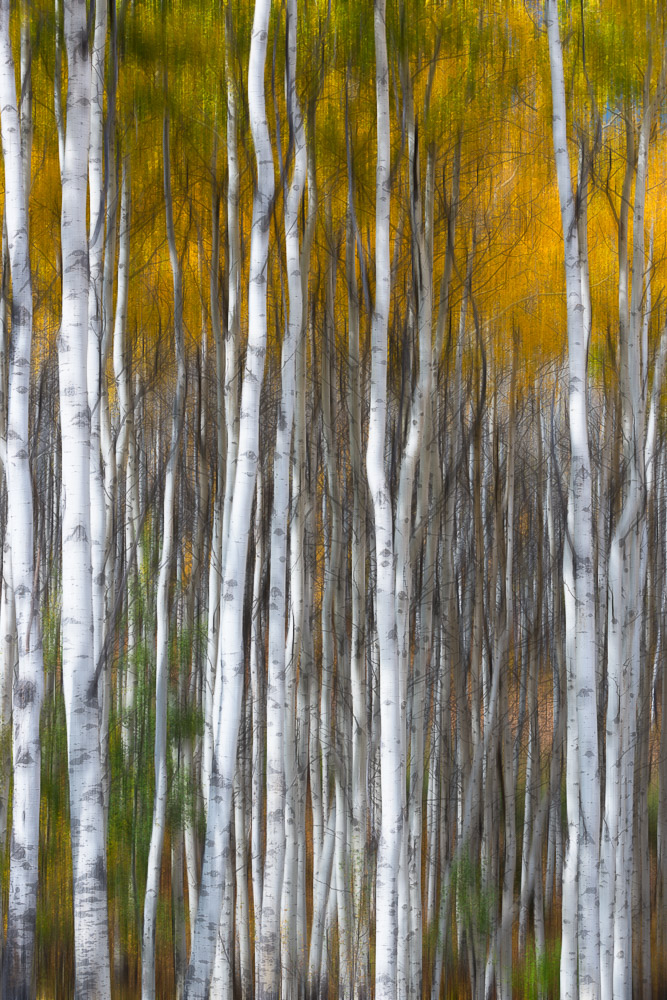
    The image in this article is personally satisfying to me. It is a location that brings me joy and that i return to as often as possible. Despite wading through mud, swatting mosquitoes and trying not to slip in and get swept downstream, I loved the scene. I did follow my advice in 2 significant ways: I worked it until I got to a composition I loved, and I had a great time.

    I hope you will find scenes that bring you such joy.

  • Move

    Move

    No, I am not suggesting you should uproot and relocate. Or join the great resignation and quit your job. These can be beneficial at times, but it’s not what I am talking about. I’m simply saying that art is a physical process. We need to move freely when we are are exploring for images.

    Taking root

    Certain of the images I shoot require a tripod for rock solid sharpness. I actually like this, because it brings a discipline to the process. There is a trap many of us fall into, though.

    When we set the tripod down it’s like it takes root. We’ve gone to the trouble of setting it up, leveling it, composing a shot, and we tend to not move it. It creates inertia. But perhaps that first place we put it was not the optimum location. We need to tell ourselves there is a better placement and we need to find it.

    Use your feet

    When finding the right angle for a shot…’Move your ass’.” – Jay Maisel

    Photography is a physical activity. At least for the type of outdoor photography I do. I walk. I stop and frame up a scene and take a picture. At this point, though, do I go on or explore options? Either answer is right depending on the situation. But are you confident enough in your compositional prowess that you know you got the best shot of the scene?

    I have learned the hard way that many scenes can be improved by “working” them some. Take some more time. Move. Try another angle. Get higher or lower. Take a few steps to the side to eliminate a distracting background. Wait a minute for the light to improve.

    In other words, once I have the shot, I need to look for ways to improve it. Most often, this involves moving, walking, squatting, thinking. One of the great technical advancements of digital photography is that we can see our image immediately. We can examine it and critique it to see how it could be improved. Do it if you have the time and opportunity.

    I tend to quote the great Jay Maisel a lot. He is very quotable. Here is one that elaborates some on this idea:

    “You find that you have to do many things, more than just lift up the camera and shoot, and so you get involved in it in a very physical way. You may find that the picture you want to do can only be made from a certain place, and you’re not there, so you have to physically go there. And that participation may spur you on to work harder on the thing, . . . because in the physical change of position you start seeing a whole different relationship.” – Jay Maisel

    Try variations

    A great scene often has the opportunity to explore variations. Change the crop. Go in for closer detail. Vary the exposure. Look for an angle that shows better shape or lighting or gets rid of distractions. Moving even a step or 2 can make a large change. Out constant attitude should be, “yes, that’s good; how can I make it better?”.

    Again, an advantage we have with digital imaging is that shooting these variations costs us almost nothing. Yes, we have to edit them, but the reality is, that is an embarrassment of riches. We might end up with 10 great images of the scene to choose from. It can be hard to pick the best.

    Moving is an attitude

    This sounds weird. Moving is an attitude? What I mean is that we should always be ready to explore chances of improvement of a shot. Don’t let our tripod get rooted. Have the flexibility to let ourselves try a different angle. That often involves physical movement.

    I believe I have missed many great opportunities by shooting the first composition I saw. I now try to make myself explore variations and be willing to move. One of the great influences in framing a scene is the position you shoot from. And as Jay said, moving and trying new ideas gives us a new perspective on the scene.

  • Boredom

    Boredom

    Boredom. We’ve all been there. We get in a funk. What we usually see and shoot is distasteful to us. We are discontented. Everything has been done, there is no creativity left. Do you ever feel like this?

    The time of year

    This article will be published in the depths of winter. Many of us don’t think there is anything interesting to see or shoot. After all, there are no flowers or green trees or lush fields.

    I would say, look again. Get out in it. Yes, out in the cold and snow if you have that. Or the rain and clouds. Whatever winter is in your area.

    Forget what you want to be shooting. Look with fresh eyes at what is there. You may discover a whole new world. In the words of an old song, “if you can’t be with the one you love, love the one you’re with.” While I do not recommend this as a way of managing your relationships, it can be very useful artistically.

    I actually love shooting in winter. Today I was out shooting in 70+mph winds and temperatures not much above freezing. Do I love being out in that kind of wind? Not at all. When you have to bundle up in layers of wind-tight clothes and hold your tripod to keep it from blowing over, it looses some of its charm. However, there were great opportunities out there. I have, by chance, been working on a project about wind. Today was a great opportunity to fill in some gaps in the image set.

    It happens to all creatives

    We all feel blocked, bored, empty at times. The “muse” is not around. We fear our best work is behind us and there is nothing to look forward to. Might as well give up.

    You are not alone. We all feel this sometimes. Like temperature and climate and relationships, our mental energy is cyclic. Sometimes the spark seems to be gone. It is a low time for us.

    Recognize that this is a natural part of life. Don’t be (too) discouraged. It will change. The creative energy will flood us again. Just give it time.

    Use it!

    But we don’t have to sit passively waiting for the creativity to return! Use this boredom to propel us to a new level.

    If we are bored perhaps we have plateaued on our current path. Maybe we aren’t reaching far enough. It is a great time to reexamine where we are and how we feel about our art. And actually do something about it.

    Boredom is frustrating to most of us. Use that! That is an energy and motivation. What are we lacking? Should we strike out in a new direction? What would we love to do if we had the opportunity?

    Like with our body, if something hurts, that is a sign that we need to take care of it. Taking care of it doesn’t necessarily mean we should rest it and take a “oh, you poor thing” attitude. Maybe we need to work it, eat right, exercise, build it up.

    The point is, the frustration of boredom can be a motivation to change our self or redirect ours thoughts or energy.

    Opportunity

    I have made some of the best discoveries of my life because I was bored. Really.

    Let me give an example. Way back, we owned a timeshare. For those who don’t know them, it is a vacation ownership scheme that was popular at one time. Don’t buy one. It’s not a good investment. The way it worked was, you “bought” a fraction of a property, say one week during the year. Typically your ownership time would be traded for a week at another property. Because of this, we got to visit beautiful places around the world. But a side effect was that we were “planted” at a single location for the week.

    This led to interesting trips. On one occasion I can think of, we were in a nice place way out in the country in Devon, England. Ten miles or more from the nearest town. It quickly got boring. As a result, we started exploring. Even though this wasn’t an area you would find featured on many tourist itineraries, the things we found were intensely interesting. We still cherish the memories.

    Because of the boredom, we were led to explore with our eyes and minds open. We had to forget the expectations that were not being met and become receptive to the wonderful things that were there. Repeating this experience many times completely changed my travel style. Therefore, now I want to settle in somewhere, get to know it, and have to find out what is there.

    Use boredom to your advantage

    So I encourage you to let boredom be motivating. With the right attitude it can free and empower us. It can lead us to opening our eyes to our surroundings, to learning new subjects or techniques, to re-evaluating our work and making improvements, to getting out and doing something about it. Or, you can sit on the couch and feel sorry for yourself. Your choice.

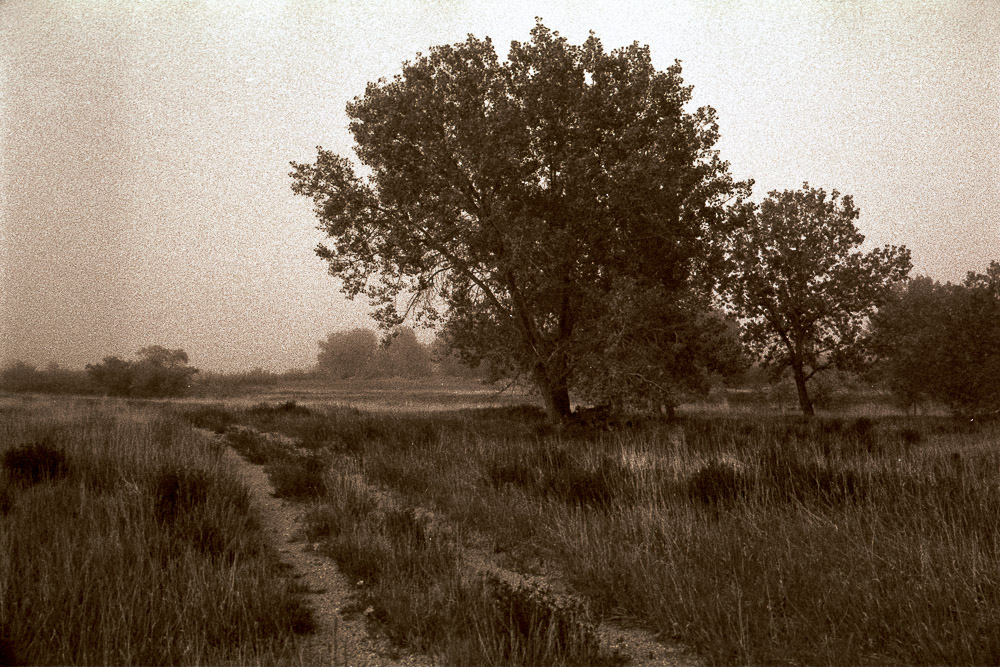
    The image with this article is one of many surprises we discovered on that “boring” trip to Devon I talked about above. It is a beautiful place with hidden gems all around.

  • Purity in Photography

    Purity in Photography

    I couldn’t help follow up on my last article with this. I read a photographer’s blog who was wringing his hands about “fake” images. In his plea for purity in photography he went so far as to coin a new term: “PhoTImagery” (the strange capitalism is his). He proposes the term to refer to any image that was not an absolute literal representation of a real scene.

    What is purity in photography?

    The argument presented was that “pure” photography – what he terms the purist photographer – consists of images made on film and processed in a wet darkroom. The end product is a photograph.

    A couple of questions occur to me. For one, why stop at film? Why not define pure photography as coating wet plates in the field before exposing them? That predates film and is even more basic. The practitioner of this has to be very determined and willing to suffer for his art. That brings even more asceticism and rigor to the practice.

    The second question is brought up by his assertion that the pure photographer can use “all possible techniques” in the chemical darkroom and still be acceptable. Editing negatives to remove distractions and compositing images has been done almost since the beginning of photography. Is that OK as long is it is done with film and chemicals? What would a photographer have to do to make it no longer “pure”? It is interesting that he does not count multiple exposures against the purity of an image.

    Can digital imaging be pure?

    The next step in the continuum he describes is the “photographer”. This is a person who does digital imaging, BUT does nothing to alter the image materially. This person is only called a “photographer”. He seems to have lost the sanction of purity, since he is not using a pristine chemical process. The end product here is still a photography, but I guess it is potentially tainted.

    If you edit out distractions or (gasp) change the sky it is no longer a real photograph. Apparently only the actual scene as shot, with no material changes, is worthy to be presented as art. Of course, like in any legalistic argument, there will be long and heated debate about what constitutes a “material” change. And who is certifying this? Do we have to submit our images to the Board of Photographic Purity before publishing them?

    Not real art?

    Finally Mr. Gordon creates the term PhoTImigery to describe any image that was not created and processed entirely by old school chemical methods, or was composited or heavily manipulated. He labels these manipulated images as deceptive and not true photography.

    Happily, he allows that art might want to do these things, but that the use of them must be disclosed. If not disclosed he claims it to be deceptive and wrong.

    I thought this argument was over a couple of years after digital imaging became really practical. Unless you are a photojournalist it should be assumed that ALL images are manipulated. This is not dishonest unless you are presenting it to your viewers as depicting reality.

    The disconnect

    Herein lies the disconnect, I think. Mr. Gordon wants to assume that all photographs are a faithful and literal depiction of reality unless disclosed as otherwise. It seems much safer to assume that all photographs are manipulated freely unless it is stated otherwise.

    We have long moved past the point where the only purpose of photography is to record the world as it literally is. There are billions of images made every day. Reality is overused. A photographer wanting to be heard among all the noise must present his personal vision of a scene. Or create a scene that may not have existed.

    Is this dishonest? No, it is art. Should it be “disclosed” as not real? No, no more than a Picasso painting should be labeled as “not real”. None of my images, no matter how they are created or manipulated, are fake. They are my artistic work.

    By the way, the image with this article is not literal reality. 🙂 Are all my images this heavily processed? No, not even most of them. But I feel free to do what I want with my pixels.

    The argument of purity makes an assumption of the intent and very purpose of photography. I refuse to be bound by someone else’s assumptions. I will follow my own path. Let me state right now to never assume any of my images are literal truth unless I tell you that they are.