An artists journey

Category: Mastery

  • Throw It Away

    Throw It Away

    This is a controversial subject. I have touched on it before, but it is time to circle back. My assertion is that most of us should throw away more of our work. Horrors! Kill our darlings? Sounds terrible! But I am convinced that one excellent way to improve our work is to throw it away.

    We probably overshoot

    It is so easy now days with digital cameras. There seems to be no cost for shooting a lot of frames. We “work the scene”, taking many shots at different angles and positions and focal lengths. Refining it to find the best view. And then shoot a few insurance shots, you know, in case one doesn’t record properly or we jiggle the camera. You know.

    That’s a pretty typical process and can be useful. But the reality is these shots are not free. We have to edit them, cull through them to select the best, do some “quick” processing to see if they seem worth investing more in. This takes a lot of time. They take up disk and backup storage space.

    So where with film, we might have taken 3 or 4 images of a scene, now we come back with 15 or 20 or more. That can be good. If you really have to work through different views to determine what is best, then do it. Or increased experience might help to get you there in fewer attempts.

    For example, you come to a nice waterfall. So you shoot brackets of apertures from f/ 2.8 to f/22, and brackets of shutter speeds from 1/1000th to 10 sec, and exposures from -3 to +2 stops. Just in case. Why? You should know from experience what you prefer. You should know that f/8 +/- a little is what you like with this lens at this distance. The amount of blurring you prefer is usually achieved at around 1/4 to 1/10 second for this kind of subject. You should know how to expose to the right and prevent clipping of highlights.

    Just that takes it from shooting all possible combinations to intelligently determining what to do. You have a style and preference and you should be comfortable with the craft. Why shoot things you know you won’t like?

    Overshooting creates a huge backlog of work. And lots of wasted disk space. And a cluttered Lightroom catalog. Simplify.

    We keep too much

    OK, let’s say you intentionally shoot a lot of images of a scene as you work it. How much of that do you really need to keep?

    Are you going to keep all the shots in case you later change your mind later about what you like? Don’t. Make an artistic decision and stick with it. Don’t keep that full bracket of apertures “just in case” you change your mind.

    We make it hard on ourselves by second guessing our decisions. Decide what you like in the group, what matches your intent at the time, and throw away most of the others. My experience is that if I didn’t know what I liked at the time, one of the variations seldom captures “it” either.

    The great gets lost in the sea of good

    Are you drowning in a sea of pictures? So much that you can’t locate the shots you like best? I get the impression that this is an increasing problem for a lot of people.

    A solution is a more disciplined filing and catalog system. This is made much easier when there are fewer images competing for our attentions.

    You don’t need 20 decent pictures of that scene. You need the one that represents your best artistic sensibility at the time. And that one should be processed to bring out your vision as you saw it then. It should never be a case of wading through many competing images to pick out the best one.

    Here is a hard lesson I have had to learn: good images are usually worthless. Only great images have any chance of making it. You seldom need the ones that are only good.

    Declutter

    I am arguing for decluttering our catalog by removing images you aren’t going to need. But yes, that means you have to kill some of your darlings. Delete perfectly good images.

    This hurts. Why should you delete good images? Because as I said earlier, we are artists. We have to have the confidence to make a decision and a statement. This is my vision of that scene. None of the other attempts matter. DaVinci didn’t paint 20 variations of the Mona Lisa.

    If you have a catalog of 100,000 images, are they 100,000 excellent images? What good are all those OK images that you will never use? Wouldn’t it be much better to only have 10,000 great images? The numbers are just for discussion. My point is, declutter your environment.

    But, we say, I need insurance shots in case my great image gets corrupted. Really? How often does this happen. And if it does, that is what your backup strategy is there to correct.

    But I really like all those shots. Yes, but when is the last time you used one of them? Why would you use one of them? If they are not the great image you love, their value is close to zero.

    To use the example from before, if you have 100,000 pretty good images, how do you locate that 1 great one you want to submit to a gallery? It is hard to find the signal in the noise.

    Declutter. It hurts at first, but is healthy.

    Tighten up that portfolio

    The same applies to our portfolios and projects. Less is usually more. This is another of those painful lessons experience teaches if we listen.

    Your portfolio should have a max size you pick. If you want to add a new image to a portfolio, make yourself decide which one you will replace. This is hard. But here is a truth: every time you take one out, you make the remaining set stronger. Taking out a picture you love doesn’t mean you don’t love it anymore. It just means that it is not the strongest in the group.

    I don’t think I have ever damaged a portfolio by taking something out.

    Same with projects. That is a little trickier, because sometimes we need images to set a context or help tell our story, but still, they should all be strong. Less is still usually more.

    A personal example. I recently needed to pull together a group of images for an exhibit. The subject was one I love, so I had a lot of images I really liked. In my first pass, I pulled out 162 images I loved that I thought would be great for it. I knew that was a ridiculous number for this exhibit, but I really liked all of them.

    So hard core culling mode on. After my next pass, it was down to 125. Progress, but way out of range still. I had to remind myself that deleting an image from the set doesn’t mean I don’t like it, just that it was bumped by a stronger image of mine. So with a great struggle, I was down to 69. So far I have taken out nearly 100 of my favorite images!

    Narrowing my focus and getting even more selective got it down to 44. It hurt, but now I have narrowed it to 23. I’m kind of stuck right now, but I know I need to get it down to about 15.

    A funny thing has happened, though. At this point I believe ALL of them are great images and I could almost randomly select the next 8 to cut. That is an interesting realization.

    Be reasonable

    In all things you have to make reasonable judgments for yourself. I’m not saying never keep alternate shots of a scene. I routinely keep a few. But I don’t keep duplicates that do not add any value. And I don’t keep alternate images that I know from experience are not my style.

    And there are those shots you know are flawed, but you just love them. Fine. I have a lot of those. Generally they are segregated from my “main” images, but they are important memories for me. Or they tell a behind the scenes story that is valuable to me.

    I use a multi-pass editing process and I usually let images age some before making many final judgments about them. But I figure if I don’t delete about 1/2 of my shots, either I am on a great run (it happens sometimes) or I’m not being critical enough. Often it runs to 2/3 deleted. And by deleted, I mean really gone, erased, trashed, removed, never to be seen again, digital dust.

    It hurts, but the remaining ones are stronger. I want to always be biased toward making the survivors stronger.

    Today’s image

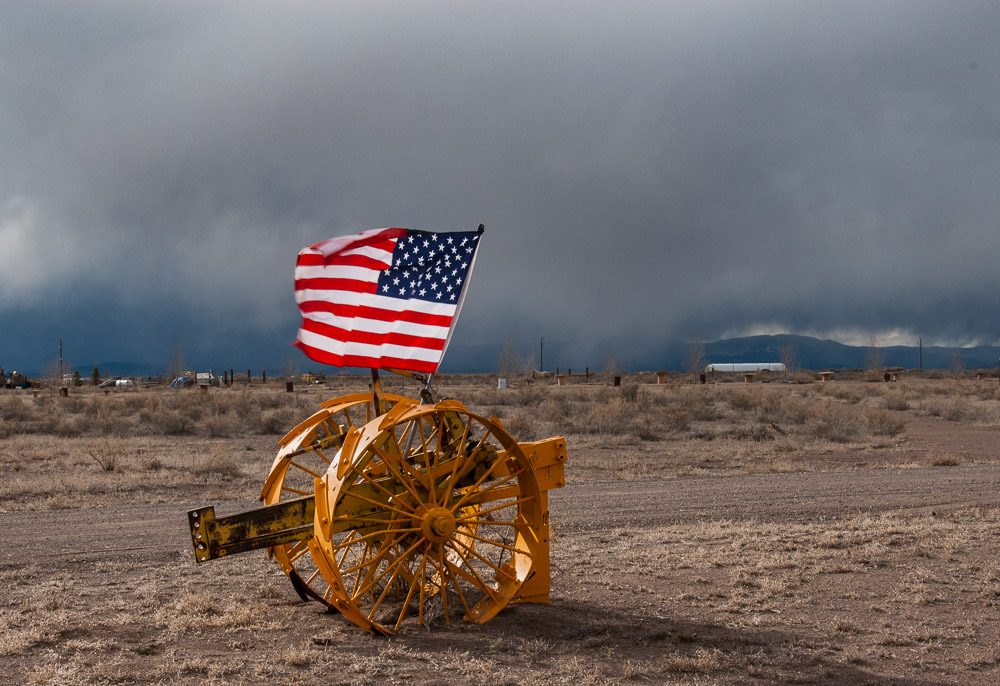
    The project I described above is on France. More about the joie de vivre rather than a tourist view. To present more of a mirror than a window, to refer back to a recent post. This picture is one i am struggling with. Would you keep it? So far I have. I think it says a lot about the environment and culture and spirit of the people. I love it for a number of reasons. If it doesn’t make it into the final set, I will be disappointed, but it means the overall group has a higher bar.

  • Window or Mirror

    Window or Mirror

    It has been observed that photography can be either a window or mirror. The idea has some merit. But like most real world things, it depends.

    Szarkowski

    The idea originated with John Szarkowski, at the time the head of the Department of Photography at The Museum of Modern Art in New York City. It was expressed in an exhibit named “Mirrors and Windows, American Photography since 1960” at the Museum of Modern Art in 1978.

    Mr. Szarkowski was a huge influence on photography for many years. I don’t agree with many of his ideas, but I believe there is something to consider in the ideas behind this exhibit.

    The press release for the show states that “In metaphorical terms, the
    photograph is seen either as a mirror–a romantic expression of the photographer’s sensibility as it projects itself on the things and sights of this world; or as a window–through which the exterior world is explored in all its presence and reality.”

    Let’s try to unpack that.

    A window on the world

    At the beginning of photography, it was seen as a way to quickly capture real scenes. The “writing with light” aspect was a big thing. A landscape or a portrait could be captured much more quickly than by previous artistic media. What a breakthrough! To make a portrait in a few seconds instead of having to sit for days while a painter works! And it was “real”! Indisputable. Unaltered. Exactly what the person or place looked like.

    This notion that a photograph is true to reality carries on strongly today. I see photographers who refuse to alter anything in the frame for fear of being dishonest. And most viewers have a natural belief that what they see in a print is real. Unless an image obviously looks like a fantasy illustration, it must be fact.

    A great many photographers follow this tradition. I started there, too. The idea that an image represented exactly what was there at the time. No illusion or tricks or modification. Many great photographers like Ansel Adams and Gary Winogrand could be placed in this group.

    This could be described as the “window on the world” view. What I choose to frame in the image is bringing the viewer an exact representation of reality. It is an outward looking viewpoint. The photographer is silently in the background. It is not obvious what he was thinking or feeling. There is little clear message beyond “look at this”. And there is always the implication that you could go there and see the same scene.

    A mirror reflecting the artist

    Somewhere in the mid twentieth century (around 1960 according to Szarkowski), many photographer’s intent started to shift. This would describe some great artists like Paul Caponigro and Jerry Uelsmann. It was no longer sufficient to just bring reality. It was important to express my beliefs, to make a statement, to convey my feelings. And it was no longer important that the image depict the scene literally.

    Now the goal became to express the scene as I perceive it. That may require extreme processing or compositing or absolutely anything as long as my intent is brought through. The final image may bear little or no resemblance to the original. That is OK, though, because it is an expression, not a capture of reality.

    There was one idea in the exhibit notes that resonates strongly with me. The image that a scene projects on the artist who then internalizes it and interprets it to the viewer. This seems to me to capture a large range of what is done in art now.

    A natural evolution?

    I believe this movement from window to mirror was fairly natural and predictable. By the 1950’s or 1960’s people had become used to seeing images of the world. Major publications like Life and National Geographic flooded us with images of the world, both landscapes and people. Pictures were becoming commonplace.

    To take landscapes, for instance, there is only room for a limited number of shots of the major sights of the world. The market was saturated. So artists started to differentiate their work by allowing their own personality to show through. The notion of a personal style became important.

    The part of this that seems valid to me is that, while there are millions of photographers out there shooting everything imaginable, only I have my personal point of view and style. Therefore, my images are unique. Even if they are of the same scene many others shoot. That seems to me to be the only chance of artists to carve a niche in the crowded market.

    Both?

    Even Szarkowski was quick to point out that this was not intended to be a clear division of artists. It is an axis, with strong window view points on one end and strong mirror view points at the other. Most people will fall somewhere in between. And they may move back and forth on the axis with time. Although I think the movement is typically from window toward mirror. At least that was my path.

    But even with that said, I do jump around. It depends on the context and what I am feeling at the time. So, for instance, when I go to a new location that excites me, I may start out taking “window” shots. To capture the locale, the scenes I am loving. Many of these are consciously for my own memories.

    If I have the opportunity to spend time in the location, I move past the “window” shots and start feeling a personal view that begins to be expressed. This is now drifting toward the “mirror” end of the axis. But in the same day of shooting I will probably do both. In familiar territory where I spend a lot of time, there is a greater tendency to concentrate on mirror views, since the conventional views are well gone over.

    The metaphor is useful to help us reflect on how we are seeing subjects at any time.

    Neither?

    This idea of window vs. mirror views is just Szarkowski’s concept. That doesn’t make it right or some universal truth. I must admit, though, the model has merit. It is a valuable metaphor.

    Photography started out as a window on the world. Just the fascination of being to quickly capture as “real” scene in all it’s complexity was one of the things that propelled it into popularity. And I think many new photographers still start out intending to shoot realistic scenes of nature or architecture or people. It is a great way to hone our technique.

    And I believe that many who stay serious about the art move toward the mirror end of the axis. It is no longer enough to just present a scene and say “here is what it looked like”. We feel a need to express how we felt about it, or how we perceived it differently than other people.

  • The Catalog

    The Catalog

    The catalog is the information hub of LIghtroom. There seems to be a lot of confusing folklore about it. Let’s talk about the catalog and demystify it some.

    This is specific to Lightroom Classic. Other tools exist. I do not know them and can’t discuss them. I believe Lightroom is the most widely used image management tool.

    A database

    When I refer to Lightroom, I mean Lightroom Classic. It is the only useful version for me. So be aware I do not discuss the cloud behavior of Lightroom at all.

    Lightroom is both a file management tool and a raw file editor. I’ve discussed raw editing before, so this article will just be about file management. We tend to shoot a lot of images these days. Without a way to organize all these and search for the ones we want, they become almost useless. How do you locate the right file when you need it?

    We do it with Lightroom and its catalog. The catalog is a database. I know that is a scary term to some, but it just means it is a file on the computer. The catalog in Lightgroom Classic is stored locally on your computer. It has a particular structure and capabilities that let Lightroom enter information about each image and rapidly search for it.

    So the Lightroom catalog holds a lot of data about our images. Some that it reads when we import our images and some that we tell it manually, like keywords and ratings and collection groupings. What the catalog does not contain is images.

    None of our images are actually stored in the catalog. They stay in our computer’s file system, wherever we decide to put them, as ordinary image files. They can be on any of our disks, internal or external. The catalog only notes their location and keeps track of it so it can call up images for us in the Lightroom screen.

    Where are the images?

    I mentioned some of the things the catalog contains. Let’s be more specific. I said the catalog does not contain any images. As you import images into Lightroom you choose where they will be stored. LIghtroom records the location about where each images is in the file structure of your computer. For instance, taking a random file that I happened to be looking at a few minutes ago, the path and file name is:

    /Volumes/LaCie-raid/Images/Images/New Mexico/Eastern I-40/Tucumcari/20231110-259.NEF

    This is the image above. This is what Lightroom has in the catalog instead of the image. Why? Because the file system of your operating system does an excellent job of managing its disks reliably and speedily. Lightroom does not try to duplicate that. Also, the file above is 52.4 MBytes. Let’s say you had 100,000 images this size stored in your catalog. Over 5TBytes of storage becomes impractical and would overflow a lot of people’s hard drive. And many people’s catalogs are much larger than that. Also, leaving the individual files visible allows us to use other tools to manipulate them.

    As I browse in Lightroom, when I come to where I want to look at this image, LIghtroom goes to the noted location on my disk and reads the image file and displays it. Actually, it first looks first in a special place where LIghtroom caches previews to see if there is a faster way to view it, but that is getting too deep for now.

    Metadata

    In addition, there is what is called metadata. This is just a computer science term meaning data about data. In our case, it is information read from the camera when the file was imported and information we have added manually.

    Examples of automatically gathered data are the camera used, including it’s serial number, the lens used., how the image was metered and exposed, the ISO. Also recorded is the dimensions, the data it was captured and many other details.

    Information we enter can include creator name, copyright information, keywords, rating, a title, a label, a caption, location, and other things. In addition, as we edit an image, all of the edit settings are recorded, from simple things like adjusting exposure to complex masks and adjustments. Virtual files are just copies of a files’ data in the catalog with a different set of metadata, not a duplicate of the file itself. And all Collections we create are simply sets of data in the catalog. Again, no copies of the files are made to create a Collection.

    The catalog holds a lot of data. It is a very important piece of Lightroom and is key to letting the whole thing work.

    How many catalogs?

    One of the first decisions to make when setting up Lightroom is how many catalogs to have. We could have a separate catalog for each type of content or activity. For instance, one for family photos, one for fine art, one for weddings, one for travel, etc. This initially seems logical to keep things separate and minimize the size of each catalog.

    My advice is don’t do it. Resist the temptation to have multiple catalogs. It will just make it harder to organize your work and harder to locate something. It might seem like a good idea to minimize the number of images in a catalog, but as far as I can tell, it doesn’t matter. I have over 130,000 images in my catalog. That is small compared to many other photographers. I am comfortable with throwing away images I deem worthless or exact duplicates. Other people don’t. But that is another discussion.

    I put extensive metadata in, such as location information, keywords, ratings, titles, and captions. And I do most of my image editing in Lightroom. This greatly expands the amount of metadata. The point is that this number of images does not appear to cause any stress or slowdown in my Lightroom catalog. I know of photographers who have catalogs several times larger.

    Don’t do this

    As a “don’t do this” anecdote, I have a friend who decided he knew better than Adobe and was going to manage his data more closely. He set up a catalog for each hard drive he had. As he outgrew a disk and added another one, it was a new catalog. Consequently, he has a data nightmare. It is very difficult for him to locate something unless he can remember exactly when it was shot and consequently what disk and catalog it is on.

    I strongly recommend you use 1 catalog and upgrade to larger disks as you run out of space. Yes, Lightroom can manage files across multiple disks, but you probably don’t want the bother. Disks wear out and need to be replaced anyway.

    How to organize it?

    How you organize your files is a personal decision. You need to figure out how you think about your data and how you “self organize”. You can see several things about my organization decisions from the example I gave of the file location data LIghtroom records. Most of my files are organized geographically. And my file naming is mostly centered on dates. It is not important to me to name images by their content. That is what Lightroom is for.

    All my images are stored on 1 fairly fast RAID disk drive. My feeling is this is easy for me to know where things are and easy to organize my backup strategy. The catalog itself is on an external fast SSD. The catalog is heavily used and this made a large improvement in performance.

    Be fanatical about backup! Your data is important. I use a combination of Time Machine – one of the greatest inventions in the history of computers – and a rigorous backup strategy using Carbon Copy Cloner. I do not receive any compensation from them for saying this. There are 2 external backup disks attached to my computer and another network attached RAID disk physically separate within my studio. I also backup to small hard disks that I rotate to offsite locations.

    So do you have to adopt any of the organization I use? Absolutely not. Every instructor probably has their own unique recommendation that is adapted to their needs and preferences. As I said, it is a personal decision. But it is a decision you have to make. Decide on your strategy and stick with it religiously. It will pay you benefits.

    Do all file operations from Lightroom

    Have you ever seen a “?” in place of an image? That is because Lightroom could not find the file. This is usually because a disk drive is offline or you moved some files using your computer file manager. Lightroom can’t locate the file and the best it can do is show a preview if it has one and mark it with the “?” to indicate it needs to be located. Locating a moved image is easy, but it is easier to avoid the problem entirely.

    Always do all of your file management from within Lightroom. Always! Lightroom has to know the location of each file it manages. It has very good capabilities for creating folders and moving files and folders around. It does the work of moving them on your computer file system and remembers the locations. And It is probably even faster and easier to move a large group of files from LIghtroom than it is using your computers file manager.

    All the eggs in one basket?

    If all your data is in the catalog, aren’t you at risk if it gets corrupted or erased? Yes. But there are many ways to mitigate this.

    LIghtroom has settings to automatically backup its catalog. Use that. Second, use other backup solutions like Time Machine and Carbon Copy Cloner to do your own backups.

    Third, you can optionally have most of your metadata also saved to files alongside your image files. These are known as sidecar files and have the extension “.xmp”. I turn on this capability. If the catalog is lost or corrupted it is possible to recover most of my data to a new catalog by importing the images and these sidecar files. This is a topic for another article.

    And lastly, I have been using Lightroom full time starting with its original beta release. Adobe has done a marvelous job of reliably keeping my data in tact. This is not a guarantee of future behavior, but so far they have earned my trust.

    Summary

    The Lightroom Classic catalog is a database stored locally on your computer. It is well established, good technology. Not magic.

    We do not see the catalog as a database, we do not have to know about databases, and we do not need to know much about searching databases. All that is wrapped in the Lightroom program. But knowing a little about how it works makes managing it easier.

    All of the data about your files is stored in the catalog, but not the image files themselves. The organization of your file structure, the naming of files, and the metadata you add are all completely up to you.

    Create an organization that works for you and stick with it. Lightroom will assist you by managing all the data the way you want.

    The image with this article is the one I referenced to show the location information Lightroom records. You can infer from the file path that it was shot in Tucumcari NM on Nov 10, 2023. It has nothing specifically to do with catalogs, I just decided to show what that image was to make it real..

  • Moving Past Perfection

    Moving Past Perfection

    Photography is a rather technical art form and most photographers get caught up in the gear and techniques. This can be appropriate for some work, but not always. I have stopped worrying about the last line/mm of resolution and absolutely perfect focusing and steadiness. It can be that imperfections can make some images better. I am moving past perfection as a goal.

    Perfection

    Sure, I love technical perfection. I think at some level most photographers do. It is a characteristic of what we can capture. We don’t want to just take a picture of a bird. We want to resolve every detail of every feather. The texture in an image should be so present that the viewer can easily imagine what it feels like. Every part of the subject must be in crisp focus and highly detailed.

    Technical perfection like this is a form of craftsmanship. It shows our viewer that we know how to use our tools and that we can check the craft boxes to prove our work is worthy.

    But this craftsmanship is a table stake, to use a business term. A table stake is the minimum viable offer that will be considered. For example, if you are buying a new car, you would not consider one that does not have a backup camera. It used to be a luxury but it has become an expected necessity. In the same way, digital photography has improved our product so much that there is little room for imperfection. Technical perfection, where is is required, is a necessity to be considered a salable print.

    Unless it is deliberate imperfection. More on that later.

    Don’t let it become the reason for the image

    An overused quote (at least, I seem to overuse it, because I believe it is very insightful) is Ansel Adam’s comment that “There’s nothing worse than a sharp image of a fuzzy concept.”

    I take that to mean that a good image will not be a great image solely because of its technical perfection. Instead, the technical details must serve the mood and intent of the image. Sometimes that means the technical details must be front and center, because they provide the framework that supports the resulting image. But in other cases they may actually subtract from the artist’s intent.

    I keep talking about sharpness, but the same applies to any other technical details. Composition does not make an image. There has to be more there. The absolute peak time and weather conditions at a certain location may help you make a very good image, but by themselves will not guarantee it.

    Who defines perfection?

    But what is “perfection”? That is very difficult. Must every image be 50MPixels or more at 3000 line pairs/mm resolution? Does every picture have to be perfectly aligned with “rule of thirds” lines and points? Does the color balance of the print have to exactly replicate the color of the original scene? How about images that do not have a definite foreground/middle ground/background? And how about the ones where the histogram is just wrong, say pushed too far to the left or right?

    Do these things define perfection? Can we make a great image that violates some or all of these “rules”? If you are thinking about some other articles I have written, you will know that the answer, for me, is there are no rules. There is no authority with the right to define what characteristics my image must have.

    If I have defined for myself that I am doing things in an Ansel Adams style, then that puts me in a box and defines certain expectations of look and sharpness. Or if I have defined that I am doing portrait photography in the style of Richard Avedon, that sets expectations of subject matter and style and print sizes.

    But notice that these are self imposed limitations. I reserve the right to define for myself the nature of perfection for my images. It may or may not include technical perfection.

    How can an “imperfect” image be good?

    If I set the definition of perfection for my images, then what does imperfect mean? It will only be imperfect if I fail to achieve the result I want.

    Think of some of the great shots of photojournalism or street photography. Some of them are a little our of focus. They might be over or under exposed. They might be grainy. But they captured a moment, an emotion, a comment on the human condition that completely overwhelmed all technical considerations. They are great despite their imperfections. Maybe because of them.

    I love (and was infuriated by) the types of comments I used to hear in camera club competitions. A judge might say “the composition would be improved if the photographer had taken 2 steps left”. I appreciate your feed back, but if I had moved left even 1 foot further I would have been over the edge of a cliff. Thank you, I will live with the composition I could get. It works, despite your sincere attempt to improve it.

    Past perfection

    So what do I mean by moving past perfection? For me it is the realization that perfection is not the highest goal. An image can be excellent even if there are technical flaws. Other things can and often are more important. The recording a “perfect” moment that exactly captures the nature and personality and essence of the subject can make a great image, even if there are imperfections.

    Actually, I am finding a lot of my current work is intentionally “imperfect”. I often use camera motion or subject motion as a design element. Some entire projects do not have a single sharp pixel in them. That is what I want, so I am pleased with it.

    A different take on craftsmanship is being able to use your medium to achieve your goals. Would you rather follow your own goals and create work that pleases you or struggle to achieve someone else’s ideal of perfection?

    Judge by your expectations

    No one except you can judge the perfection of your work. The definition of perfection is yours and yours only. They might say they would like it better if it was sharper or more/less colorful, or more/less saturated, of brighter/darker, or composed differently, or if the mid tone contrast was enhanced/reduced. And they may be “right”, in the sense that, after you think about it you decide yes, if I were shooting it again I would change it somewhat.

    But it is you changing your expectations that causes the difference in evaluation. No one else is in a position of judging your work unless you allow them to.

    Today’s image

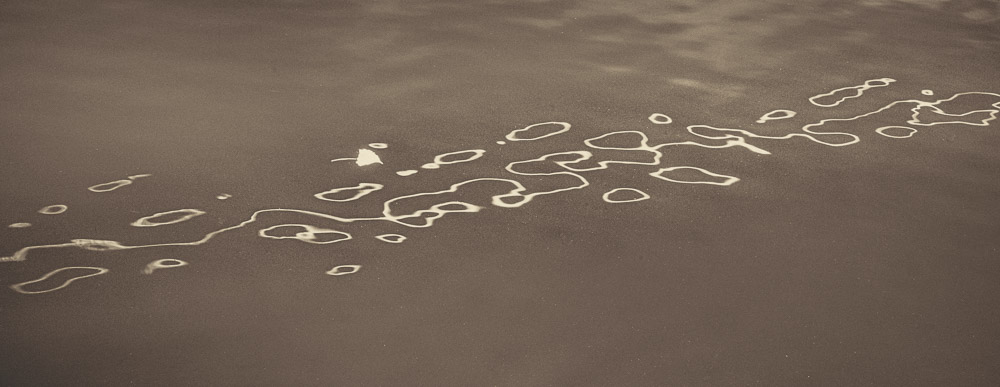
    This is a horribly imperfect image. And it is just what I wanted. 🙂 It was shot out of a fast train in France. I wanted to represent the sense of speed and motion and changing terrain whipping by. There is not a single sharp pixel in the frame. The focus may not be right, I can’t tell. But this was one of the best of many, many tries, and to me, it captures what I was perceiving.

  • Depth of Field

    Depth of Field

    In a previous post I said I would talk about this later. Here it is. I believe most photographers only vaguely understand what depth of field (DOF) means. That’s probably OK, as long as we can still use it to our advantage. You don’t have to know in detail how your car works to be able to drive it, but it helps.

    What is it?

    You have seen it. We focus on a subject, but when we look at the image we are disappointed that another subject or the background was out of focus. We have been bitten by too little DOF.

    Depth of Field is the distance between the nearest and farthest points in the frame that are in acceptably sharp focus. OK, we can intuitively understand distance that is in focus. But what does “acceptably sharp” mean?

    The reality is that when your focus your super expensive, multi-element, rare earth material lens, it technically only focuses at exactly one point. Everything else is to some degree out of focus. But like many things in life, the precise details do not matter. What matters is the result.

    For most of us in most of our applications, it is OK for things to be a little bit out of theoretical sharp focus. We can’t really see that unless we magnify an image greatly.

    Circle of Confusion

    So for most of our work, we will accept a certain amount of out of focus as unnoticeable. The measure of this for Physicists and Optical Engineers is called the “circle of confusion“. If you focus on a point of light, you expect it to be imaged as a sharp point. But as one of these points gets in front of or behind the sharp focus plane it becomes a circle instead of a point. You have seen this as you adjust the focus point in a scene.

    The overly technical term “circle of confusion” refers to how large these circles are. And what we care about is how large they can get before we perceive them as out of focus. This picture helps illustrate that. The center diagram is focused precisely. The top one is focused slightly behind the focus point. The bottom one is slightly in front of the focus point.

    Circle of Confusion illustration

    Physics

    You probably don’t actually care about the math. But here is it:

    The approximate depth of field can be given by: {\displaystyle {\text{DOF}}\approx {\frac {2u^{2}Nc}{f^{2}}}}

    for a given maximum acceptable circle of confusion (c), focal length (f), f-number (N), and distance to subject (u).

    This is precise, but not helpful. There are DOF calculators available, but most of us will not use them when we’re out shooting. I never would, and I even understand the math. 🙂

    What does it really mean?

    It means that if we want to maximize the apparent range of sharpness in a scene to our advantage, we need to understand some basic things about our cameras and how to adjust them for the results we want. None of it is magic and we do not need to become mathematicians.

    Controlling the DOF becomes just another of the design choices we make more of less automatically as we set up a picture. When we become familiar with the concept it gets to be an easy thing to take in consideration.

    How do you control it?

    If you unpack the equation above you discover that there are are really only three things to juggle: focal length, aperture, and distance to the subject. I take circle of confusion as a relative constant, since we don’t usually think about it while we are shooting.

    Normally we consider the aperture to be our main control of DOF. That is because it is the easiest one to adjust. You have discovered or been taught that a wide aperture (small f/ number) gives a shallow DOF and a small aperture (large f/ number) gives the most DOF. This is true, as far as it goes.

    But there are 2 other components to the equation. We also affect DOF by our lens focal length choice and by our distance from the subject.

    For any given lens, the closer we are to the subject, the shallower the DOF is. Telephoto lenses exaggerate the effect more than wide angles. Increasing the focal length reduces the DOF. And getting further from the subject greatly increases the DOF. Looking back to the formula briefly, notice that the focal length and distance to the subject are both squared. This means they are a much stronger influence than the aperture.

    Aperture, focal length, and distance to the subject all work together to determine the DOF A smaller aperture (larger f/ number) increases it. Moving further from the subject increases it a lot. Using longer focal length lenses decreases it a lot.

    It is said that wide angle lenses have greater DOF

    Conventional wisdom is that wide angle lenses have more DOF than telephoto lenses. Actually, no. But practically, yes.

    The discrepancy is how we tend to use them. We shoot with a long lens and decide there is not enough DOF. So we put on a wide lens and shoot the scene from the same position. DOF increases a lot. But the field of view has also expanded, so we have a much wider shot. If you were to walk up to the subject to make the image size field the same as before, the DOF would be the same. Thank you physics.

    But in practice, yes, using a wide angle lens usually gives us a great DOF because we usually shoot from relatively far away.

    Hyperfocal distance

    One “trick” that has been used for a long time and that simplifies getting maximum DOF is to know about hyperfocal distance. The hyperfocal distance is an optimum point where everything from infinity to a point near the camera is in acceptable focus. Seems too good to be true, but it is just physics again.

    The technique is getting harder to determine now and is probably falling into disuse. Way back we tended to shoot prime (non-zoom) lenses and they had focusing scales. For a given aperture, all you had to do was adjust the lens so the distant aperture number was at infinity. You were now focused at the hyperfocal distance. Everything from the near focus scale mark to infinity is in acceptable focus. It was easy and very useful.

    Now, though, zoom lenses have gotten very good and most of us use them. The problem is that they are optically complex and do not focus the same. They cannot, by their design, provide us with focus scales.

    What to do? A pretty good solution is called the double the distance method. There is some estimating (e.g. guessing) and approximations involved, but it is better than a lot of alternatives.

    Say you want to have a flower about 5 feet away in focus and have everything in focus all the way to infinity. Focus at about 10 feet. Choose a “suitable” aperture, probably around f/11 to f/16. I told you there was guessing. But by doing this, the field from about 5 feet to about infinity will be sharp. Check it in your viewfinder. Adjust if necessary. The hyperfocal point is about 1/3 of the way from the closest point you want sharp to infinity. You have to estimate it.

    Making some educated guesses based on knowledge of what’s going on is better than a random guess based on no knowledge.

    Just do it

    Photography and video production are probably the most technical of the arts. We are constrained by the physics of the sensors and materials, the properties of the optical systems and lens design, and the effects that can be created by these. Compounding these is the reality that we are typically imaging real subjects with all their flaws and constraints. It’s wonderful!

    Don’t get caught up in the math or the technical details unless you are a nerd that really likes that. It is seldom necessary for making good photographs. I just put the DOF formula in to show you it is based on science, not some mystical mumbo jumbo. I would never use it in the field.

    Learn that depth of field is a balance between the aperture, the lens focal length, and the distance to the subject. Experiment with them. Get a feel of how they relate and practice getting the results you want. It is harder to describe than it is to do.

    Today’s image

    This image demonstrates intentional shallow depth of field. I wanted the foreground and background definitely blurred, but still recognizable. The effect was achieved with a moderate aperture, f/11, and a short telephoto of 70mm close to the subject. Remember, increasing the focal length and decreasing the subject distance both strongly reduce DOF.

    Experiment more. Make the use of your equipment to achieve your intentions automatic.