An artists journey

Tag: fine art photography

  • How To Be Creative

    How To Be Creative

    Is creativity a talent only certain people have? Is it a process to be learned? Did you ever wonder about how to be creative?

    The Muse

    People often speak of being visited by the Muse. Or more likely, not being visited recently. The muse seems to be this mysterious, invisible force that comes on us at times and endows us with tremendous creative force. For a while. Until she decides to leave. The muses are almost always described as female.

    I can’t deny that sometimes I seem to be filled with creative energy and sometimes I can’t come up with a single good idea. Is that because of muses? I don’t want to jinx myself, but I don’t think so. It is too easy to blame external things. There is an ebb and flow to everything in life. I think creativity is part of that. It is unreasonable to expect to be on a creative high all the time. It would be nice, but we have to recharge sometimes, too. If it was constant, we would appreciate it less.

    A talent

    OK, so is creativity a talent a few have naturally and most of us don’t? It seems like that sometimes. Have you ever met someone, maybe an artist, maybe someone in your work life who seems to exude a flow of creativity? Someone who seems to get more done than anyone else?

    I have. Several times. It can be humbling. It can make you want to change careers because you seem so inferior.

    Talent is a real thing. Back in my life as a software developer I did some investigation into this and found evidence that there can be a 20 to 1 difference in productivity between developers. That seems to imply that some have a natural talent for doing the work. But, don’t let this slip by, they evaluated a 20 to 1 difference in productivity. That is not necessarily creativity. Creativity is much harder to measure.

    Here is a truth of life that is important to remember: just because something is easier for someone than for you does not mean their work is better. So while there are differences in talent, that does not exclude anyone.

    A process

    On the other hand, we can demonstrate that creativity is a process. We have to do it, not sit around waiting to be inspired. A couple of quotes from my article I reference above:

    Inspiration is for amateurs. Us professionals just go to work in the morning.” – Chuck Close

    Hard work will outperform talent any day of the week.” – Joel Grimes

    One thing we seldom talk about as an element of creativity is domain skill. That is, to be creative you first need to be good at what you are doing. Whether it is photography or writing or software development, you have to be skilled in your domain to be able to rise above the average.

    So a good part of our process is to always be working to improve our skills. When “the muse is gone” and we do not feel inspired, at least be working on our craft. I have often seen in my own life that sometimes just focusing on a technical skill can lead to new thoughts and ideas for new work.

    Am I creative?

    Ah, the question that haunts most “creatives”. We often doubt ourselves. After all, what we think and do is obvious to us. So it must be obvious to everyone else. Right? Probably not.

    Almost everyone is creative is some areas. But I have never met someone who has all their faculties who does not have the ability to create at some level.

    But we set a very high standard for ourselves, don’t we? We expect massive, glowing creativity. World changing things. Really? Not many things change the world to any measurable extent. Our insecurity about our creativity is right up there with our imposter syndrome fears.

    Try this experiment. Look at a lot of the published work by other artists is your field. There will be some that blow you away. That really impress you and make you feel inferior. But think about 2 things. First, remind yourself that you are only seeing their best of the best. You never see the 99% of the failures. Are you comparing your failures to their best?

    Second think about what you consider the fails among that work. Will there be a significant part of it where you will say “Really? I throw away stuff like that.”? This should convince you that you can be just as creative as most of them.

    Ebb and flow

    Human nature is such that we don’t just go through life at an even level. There are peaks and valleys, ebb and flow. Sometimes we are up and sometimes we are down. Don’t get disappointed when your creativity follows this pattern.

    But one of my points above is, get to work. Do something. Don’t sit around feeling sorry for yourself and waiting for the muse to come back. Work. Maintain a discipline of doing things anyway. You may throw away most of what you do in this phase, but you can learn and improve your skills and it can be effective at getting you out of the valley more quickly.

    One of the self help gurus I for some reason get stuff from recently said “Confidence is a byproduct of action”. I happen to agree with this. And I would add creativity is, too.

    Little C or Big C

    Notice that I have never defined what creativity is. This is intentional. Don’t most of us say “poor me, I’m not creative” without defining what we mean.

    One conventional definition from Psychology research is that creativity is “the production of ideas or outcomes that are both novel and appropriate to some goal” (COMPONENTIAL THEORY OF CREATIVITY, Teresa Amabile, Harvard Business School). The clause about goals is there because the motivation of the research was the corporate environment. Talking solely about art, I would remove that and concentrate on the novelty of a work product.

    So, what is novelty and how novel does it have to be to be considered “creative”? Amabile and others say that almost everyone has some degree of creativity. It is expressed in different ways and with different impact.

    She uses an example of what she terms little C creativity vs big C creativity. The dentist who came up with the idea of letting kids wear fun sunglasses during exams to protect their eyes from the bright lights is what she calls little C. It is creative but not hugely novel. At the other extreme Schawlow expressed the principles on which all lasers are based. He won a Nobel Prize for that. Definitely big C.

    So maybe we ought to give ourselves a little more freedom. Creativity does not have to be Nobel Prize winning. A novel composition or idea in our images is genuinely creative if you have never seen it before.

    Novelty for its own sake

    So if creativity revolves around the concept of novelty, how novel and new does something have to be? I think many artists are too caught up in this and try to do novel things regardless of their artfulness. Just browse through most contemporary art galleries or The Hand Magazine.

    The definition of creative above brings together novel and appropriate. Maybe doing something solely because no one else has ever done it is not good enough. Don’t forget that the idea is to make art while we are doing it.

    Creativity

    So maybe we shouldn’t be expecting lightning flashes of brilliance in our daily work. Maybe we should work our craft and perfect our skills to make sure we are about as good as anyone else. Then “connect the dots” as Steve Jobs used to say. If we can be open and receptive to thinking in new ways, we can look for opportunities to apply novelty as an edge to differentiate our self from the pack. Then the novelty is actually a creative enhancement to our work, not just something novel.

    Today’s image

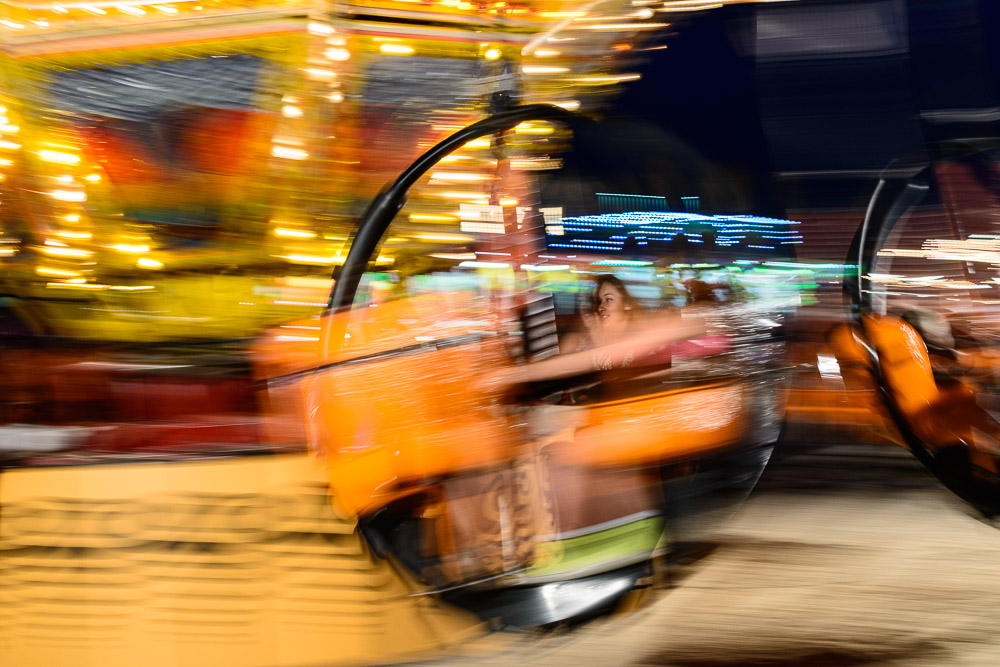
    I seldom try to create “message” images. When I came across this scene, though, it was too powerful to pass up. It connected several dots with me. I think I have made a creative image that can express a strong idea. Maybe more than one. What do you think?

  • Limiting File Size

    Limiting File Size

    In a previous article I talked about the “bloat” that happens when we edit in Photoshop. Is there anything we can do about it? Should we be concerned about limiting file size?

    RAW vs Tiff

    RAW files are fundamentally different from Photoshop files. A RAW file captures and preserves the data directly from the camera sensor. This data still contains the artifacts from the Bayer filter technology, that is, each pixel represents 1 value of red, green, or blue. Data in this form cannot be shown on your computer monitor until it is processed and expanded by a RAW converter like Lightroom Classic.

    It is very important to realize that this data is unaltered, no matter what fancy processing you do in your RAW editor. The adjustments you make are kept as a collection of “processing instructions”. These are applied in real time whenever you view your RAW file.

    Because of this design, Lightroom can only change the look of pixels. It cannot in any way add or remove or alter individual pixels. No matter what it looks like on screen.

    For instance, even if you use the Healing tool to completely remove a person or object from the picture, the original data is always still there. What it saves is instructions telling it what region to select and what region to copy from. This processing is applied, again, each time you view the image in the editor. Actually, it usually just keeps an edited preview of the image to show quickly, but that is getting too deep.

    Photoshop manipulates pixels

    Photoshop, though, is the heavy duty pixel pusher. It has no moral imperative to prevent you from doing anything to image data. You can freely add or remove or alter or stretch or shrink or copy over anything. Unless you take steps to edit non-destructively (more on that later), you can remove something from the image by simply copying other pixels over the area you want to remove. The original data is permanently gone. Photoshop doesn’t care.

    To do this level of manipulation requires Photoshop to expand the original RAW data to a pixel structure. The pixel data has 3 values, red, green, and blue, for each pixel and each of the values is probably 16 bits if you are editing in one of the “safer” color spaces. I recommend it. This expansion automatically makes Photoshop’s file size at least 3 times larger than the RAW file.

    Once the file has been expanded to pixels and edited, there is no going back. It cannot be reprocessed back into a RAW file. You can’t put the genie back into the bottle.

    Even RAW files can get big

    I am presenting this in a rather black & white (metaphorically) contrast. RAW file editing is no longer immune from growing quite large. The “culprit” is masks.

    It used to be that RAW processing was rather coarse and simple. If I adjusted the exposure of the image it applied to the entire image. And the processing instruction was small and simple. This is the literal data that is saved for that adjustment:

    crs:Exposure2012=”+0.65″

    Don’t worry about the exact meaning of all of it, That is for the Engineers. The point is that only these literal 24 characters are stored to change the exposure of the entire image.

    But then the designers at Adobe and others created very useful and necessary magic. We can mask areas and selectively adjust them! This is an awesome and very welcome change. It pushes back the boundary where we have to go to Photoshop to finish our files. These masks and edits are stored as text with the other processing instructions. As you might guess, it can get large.

    After doing a lot of masking and editing I have seen some of these “sidecar” files grow into 10 megabytes or more. So if my original RAW file is 50 MBytes and the editing instructions add another 20 MBytes, that is quite a lot bigger. Still nothing like going to Photoshop, but I needed to point out that RAW processing is not entirely free.

    Non-destructive editing

    Please give me a moment to plug a non-destructive editing style in Photoshop. Photoshop can do amazing and totally un-undoable things. I know that I often change my mind or have new insights about an image after it ages a while. So weeks of months or more after an initial edit, I may look at an image again and see a different direction to be taken. If the Photoshop edit has gone down a path of no return, this can be hard.

    Sure, I could go all the way back to the original RAW file and start over, but this is usually not what I want to do. I don’t want to repeat the hours of detailed work I already did. Typically there was a branch, a fork in the road while I was editing. I chose one path and later I decide I would like to explore the other one.

    With discipline, Photoshop edits can be almost totally non-destructive. This means you can undo any decision later. Or perhaps strengthen or reduce the effects of an edit.

    Probably 2 techniques serve for about 80% of the goal of non-destructive editing. The first is to use a new blank layer for pixel changing edits. So if I want to remove an element from the image, I will typically create a blank layer, then use stamp or move to overlay changes onto the image. the original information is still there is I later want to expose it or do a better job of removing it.

    The second powerful technique is adjustment layers. Use adjustment layers rather than doing adjustment directly to the image layers. This allows the adjustments to be changed in the future. It also allows for masking to limit the effects to selected areas.

    Steps to limit Photoshop file size

    It is a tradeoff: do all your processing in Lightroom or go into Photoshop. Adobe and others are constantly pushing out the boundary by giving us more and more power and capability in our RAW editors. This is very welcome.

    But there comes a point when we may have to do things Lightroom cannot do. There are things we can do to limit the overall Photoshop growth to the minimum, about 3 times the original RAW size. Basically, these destroy the non-destructive edits I recommended before. So all of those edit layers can be flattened down before saving the file.

    This commits the edits permanently. They can’t be undone in the future. But the file size will be smaller. And rasterizing smart layers will save a lot of space. Also making changes permanent.

    If it sounds like I am negative on doing this, I am. Once I invest a lot of time editing an image in Photoshop it becomes the “master” image. I usually want to keep the freedom to change my mind.

    Why bother?

    Maybe it’s the wrong attitude, but I try to act as if the file size does not matter. A large file is just a price to pay for the ability to craft an image I am pleased with. Disks are relatively cheap.

    It’s a pain when I out grow the 4GByte limit for Tiff files and have to go to a .psb file. Lightroom does a bad job of the user experience. But I put up with it because I want to hold all that work in an editable state.

    So officially my attitude is “why bother?”. Don’t sweat the file size growth. You went to Photoshop for a reason. Use it. Do your work. Files get large, It’s just a cost of doing business.

    Today’s image

    This is an example of a very simple looking file that grew dramatically. The final Photoshop file is 22 times larger than the edited RAW file!. From 61.5 MBytes to 1.34 GBytes. It sure doesn’t look that complex. It was necessary and I would still do it the same way again.

  • Getting There

    Getting There

    We all have ambitions, goals, dreams. We seem to spend our life “getting there”. Have you ever gotten there and not found it was what you hoped?

    Where is “there”?

    When we talk about getting there, we have to ask, where is “there”? Seems obvious, but I find that a lot of people don’t spend much time establishing those targets. That is a shame. The place you are trying to get to determines a lot of your life’s journey. You better be sure you know where you are going or sure you trust your instincts to follow a constantly unfolding path to an unknown destination.

    Seriously, a lot of people assume they know where they should go because it has been told to them by someone, probably parents or advisors or counselors. So they commit their life to reaching a goal they may not have considered carefully.

    It is a tragedy to get to your life’s goal only to discover you did not care about it. This applies to all aspects of life, but I will try to focus us on art.

    Who sets your goals?

    Who actually sets your goals? Do you investigate and analyze and try out things to select your goal? Or do you accept what is expected of you?

    Let me give a personal, non-art example. As a young Engineer, I assumed the goal was to “progress” up the management chain. It was projected (by managers) as the normal growth path. Well, I worked hard and was given the opportunity to step onto that ladder. I fairly quickly discovered I hated it. It did not fit my talents and interests at all. My love was Engineering. Luckily, my company was very good about wanting people to be in the most effective role. I went back to being “just” an Engineer and loved it. When I moved up, it was on the Engineering track.

    It was kind of traumatic, but I clarified my goals. I felt like a failure as a manager, but a success as an Engineer. That was when I began to understand that I am responsible for my own goals.

    What is the cost?

    Working toward a goal always involves some costs. Make sure you understand them and are willing to pay what is required.

    It is fairly easy to quantify the direct costs. As a photographer I need rather expensive cameras and lenses. There is also the high powered computer, lots of fast disk storage and backup, memory cards, etc. Add in travel, workshops, training and other education. If you listed it all it would be pretty intimidating. But this is just the direct cost.

    There are indirect costs and opportunity costs. I am a fine art photographer. Basically this means I do what I do for the love and the creativity and the personal reward, not to make a lot of money. I better have an independent means of supporting myself and my family. Right now I am OK with that. It could change in the future.

    Don’t forget the opportunity costs. Any time you pursue a goal you exclude other things. Did you trade off becoming an artist rather than being a doctor? It is a safe bet to assume you would make a lot more money as a doctor. But if you hated it, would the money be worth it? Maybe our choices are not so clear cut, but we always make tradeoffs.

    Be honest with yourself about the costs you are willing to pay for the destination you want to get to.

    The journey is the destination

    People often tell youthe journey is the destination“. They are usually right, but make sure you understand what they are saying.

    Here is the reality I have discovered. Yours may be different. Starting from where we are now, we usually do not know what the destination will actually be. We may have a vague idea or a wish, but the reality will usually be different than what we imagined.

    So we cannot really plot a path to the destination. It is a moving target and we cannot anticipate the twists and roadblocks along the way. What we can do is take a step that seems to take us in the direction we want to go. Just a step. Then evaluate where we are now and decide what direction to take the next step. And so on. When we get to that destination, it is probably the one we have determined we actually want, not necessarily what we set out to do.

    Along the way we experience life. This is what it is about. That is what the phrase means. Live your life today, not in the future. Appreciate everything you find. Be grateful for the day and its experiences. To really appreciate the journey you have to be mindful and living in the moment. When we live this way, we get to the end having lived a full and joyful life. Regardless of what state we arrived at.

    Will you sacrifice your life for a goal you may not even want or will you live your life every day as a mindful, joy filled experience? I hope you clarify and find your own rewards. And make your own art.

  • So Big!

    So Big!

    Our modern cameras have lots of pixels. This is a great benefit for us, especially if we want to make large prints. But sometimes the files we are editing can get so big we have trouble dealing with them. Why is that?

    Sensors

    I have made the point before that our modern sensors are amazing. The camera I shoot captures 47 MPixels for each shot. That’s 47 million pixels. There are sensors that go up to 150 MPixels in some medium format camera bodies. I haven’t seen the need to move to that yet.

    Why do we need so many pixels? Some will state that we don’t. That it is just pixel envy that keeps us seeking more. There is a good argument that about 20 MPixels is enough for the vast majority of applications.

    That is for you to decide for your own needs and preferences. I can state that I believe the quality of our images has moved far beyond film days. Digital images produce the sharpest, most detailed, most colorful, most editable results that have ever been possible, except in some very niche applications. There is no going back.

    Raw files

    Raw files hold the information that comes directly off the camera sensor. There is minimal processing done. I have discussed Bayer filters and how we get color images. The Raw file is not really an image we can look at yet.

    But there are some great features of raw files we need to be aware of. First, this is the closest we can get to the exact data that was captured by the sensor. Little processing has been done. All the processing and interpretation of the resulting image is ours. Among other reasons, this is a reason to always shoot raw instead of jpg files.

    Second, the nature of the raw file is that it cannot be edited. The original data is always preserved. Yes, of course, I can go into Lightroom Classic (I will always call it just Lightroom from here on) and do amazing things to the image. All of the changes are saved as what are termed “processing instructions“. The original data is never altered. It cannot be altered.

    One of the things this means is that years from now when I have new tools or change my mind about how I want the image to look, I can go back and re-edit it. I can even reset to the original captured bits and start over. No data is ever lost. This is a great things.

    And thirdly, the raw file is relatively compact. My camera captures 47 million 14 bit resolution sensor values, each either a red or green or blue data. It is not yet “demosaiced” to expand the Bayer sensor data to full color data for each pixel. In addition certain meta data values are stored in the raw data. Things like the camera and lens information, capture time, my copyright information, etc.

    Raw file size

    My camera is set to do a lossless compression of the data before saving it. So no data is ever lost in the process. Looking at a randomly selected file I just shot, its file size is 58.08 MBytes on my file system. The size of my raw images varies because of the amount of lossless compression that can be done on each image.

    But think about this a minute. I captured 47 million 14 bit images. This should have been 94 MBytes of data, not counting the extra meta data. I am assuming they store the 14 bits in 2 8 bit bytes. I don’t know if that is true. This means the saved raw file is even smaller than the data that came off the sensor. As I edit it and add processing instructions, the file gets somewhat larger, but seldom huge.

    Photoshop bloat

    Now I sent this raw file to Photoshop and immediately saved it. No editing. The file size is 229.16 MBytes! It is about 4 times larger! And I didn’t even do anything to the image! Why is this?

    Well, Photoshop edits pixels, each a triple of (red, green, blue) values for each pixel. Photoshop expands the Bayer data to the flat grid Photoshop needs, This is what Photoshop works with and what is saved. That automatically makes the file at least 3 times its original size. The raw file was compressed, that probably accounts for the difference.

    Now to illustrate more of what Photoshop does, I added a blank layer and used the spot healing brush to correct a couple of blemishes, very little. Saving the file again grows the file size to 548.08 MBytes! It doubled!

    To continue the demonstration, I added a curves adjustment layer and saved the file again. Now the size is 632.72 MBytes.

    The difference

    It is clear that LIghtroom and Photoshop show very different behavior when editing images. This is because of their nature and design.

    Lightroom is called a parametric editor. It does not modify the image data, Rather, it keeps a list of processing instructions to tell how to change the look of the image when it is viewed.

    Photoshop is a pixel editor. It can add/delete/modify pixels at the most detailed level. You have to be careful that you do not lose the original data. It does not care. It will do any amount of change you request. And it has the power of layers to build of levels of modification. This can lead to huge file sizes.

    Did you know that there are maximum file sizes for Photoshop files? Standard Photoshop psd files can only be up to 2 GBytes in size. Tiff files can only be 4 GBytes. I exceed these limits a lot. The only choice then is to switch to Photoshop’s “big” file type, the psb. It can grow much larger. Actually, it can handle us up to 4.2 Billion GBytes. That will work for a while. 🙂 Unfortunately it is not a choice to automatically use it.

    Any solution?

    Well, there is the “if it hurts don’t do that” solution. Stay in Lightroom for most of your image processing. Only go to Photoshop for situations that Lightroom cannot handle. This is a good strategy and I use it.

    But if you have to do that detailed pixel grooming and you have to use many layers to process your image to your taste, accept it. The cost is much more powerful computers and larger and faster hard drives. I have both. It is a cost of doing business the way I want.

    Editing large files in Photoshop will lead to very large files on your disk. I have a lot of multi GByte files. That is, some of my files have grown to about 100 times the original captured file size! Ouch. I can’t do this routinely. It has to be for special images that are worth the time and file size to do this.

    When you have to call out the big power tool, Photoshop can do almost anything. But the cost can be high.

  • Don’t Rush

    Don’t Rush

    It seems most people rush to share results of any photo outing on social media immediately. But why? Does that make sense? Wouldn’t it be better to wait until you have a few great images ready? Let your work and vision mature.

    Don’t be a slave to social media

    I am freely admitting my prejudice here. I am not a fan of social media and I don’t participate in much of it.

    A lot of people I see feel compelled to post some of everything they do to social media as soon as they are within cell phone range. They put themselves under a lot of pressure. If you are dependent on the “likes” and upvotes you get online, you serve a very capricious master. And what if several people don’t like your work? What do you do? Change? Abandon what you are doing? Who is deciding your style and artistic interests?

    It’s not collaboration

    Is your art a group process or are you, the artist, solely responsible for your creations? “Collaboration” is one of those powerful sounding words thrown around in corporations these days. I’ve been there. I know there is a place for it in corporations where they’re trying to achieve at least an average result and wanting to make several special interest groups feel included. But I claim it is not appropriate for our art.

    Our art should be a highly personal expression. To a degree, it should not matter if it is not universally popular. Maybe we should not try to be universally popular. If it appeals to the masses and looks like “everybody else’s” art, is it a creative expression? My work is going to be my own total responsibiity.

    Ask why you are sharing

    If you are sharing on social media, I think it is important to ask why you are doing it. Likes feel good, but do these people actually buy your art? Sorry to be crude and talk about money, but isn’t that the grease that lets things run?

    If your social media strategy is well tuned and you have a good mailing list of people who are real customers and eager to buy your work, good for you. That is a reason to publish on social media.

    But, how fast should you do it? Conventional wisdom on social media is that you should show work in progress. This is where I tend to disagree. I believe we should never show our work until it is ready.

    Curating takes time

    A lot of my art has to mature. I may have an idea of something I want to pursue, but my first attempts are usually not representative of where I will end up. It is typical for me to have to work with an idea or a subject for a while to refine my view, to understand my underlying feelings about it. The ideas have to age, to mature some. This can take from days to years.

    So if I’m shooting a project, the first images I shoot may be scatter shots all around the idea I haven’t really “discovered” yet. After doing work on the project a while I begin to understand what I really want to say and what will make the best visual presentation. It could be that one or more of those original images actually work for the final project, but that is almost an accident. It usually means I shot an image instinctively even though I did not consciously understand where I wanted to go. But projects can last from weeks to years, so my vision likely evolves over that time.

    In a similar way, it is sometimes the case that I shoot an image, I like it, but something tells me it is not complete yet. Maybe it needs to be worked as a low key black & white image. Maybe I need to do some serious cropping to isolate the part that really interests me. Perhaps I need to composite it with some texture or other elements to complete the look. Or maybe it just isn’t as good as I originally thought.

    Be patient

    If you’re like a lot of photographers, you shoot a lot of images when working a scene. Sometimes it is not immediately clear to me which is the pick of the group. I often have to live with them a while to understand what I was really drawn to. It may take days or weeks before I can look at the set and say “this one” is the one that captures what I was feeling at the time.

    If I am under pressure to get a quick look out to social media, I would find that what I am publishing is not really representative of what I end up with. Maybe that is OK for you. But I do not want anyone to see what I would consider inferior work. A secret of most photographers is that they seem very good because you only see about 1% or less of what they shoot. They throw away or rework what doesn’t work before it ever gets out of their studio. What you do see is good.

    A line from a famous old Paul Mason ad said “We will sell no wine before its time.” I don’t know if this is still true or if it ever was, but the idea has merit. Don’t be in such a rush to get things out. Wait for them to mature. A few great images is more impactful than a bunch of mediocre ones.

    Today’s image

    This is a pano I shot earlier this year. At first it was a pick of the day. I really like the clouds and mountain shapes. After living with it for a while, though, I realized I do not like the foreground or the middle ground (the lower forests are too dark). And there is more visual clutter to remove than I wanted to do. So this went into the “eliminated” pile. There was another one that I liked much better.