An artists journey

Category: Technology

Ideas about the mechanics, techniques, and technology behind image making.

  • They Told You Wrong About ISO

    They Told You Wrong About ISO

    Many of us have a wrong idea about ISO settings. I will just say they told you wrong about ISO. It was a misunderstanding. Whoever “they” are.

    Statement of faith

    It is stated as a “strong suggestion“, especially when we are learning landscape or portrait work. Never shoot with ISO over 100. Maybe it is stated as only shoot at the native ISO setting for your camera. Either way, these are given as rules.

    I hate rules, especially for my art. Rule of thirds. Rules of composition. Never put the subject in the center. Never shoot at midday. Always use a tripod. The list goes on.

    Like with religion, most of the so-called rules are based on good ideas, but over time they are repeated as commands and the underlying reasons are lost. Just do it. (I don’t think that is what Nike meant.) The rules become a statement of blind faith that cannot be challenged.

    What is noise?

    All digital cameras have noise. Noise is randomly generated in the sensor and in the electronics of the signal path until the pixels have been digitized by the analog to digital converter (ADC). The noise is a fundamental property of physics.

    The question is how much noise is there relative to the desired data. This is called signal to noise ratio in engineering. When we amplify a signal by increasing the ISO setting, all the signal including the noise is increased. This is why images shot at high ISO settings tend to look noisy. The image is usually not less sharp, but there is more noise obscuring things.

    It is true for a low cost point and shoot camera or a high end medium format camera. What changes are the relative amounts of noise and the limits the image can be pushed to.

    What is ISO?

    You’re familiar with the exposure triad: the combination of aperture, shutter speed, and ISO that determine exposure. That’s it. Many other things affect the composition and quality of an image, but only those 3 control the exposure.

    Aperture is the size of the diaphragm opening in the lens. It controls, among other things, the amount of light coming in. Shutter speed is the length of time the shutter is open to let light come in. And the ISO setting is kind of like a volume control. It sets the gain or amount of amplification of the sensor data.

    Going way back to early film days, there were no agreed on standards for the measure of how sensitive film was. So a couple of the largest standards organizations (the ASA and DIN scales) came together and created a standards group under the International Organization of Standards. They adopted the acronym of the standards organization (in English) as the name. By the way, officially “ISO” is not an acronym, it is a word, pronounced eye-so.

    Long way around, but now there are defined standards for exposure. For a given combination of aperture and shutter speed, the ISO settings on all cameras give the same exposure.

    Why use higher ISO settings

    OK then, in concept, the ISO setting is a volume control for exposure. Turning it up (increasing the ISO value) amplifies the exposure data. But as I mentioned, it is not free. Amplifying the exposure also amplifies the noise in it.

    It is true that low ISO settings produce less noise in the captured image. Modern sensors are much better than early ones. This is one of the wonders of engineering improvements that happen as a technology matures.

    Then, we should not use high ISO settings, right? Well, everything is a tradeoff. We need to use a minimum shutter speed to avoid camera shake when hand holding or to stop subject movement. We need to use a certain aperture to give the depth of field we want. These decisions must be balanced in the exposure triad, often by increasing the ISO.

    Can’t I just underexpose?

    When you accept that we must use the lowest ISO setting, the logical conclusion is that you could massively underexpose the image and “correct” it in post processing. Unfortunately this doesn’t work well. You are still boosting the noise unacceptably.

    The camera manufacturer knows more about it’s sensors than your image processing software does. The camera’s built-in ISO amplification can take into account it’s characteristics and do a better job. And modern sensors and electronics do a very good job.

    Are you wrong about ISO?

    If you are following a rule dictating you must or can’t do something, yes you are wrong. There are no rules in art. No ISO-like standards body specifies what your image must look like. There are always groups wanting to do this (are you listening camera clubs?), but they have no authority.

    If you are hand holding a shot, it is better to boost the ISO to steady the movement than follow a rule about using low ISO. The noise will be secondary to the reduced shake. Or I sometimes use the lowest ISO setting in my camera to create blur. I enjoy intentional camera movement (ICM) shots and will occasionally force an artificially slow shutter speed.

    If it is night and you want to shoot stars or street scenes, are you not going to do it because you would have to violate a rule by the ISO police?

    Use the ISO setting that lets you express what you want to do. It is your art. There are no rules. Besides, luminance noise looks like film grain. It can be an interesting artistic technique in itself. Do what feels right to you.

    Apology

    I used fairly strong language about this. The reality is that most photography writers have softened their recommendations on ISO. Most of them freely recommend using high ISO. This is healthy.

    But I know many of us were “imprinted” by early mentors who left us feeling there was something dirty about going above 100 ISO. I want to free you if you still have those self-imposed limits. Using even a very high ISO and getting the shot is always better than missing it because you wouldn’t want to chance increased noise.

    Today’s image

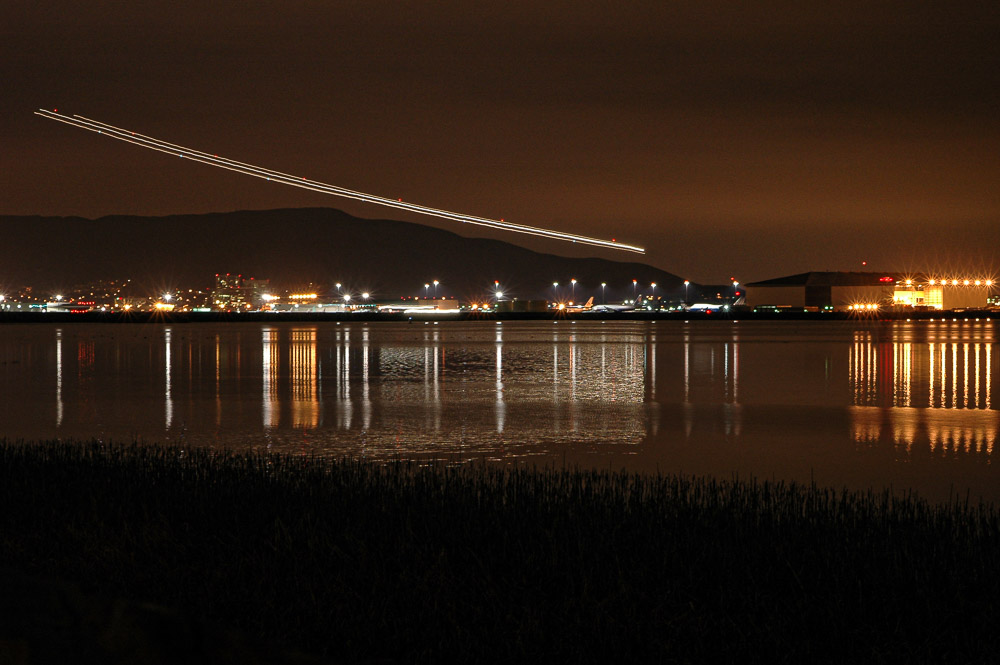
    Since I’m advocating it, here is an extreme case that I’m happy with. This was shot hand held with an old Nikon D5500 camera – at ISO 22800. I have corrected out some of the luminance and chromance noise and I am perfectly OK with what remains. Getting the shot made me happy, even if the noise is high.
  • The Histogram is Just Data

    The Histogram is Just Data

    I don’t mean to be insulting, but I cannot understand when people look at histograms as some magical, mysterious, and intimidating technical artifact. It is not. It is just data about what our sensor is seeing. The histogram is just data, and it is useful. Use it. Do not be afraid of it.

    Trigger

    A newsletter I received today triggered this semi-rant. But looking back, I see it has been over 3 years since I wrote about histograms, so it is probably time to revisit the subject. This actually is a subject I feel some passion for and believe it needs to be better understood by photographers.

    The newsletter author declared that our histograms lie. I realize that click-bait is commonly used to try to get people to read articles, but I still feel it is being somewhat underhanded. Now, in fairness, the newsletter author made some valid points – except for the part about histograms lying.

    What is a histogram?

    We see this graph of some data and maybe it does look complex and mysterious if you are not used to working with data and don’t know where the data comes from. Let’s get over that by understanding how simple but effective it is.

    By convention we play like our cameras measure light in a range of 0 to 255. There are no units: 0 represents black and 255 is pure white. The convention came from the history of early digital cameras. It is obsolete today, but still used. That is a topic for another day.

    So there are 256 possible values of brightness (0-255). If we go through and count the number of pixels of each value – the number of pixels in the image that have value 0, the number of pixels in the image that have value 1, etc. – and put them on a graph, we have a histogram.

    Here is a simple example:

    Again, black is on the left going to white on the right. Even without me showing the actual image, we can see that there is a “bump” of dark values on the left and a larger hill of bright values on the right. In between is a relatively low and even count.

    What can we learn from this? It is a black & white image, because there is no separate data for red, green and blue. There is high contrast because of the hills at the dark and bright ends. It is bright but not overexposed. There are deep blacks, but not enough to have lost important information. So, even without seeing the image, we can tell a lot about it. Is the image exposed “correctly”? Ah, that is the question my rant is based on.

    This is why histograms are useful. They are useful data about our image. It gives simple information to help us understand our exposure better.

    Benefit

    Today’s mirrorless cameras bring us the amazing benefit of real-time histograms. We can select to see the histogram live in our viewfinder or on the display on the back.

    What is the benefit? We see an immediate graphical view of the exposure the camera is determining. In the example above, we can see that the light tones are very bright, but not overexposed.

    I routinely use it to watch for “clipping” of brights or darks. If there is a large hump of data jammed up against the left or right edge, that is probably a problem. I will often choose to override the camera’s exposure determination to avoid these peaks.

    Again using the example above and knowing that my camera was in aperture priority mode, we see that it chose 1/750 second as the shutter speed. That works OK in this case, but if I did not agree, I would have easily used the exposure compensation dial to adjust the exposure. I do this a lot.

    So the histogram is a quick and easy to get a feeling for the “shape” of the exposure.

    They don’t lie

    Now coming to the basis of my rant: histograms do not lie (actually, they do; I will say how later and why it doesn’t matter).

    The newsletter author gave the example of a picture of some fruit on a dark table with a black background. She said the histogram lied because the camera did not give the exposure she wanted. It tried to make the whole image evenly exposed.

    No, the histogram is just a straightforward measurement of the data. If you take your temperature but don’t like the reading you get, it is silly to say the thermometer lied.

    What the author was describing was that she wanted to expose to have the same look as the scene she saw. This was a case of disagreeing with the camera’s matrix metering calculation. It was doing it’s job of trying to capture all the data that was there and preventing blown out blacks. But she decided to use exposure compensation to force the camera to expose the scene the way she wanted.

    The histogram did not lie. As a matter of fact, she relied on it to do her exposure compensation values. She used the histogram to determine how to override the camera exposure calculation.

    Actually, I would have used the camera’s original exposure determination. I like to have all the data available to work with. This is called exposing to the right. Bringing the brightness down in post processing to the level she wanted is simple, non-destructive, and does not add noise. Capturing the compensated image the way she wanted irreversibly crunches the blacks.

    They lie

    I said they don’t lie, but they do a little. For speed and efficiency the histogram is derived from the jpg preview of the image. Same as the preview shown in the viewfinder or camera back. If you study jpg processing you will see that it alters and discards a lot of information to give a good perceptual result.

    So the histogram is not actually looking directly at the literal RAW data from the sensor. But there is little observable discrepancy. On my camera, I find that it exaggerates the highlight values very slightly. Still, I typically back the exposure off to avoid highlight clipping, so it adds a little conservatism into the process.

    Trust the data you see. It is good enough.

    They’re not the photographer

    The histogram gives you data. It does not determine exposure. People talk about “good” or “bad” histograms. This is a misunderstanding. There are no absolute good or bad ones. What counts is did you get the exposure you wanted.

    There are valid artistic reasons for shooting what some people would consider bad histograms. If it is what the artist wants, it is correct.

    Histograms give us a reading of the exposure. They do not determine what is right. It gives some insight on what the automatic exposure calculation in the camera is trying to do.

    Use it

    The histogram is a brilliantly simple and wonderfully useful tool. We are lucky to have real-time histograms available to us now. It is a game changer. But it is just data. Do not be afraid of it.

    The histogram does not lie. But it does not automatically ensure that the exposure is exactly what you want. You have to sometimes take change and override the camera settings. When you do, the histogram is there showing you the result of your decisions.

    It is not magical or mysterious. It is a great tool. Use it. A craftsman know how to use his tools.

  • Color Perfection

    Color Perfection

    At the risk of sabotaging potential sponsorships from the color matching industry, I suggest some of us obsess too much about color. There is a difference between color perfection and color correction and color as an artistic decision and color as one of the processes we deal with. Know why you are doing it.

    Obsession

    Photographers seem to be obsessive about a lot of things. Color is only one of them. But we have color equipment manufacturers (arms merchants?) and blogs and videos constantly preaching to us that we must have a perfect color matched system from our camera to the final print or our work is amateur.

    This all sounds logical and authoritative, so we buy into it. And it can get expensive.

    So we buy colorimeters and special color corrected monitors. We make sure we have proper profiles for the printer and paper combinations we use. We even buy special systems to color profile our cameras.

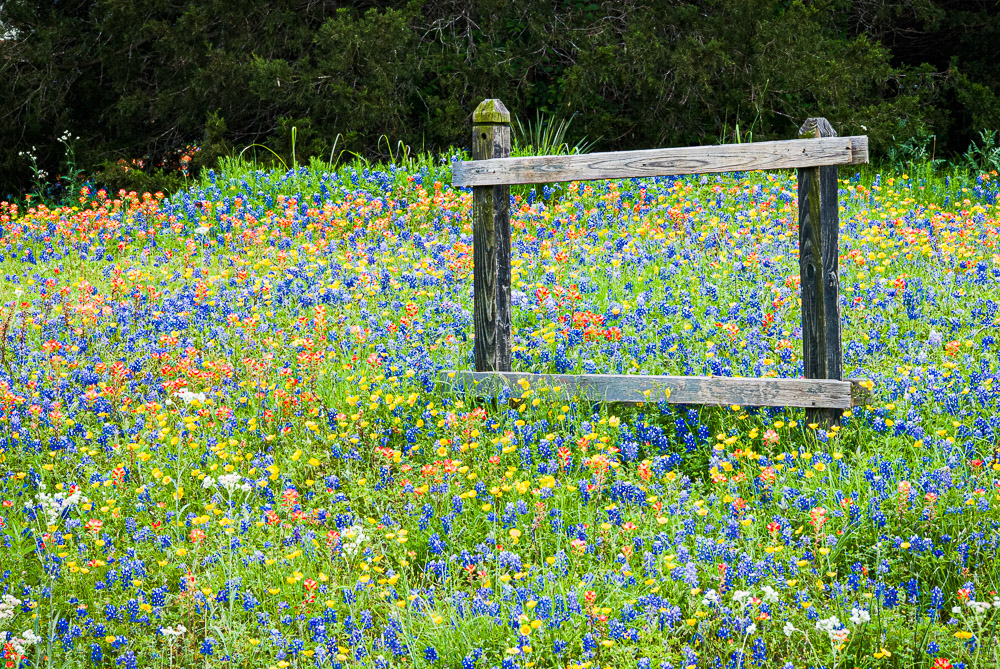
    Now we can be confident that our wildflower picture exactly matches the colors of the flowers in the wild.

    Why?

    Why are we going to all this trouble? Does it really matter so much?

    Maybe, maybe not. It depends on your needs and values.

    All the steps to color correct your workflow are generally good. But unless you are doing product photography, it may not matter as much as you have been told. A corporation cares very much that the company logo exactly matches it’s color standards and that their official color pallet is correctly used.

    But if you are shooting landscapes, is it critical that the color of that leaf is the exact match of the leaf you shot? Or is it more important to match your memory and your preferences?

    My attitude

    I am not a purist about this. Actually, I am less and less a purist about anything as I evolve in my style. Any work I do is an artistic interpretation. I have no problem with changing colors if it gives me a more pleasing image. More pleasing means I like it. It has nothing to do with the match to the original scene.

    But I do it deliberately and intelligently. To do that, it is necessary to have control over your color process. And without a controlled color process your results are not repeatable. What comes out of your printer is likely to be wildly different from what you see on your monitor and different from session to session.

    That is chaos. You cannot reliably create your art. It is unprofessional and unsatisfying.

    But you need to have a color managed work flow

    It is important to color manage your workflow. That is not the same thing as obsessing about color perfection.

    Every month I calibrate my monitor with my trusty old obsolete i1 Display Pro colorimeter. And I print using proper profiles for my paper and printer. This gives me pretty repeatable colors. The biggest problem is keeping my monitor brightness low enough to match the prints.

    So far I do not find it necessary to profile my camera. Since I only shoot RAW, I can “re-profile” the images at will. And Lightroom Classic’s Camera Landscape profile is usually a good start for most of my work. Now days there are lots of profiles to try out to get a color starting pointl

    Overall, the biggest problem I have is dealing with printer gamut issues. Some of my work is highly saturated. It is disappointing when these images do not look as good as what I see on my monitor.

    Black & white

    The outlier in many parts of photography is black & white. Is it important to color manage black & white images? It seems wrong, but I would say yes, it is. It may be more important than in images that will stay in color.

    In color images, we look at the color, obviously. We tend to be pretty tolerant in what we accept as reasonable. But in black & white we only see the color indirectly through the tone relationships of the print.

    The colors are mapped to monochrome tones and shades. This makes it important to precisely control the color relationships to give separation of the tones. We may need to distinguish between fine shades of green, for instance, to give body to the b&w print. More than if the print were in color.

    What I do to the color may look strange if you saw it in color, but the important thing is the precise control required. This makes me believe color precision is more important in b&w than in much color work.

    Conclusion

    Have I confused you? I seem to have said color perfections is not important but you have to have a good color balanced workflow. Yes, that is right. Learn to live with ambiguity. 🙂

    My work is art. Everything is an interpretation of what I saw or felt. I usually do not care if the colors are “true”. They often intentionally are not.

    But it is very important to me to control and repeatably achieve the results I want in the final print. This requires understanding how to color balance my process and how to use it to achieve my vision.

    For me, color control is part of a repeatable process, not a commitment to absolutely match a scene.

    Today’s image

    This is Texas wildflowers in the spring. They really are like this, and in great bands over much of the state. Go there in the spring sometime. Spring in Texas wildflower country is about mid March through mid April.

    This is an accurate representation of what you will remember when you are there and see them. Is it totally accurate color? Probably not. Don’t know; don’t care. If you’ve been there, you will say “Yes! That’s what they look like!”.

  • Craftsmanship

    Craftsmanship

    I have written a few times about how intent and expression are more important in a photograph than craftsmanship. I don’t want to leave the impression that craftsmanship is unimportant. It is critically important for a serious artist.

    What is craft?

    Craft is defined as skill at carrying out one’s work, or an activity involving skill in making things by hand. I believe an artist first has to be a craftsman. Proficient with his tools. Using our tools and equipment must be second nature.

    Craftsmanship is usually a learned skill rather than an innate talent. Sure, some things are easier for some people than others, but it still has to be learned. Lots of investment of time and practice.

    When we get skilled at the craft, the mechanics recedes into the background. It becomes a support and enabler for our artistic vision.

    Perfection doesn’t make a picture

    I have argued before that perfection of craft does not make a great image. The classic statement is Ansel Adam’s quote that “There’s nothing worse than a sharp picture of a fuzzy concept”.

    It might be better to say craft alone does not make a great image. It is a table stake. You need it to get in the game. An excellently crafted image may not be great, but a poorly crafted image is very seldom great.

    Craftsmanship is the base

    Craftsmanship is a base we build our work on. But it is only a base, one of the legs of the stool. We also have to have vision and creativity and the drive to express them. I believe this expression cannot happen without solid craftsmanship.

    I have said before that photography is one of the most technical of the arts. We are dependent on our equipment. Knowing how to use it correctly and effectively is absolutely critical to success.

    We must study and practice and drill until it becomes second nature. Have you trained your hands to just “know” where the camera controls are? Can you use them in the dark? With gloves on? Can you quickly and almost instinctively determine the exposure solution that aligns with your intent for the image? Are composition and framing decisions happening rapidly in the background with little conscious thought?

    When you’re out in the field working a scene you like, you don’t need to spend time juggling the technical tradeoffs in adjusting the camera. This distracts you from the artistic side. For instance, recognizing that this scene needs about f/8 to get the depth of focus you want and, since you are hand holding, at least 1/200th second shutter speed to insure a crisp image. Given that, are you willing to go to ISO 1600 to get these settings? These decisions should be almost instantaneous and subconscious.

    This is not to say you are operating by habit or on automatic. Quite the opposite. It is a state of flow. You are channeling all the craft you know to focus on the moment at hand. It is exhilarating.

    Photography is a craft

    Photography is a craft. Most arts are, but it seems more obvious in photography. We cannot create without our tools. And we cannot create well unless we are proficient with our tools.

    Let’s take a quick look at the chain of technologies required in photography.

    On the capture side there is the camera, of course. They are not trivial anymore. The user manual for my Nikon Z7-II is 866 pages. That just describes all the settings available, not how to use them. Becoming skilled at using one of these is formidable. Luckily, most of us only use a subset of the capability.

    And how much data do I need for what I am doing? Shooting full frame 40MPixels and above requires much more refined technique to achieve great results. Maybe what I’m doing today would be just fine with a 20MPixel APC camera. Do I have large and fast enough memory cards for my shoot? Enough batteries?

    There are the lenses and filters to select. It takes training to understand the effects possible and how to select the right look for the situation. Should I use a zoom lens when I know it is theoretically possible get a little better sharpness with a prime lens?

    Am I in the camp that says all images must be shot on a tripod? Or am I a hand-held guy? Or either, depending on the situation? Shooting hand held, do I know the techniques to get maximum sharpness? Or the techniques to shoot moving subjects?

    What about capture file formats? White balance? Camera profile settings?

    Processing

    That’s just the capture of an image. If you shoot RAW images, which I hope you do, the images are useless until they have been processed intensely.

    First, they have to be transferred to your computer. Do you have enough storage? My main image storage is currently using over 7 Terabytes. Then there’s multiple backup of that.

    If you are processing high resolution files you will need significant computing power. Lots of memory and graphic processing power. And a great, color calibrated monitor. Hopefully of 5K or more. That power is required to be able to process images fluidly without having to wait for the machine to catch up. Waiting really breaks your concentration.

    And of course, you use a color balanced process. Your camera and monitor are calibrated and you are using a wide color gamut system like ProPhoto RGB. A wide gamut allows lots of freedom in editing.

    All that processing takes a lot of time. So when you go out and shoot 1000 images, don’t forget that they have to be processed, and culled and keyworded and filed.. For me, processing an image takes anywhere from 1 minute to 8 hours.

    Output

    How you process an image depends on what you are using it for. Getting something ready to post on social media probably just requires some color and tone correction and maybe cropping. Preparing an image for a print could take a long time.

    Let me take the path of going to a print, since that is my preferred utilization.

    A print is a physical object that is perceived different from an image on a screen. The viewing time of a print is usually much longer than an image on screen. As such, it generally needs to be processed to a higher standard. Very careful spotting – removing sensor dust spots – is critical. Spending time removing or mitigating distracting elements is usually important.

    Many of the remaining decisions center on the characteristics of the final output. What size will the print be? What paper will be used. All papers have different properties and strengths and weaknesses. The paper can make the print look very different. Is it matte or glossy? Coated or uncoated? Heavy or thin? What color is it – papers aren’t necessarily white.

    To get an estimate of the final result requires turning on proofing during the editing. The computer attempts to simulate the final printed result. Of course, to do that, you need accurate profiles for the paper and printer combination. But that is just an approximation. It may need more than one attempt. And what about out of gamut colors on your print? Handling those can be tricky and exasperating.

    Build on it

    That is a lot! And this is just talking about still photography. Photographers have to be expert at most of what I described. That is some of the craft involved. All of this craft has to be used intelligently in the process of making a great image. It’s why I say that photography is one of the most technical and craft-based arts.

    But as much as we sometimes like to burrow into the fun details, the craft is a base. Build your base solid. But on top of the base, we need to build our artistic sensibility, our vision. We have to establish our style.

    Craft means knowing how to use your tools to achieve the results you want. Maybe that is an ultra crisp, tack sharp image. Maybe it is a flowing abstract with no sharp pixels. Yours might run to dark and moody and underexposed. Somebody else might be bright and high key. Those are your choices. Whatever your vision leads you to do, it is your craft that allows you to achieve it.

  • The Catalog

    The Catalog

    The catalog is the information hub of LIghtroom. There seems to be a lot of confusing folklore about it. Let’s talk about the catalog and demystify it some.

    This is specific to Lightroom Classic. Other tools exist. I do not know them and can’t discuss them. I believe Lightroom is the most widely used image management tool.

    A database

    When I refer to Lightroom, I mean Lightroom Classic. It is the only useful version for me. So be aware I do not discuss the cloud behavior of Lightroom at all.

    Lightroom is both a file management tool and a raw file editor. I’ve discussed raw editing before, so this article will just be about file management. We tend to shoot a lot of images these days. Without a way to organize all these and search for the ones we want, they become almost useless. How do you locate the right file when you need it?

    We do it with Lightroom and its catalog. The catalog is a database. I know that is a scary term to some, but it just means it is a file on the computer. The catalog in Lightgroom Classic is stored locally on your computer. It has a particular structure and capabilities that let Lightroom enter information about each image and rapidly search for it.

    So the Lightroom catalog holds a lot of data about our images. Some that it reads when we import our images and some that we tell it manually, like keywords and ratings and collection groupings. What the catalog does not contain is images.

    None of our images are actually stored in the catalog. They stay in our computer’s file system, wherever we decide to put them, as ordinary image files. They can be on any of our disks, internal or external. The catalog only notes their location and keeps track of it so it can call up images for us in the Lightroom screen.

    Where are the images?

    I mentioned some of the things the catalog contains. Let’s be more specific. I said the catalog does not contain any images. As you import images into Lightroom you choose where they will be stored. LIghtroom records the location about where each images is in the file structure of your computer. For instance, taking a random file that I happened to be looking at a few minutes ago, the path and file name is:

    /Volumes/LaCie-raid/Images/Images/New Mexico/Eastern I-40/Tucumcari/20231110-259.NEF

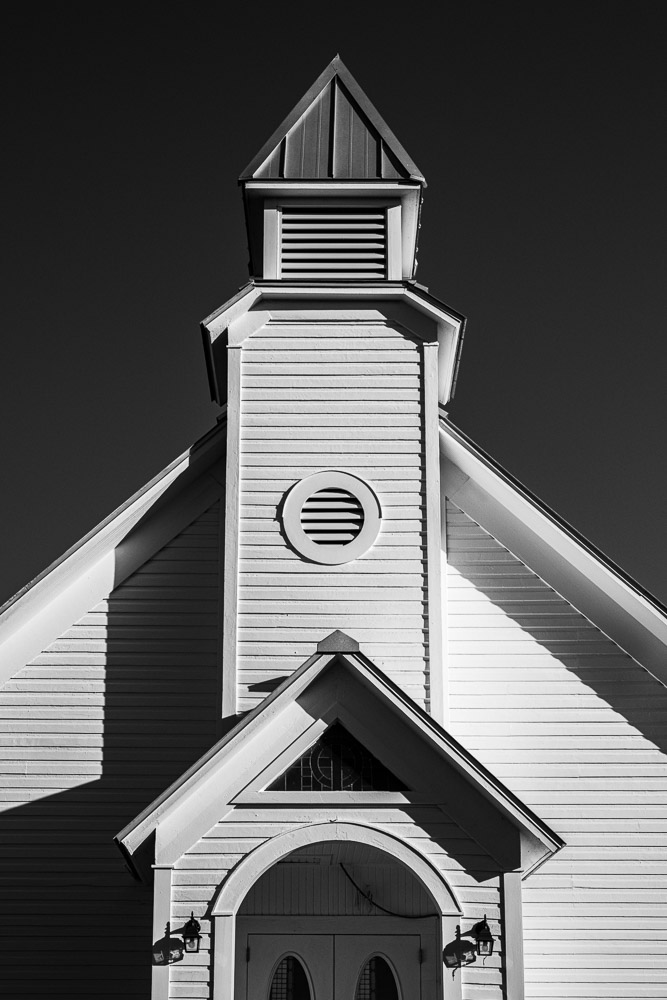
    This is the image above. This is what Lightroom has in the catalog instead of the image. Why? Because the file system of your operating system does an excellent job of managing its disks reliably and speedily. Lightroom does not try to duplicate that. Also, the file above is 52.4 MBytes. Let’s say you had 100,000 images this size stored in your catalog. Over 5TBytes of storage becomes impractical and would overflow a lot of people’s hard drive. And many people’s catalogs are much larger than that. Also, leaving the individual files visible allows us to use other tools to manipulate them.

    As I browse in Lightroom, when I come to where I want to look at this image, LIghtroom goes to the noted location on my disk and reads the image file and displays it. Actually, it first looks first in a special place where LIghtroom caches previews to see if there is a faster way to view it, but that is getting too deep for now.

    Metadata

    In addition, there is what is called metadata. This is just a computer science term meaning data about data. In our case, it is information read from the camera when the file was imported and information we have added manually.

    Examples of automatically gathered data are the camera used, including it’s serial number, the lens used., how the image was metered and exposed, the ISO. Also recorded is the dimensions, the data it was captured and many other details.

    Information we enter can include creator name, copyright information, keywords, rating, a title, a label, a caption, location, and other things. In addition, as we edit an image, all of the edit settings are recorded, from simple things like adjusting exposure to complex masks and adjustments. Virtual files are just copies of a files’ data in the catalog with a different set of metadata, not a duplicate of the file itself. And all Collections we create are simply sets of data in the catalog. Again, no copies of the files are made to create a Collection.

    The catalog holds a lot of data. It is a very important piece of Lightroom and is key to letting the whole thing work.

    How many catalogs?

    One of the first decisions to make when setting up Lightroom is how many catalogs to have. We could have a separate catalog for each type of content or activity. For instance, one for family photos, one for fine art, one for weddings, one for travel, etc. This initially seems logical to keep things separate and minimize the size of each catalog.

    My advice is don’t do it. Resist the temptation to have multiple catalogs. It will just make it harder to organize your work and harder to locate something. It might seem like a good idea to minimize the number of images in a catalog, but as far as I can tell, it doesn’t matter. I have over 130,000 images in my catalog. That is small compared to many other photographers. I am comfortable with throwing away images I deem worthless or exact duplicates. Other people don’t. But that is another discussion.

    I put extensive metadata in, such as location information, keywords, ratings, titles, and captions. And I do most of my image editing in Lightroom. This greatly expands the amount of metadata. The point is that this number of images does not appear to cause any stress or slowdown in my Lightroom catalog. I know of photographers who have catalogs several times larger.

    Don’t do this

    As a “don’t do this” anecdote, I have a friend who decided he knew better than Adobe and was going to manage his data more closely. He set up a catalog for each hard drive he had. As he outgrew a disk and added another one, it was a new catalog. Consequently, he has a data nightmare. It is very difficult for him to locate something unless he can remember exactly when it was shot and consequently what disk and catalog it is on.

    I strongly recommend you use 1 catalog and upgrade to larger disks as you run out of space. Yes, Lightroom can manage files across multiple disks, but you probably don’t want the bother. Disks wear out and need to be replaced anyway.

    How to organize it?

    How you organize your files is a personal decision. You need to figure out how you think about your data and how you “self organize”. You can see several things about my organization decisions from the example I gave of the file location data LIghtroom records. Most of my files are organized geographically. And my file naming is mostly centered on dates. It is not important to me to name images by their content. That is what Lightroom is for.

    All my images are stored on 1 fairly fast RAID disk drive. My feeling is this is easy for me to know where things are and easy to organize my backup strategy. The catalog itself is on an external fast SSD. The catalog is heavily used and this made a large improvement in performance.

    Be fanatical about backup! Your data is important. I use a combination of Time Machine – one of the greatest inventions in the history of computers – and a rigorous backup strategy using Carbon Copy Cloner. I do not receive any compensation from them for saying this. There are 2 external backup disks attached to my computer and another network attached RAID disk physically separate within my studio. I also backup to small hard disks that I rotate to offsite locations.

    So do you have to adopt any of the organization I use? Absolutely not. Every instructor probably has their own unique recommendation that is adapted to their needs and preferences. As I said, it is a personal decision. But it is a decision you have to make. Decide on your strategy and stick with it religiously. It will pay you benefits.

    Do all file operations from Lightroom

    Have you ever seen a “?” in place of an image? That is because Lightroom could not find the file. This is usually because a disk drive is offline or you moved some files using your computer file manager. Lightroom can’t locate the file and the best it can do is show a preview if it has one and mark it with the “?” to indicate it needs to be located. Locating a moved image is easy, but it is easier to avoid the problem entirely.

    Always do all of your file management from within Lightroom. Always! Lightroom has to know the location of each file it manages. It has very good capabilities for creating folders and moving files and folders around. It does the work of moving them on your computer file system and remembers the locations. And It is probably even faster and easier to move a large group of files from LIghtroom than it is using your computers file manager.

    All the eggs in one basket?

    If all your data is in the catalog, aren’t you at risk if it gets corrupted or erased? Yes. But there are many ways to mitigate this.

    LIghtroom has settings to automatically backup its catalog. Use that. Second, use other backup solutions like Time Machine and Carbon Copy Cloner to do your own backups.

    Third, you can optionally have most of your metadata also saved to files alongside your image files. These are known as sidecar files and have the extension “.xmp”. I turn on this capability. If the catalog is lost or corrupted it is possible to recover most of my data to a new catalog by importing the images and these sidecar files. This is a topic for another article.

    And lastly, I have been using Lightroom full time starting with its original beta release. Adobe has done a marvelous job of reliably keeping my data in tact. This is not a guarantee of future behavior, but so far they have earned my trust.

    Summary

    The Lightroom Classic catalog is a database stored locally on your computer. It is well established, good technology. Not magic.

    We do not see the catalog as a database, we do not have to know about databases, and we do not need to know much about searching databases. All that is wrapped in the Lightroom program. But knowing a little about how it works makes managing it easier.

    All of the data about your files is stored in the catalog, but not the image files themselves. The organization of your file structure, the naming of files, and the metadata you add are all completely up to you.

    Create an organization that works for you and stick with it. Lightroom will assist you by managing all the data the way you want.

    The image with this article is the one I referenced to show the location information Lightroom records. You can infer from the file path that it was shot in Tucumcari NM on Nov 10, 2023. It has nothing specifically to do with catalogs, I just decided to show what that image was to make it real..