An artists journey

Category: Craft

  • The Making of “Nothing Is Quite What It Seems”

    The Making of “Nothing Is Quite What It Seems”

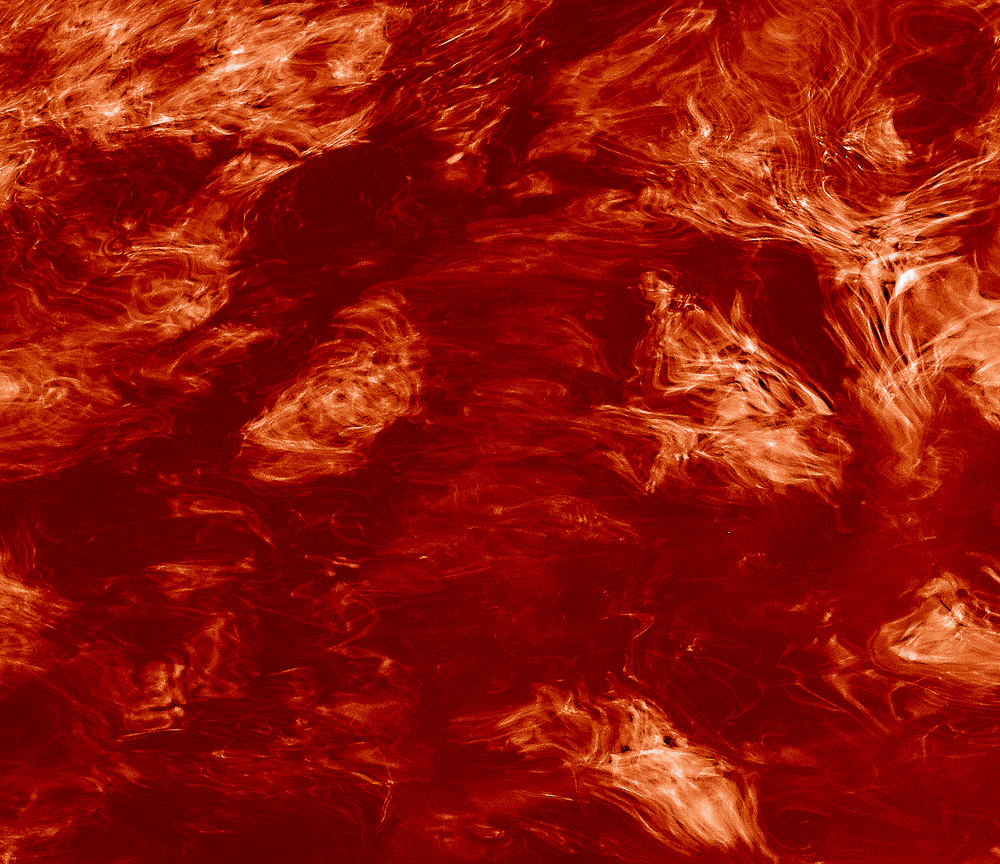
    Today I’m going to discuss the making of this image. I created this abstract image titled “Nothing Is Quite What It Seems” from disparate elements put together to achieve the surreal landscape effect I wanted.

    But as the title suggests, nothing is what it seems to be.

    Base, Idea

    When i saw the thing creating the basic silhouette shapes I knew it needed to be a scene of dead trees in a barren landscape. In reality, though, these shapes are actually cracks in ice on a frozen lake in Colorado.

    I framed the scene up to isolate these 2 cracks that looked the most to me like dead trees. The “brush” in the foreground is the near edge of the ice, looking through to some rocks close under the surface.

    The processing required some touch-up editing and some dodge and burn and contrast enhancement. There was a little hue-saturation enhancement to bring out more of the yellow rocks.

    All of this was done as a smart object in Photoshop. Because I wanted to keep my options open I use smart objects a lot. They give me the freedom to come back and continue editing later. I don’t like to commit permanent changes.

    Texture

    With the basic form set, I started building texture. Tone adjustments in the smart object of the base layer helped. Bringing up the contrast brought forward more of the texture of the ice. This is the dimples and spots all over the image.

    To abstract it a little more I used the oil paint filter in Photoshop to soften the edges and give it a more painterly and abstract look.

    Color treatment

    I knew I wanted to change the color palette and make it look like it could be in an abandoned homestead on the Colorado plains. But I also wanted to layer on more interesting texture. After trying many overlays I settled on a beautiful rusty truck panel. The image I used is part of a 1948 Coleman Truck. Pretty rare, and it was aging beautifully.

    The truck had large rust patterns and also areas of old yellow and green paint. Using this to establish the colors across the image worked for me. This truck overlay is also handled as a smart object. Careful blending achieved the look I wanted without it looking like a rusty truck.

    Finishing

    The final polishing and tweaking takes a lot of time, even though it doesn’t make sweeping changes. As we used to say in software development, the first 90% of the project takes 100% of the schedule. The last 10% takes the other 100% of the schedule.

    There was final dodging and burning to do, bits of masking and retouching. Of course, there was a little bit of final color tweaking to my satisfaction. One of the reasons I use a flexible workflow is that I am prone to tweak things after I have looked at them a while.

    Process

    A comment on my workflow. Although this is a fairly complex image, nothing is permanently locked down or committed. While writing this I was able to open up all the layers and smart objects and see everything about how they were processed. I could still go in and change or modify anything in the image. And I did make some tweaks. I told you I can’t leave images alone.

    And as a very experienced Photoshop user I know new tools will be developed and I will learn new ways of doing things. These will lead to new ways to process images that I will want to take advantage of in the future.

    This is the way I choose to work this way on most of my images. It doesn’t take longer and it preserves total flexibility. I need that. I change my mind often!

    Summary

    I like the finished image. It seems to be a surreal Colorado landscape of dead trees, but it contains no trees or plains or anything else that it appears to be. It is truly not quite what it seems. Is this more interesting than a straight shot of the ice?

    Lightroom and Photoshop are powerful and addictive tools. Know when to use them and know when to stop. Otherwise you may never stop. It’s a great time to be doing imaging.

  • It’s Messy

    It’s Messy

    Despite the image some artists try to present, the artistic process is messy. At least, for me. It is not a clear, linear path from inspiration to end result. Sometimes things don’t work. We hit dead ends. We change our minds. Even after arriving at what I thought was the end product, I may decide I don’t like it. When people look at the result, they cannot see the messy way we got there.

    Vague goals

    I can’t speak for other artists, only myself. Most of the time I only have a vague notion of what I intend to achieve when I start an image. Sure, I may have a general idea, or a theme, or I may be thinking of a project I am working on. But that is a kind of an idea, not a plan. It is definitely not precise.

    I hear artists describe having a definite plan from the beginning, with everything sketched out in detail. I sometimes envy them. But most of the time I think that sounds like a boring process. There is no room for inspiration on the spot. When I start pulling a final image together I often let what I see on the screen guide and inspire me to the end. I am glad I work in a medium that is very malleable.

    So I guess I’m a bad artist because I don’t know for sure where I am going when I start a work. Or maybe this is the process that works for me. I like to be flexible and adaptive.

    Evolving ideas

    Another side of my adaptive process is that I am open to exploring new ideas as I go. Ideas tend to build on each other, spawning new ones or modifying what I was thinking. I often end up seeing an image in a completely different way from where I started.

    For this to happen, I have to be open and receptive. Being locked into a rigid plan blocks this exploration and learning. I seldom hesitate to change my vision part way through the process. Even to discard an image because it no longer is shaping up the way I now see it.

    You could argue that I would be more efficient to do my experimenting and work out my vision before starting to refine an image. Perhaps you are right, but that is what I had to do when I was designing major software projects as an Engineer. The reality is that I am too visual to do that now as an artist. I have to see it, then make modifications.

    Mistakes

    I freely admit I make mistakes. I don’t plan them, but I don’t necessarily see them as failures.

    An “oops” is often followed by a “huh, that’s interesting; I wonder if I could use that?” Sometimes a mistake will open up a new view or thought process. It can make me see new possibilities.

    These are often happy accidents. They can lead to a creative new end and maybe even a modification of my “style”. The result of a mistake is often a realization of something I could do but I’ve never thought of it before. It is unlikely the mistake creates a finished work that I love, but it informs a new direction I could explore. It is a growth opportunity.

    Seeing new opportunities

    Opportunity is a key word in this process. My background is a long history of realism. So it can be hard for me to “loosen up” and take an image in an unexpected direction.

    To counter that, I often force myself to spend some time considering unusual processing or unlikely seeming combinations of images. Most of these experiments are failures, in the sense that they seldom make it to the final image. However, they can inform my vision. There may be some aspect of the processing that I like and work in to future images. Or it may encourage me to try something else along the same line that I do end up liking.

    We live in great times for exploration. Our image processing tools are the best anyone has ever had. Our high quality digital images have the most detail and potential for post processing that has ever existed. The barriers to our vision are mostly internal. We just can’t see it or give our self permission to go there.

    Failure to recognize

    Have you ever viewed an image in your editing software and been really undecided about it? It is not what you wanted. Your instinct is to delete it. But something way in the back of your mind says to keep it for a while.

    That happens to me. I have said before there is something cathartic about deleting images I don’t want to have around. But sometimes I need to keep them. To let them age a while. Or maybe to let my subconscious work on them a while.

    Now realistically, most of the time, when I look at them later, I know there wasn’t really anything of interest there. But sometimes… That is the joy of this. Sometimes there is an undiscovered gem. Very rarely I look at one of these saved images and realize my subconscious was trying to show me something I did not perceive at the time. This particular image may not be great, but there is a realization there that can inform my work going forward.

    That is an a-ha moment. A growth opportunity. After I get over beating myself up for not realizing the potential at the time I can add it to my repertoire of situations and patterns to look for. I have grown as an artist. Maybe it can even help me be more receptive while I am shooting.

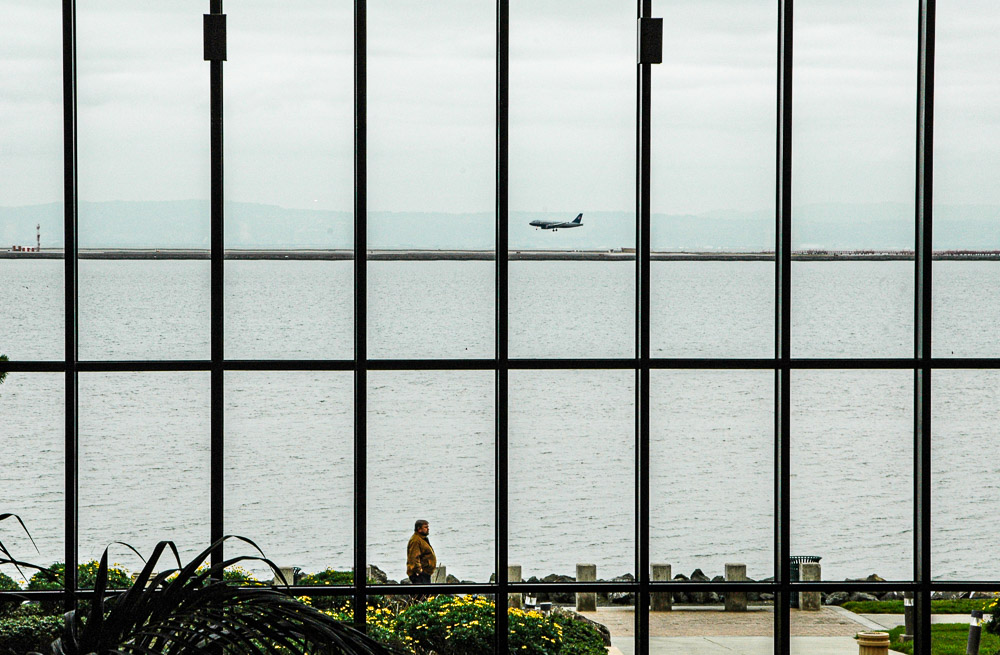
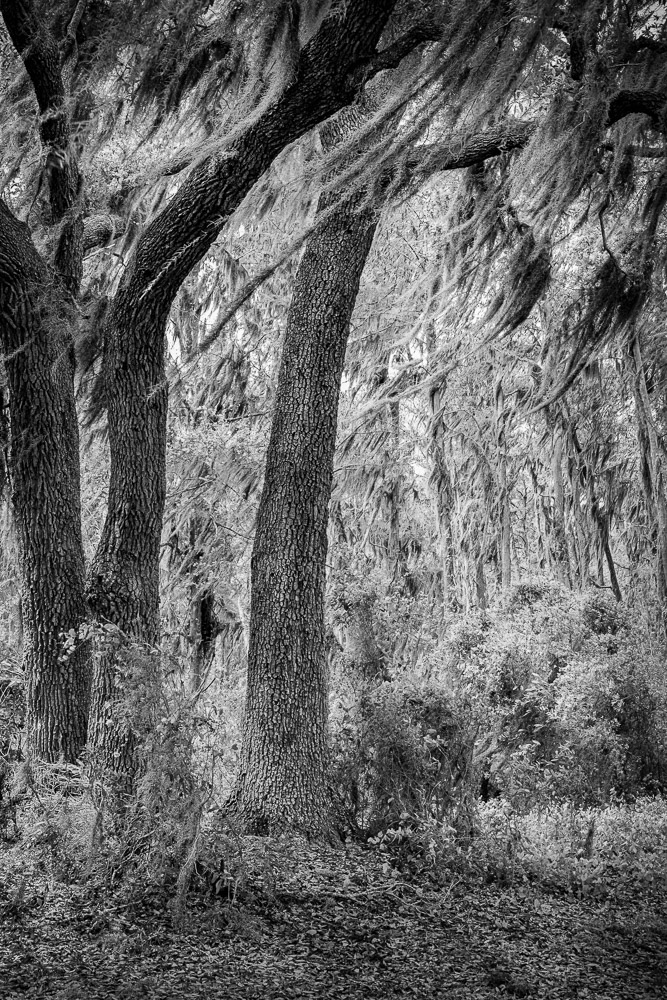
    The image with this article is one of those slow to recognize ones. Look it over and see how many pairs of things you can find. It amazes me. I did not consciously recognize that when I shot it, but I think that is what was drawing me to it.

  • Black & White – in Color

    Black & White – in Color

    What? Isn’t that contradictory? Isn’t black & white is about the absence of color? I wanted to follow up on a previous article on how we get color information in our digital cameras with a nod to the purity of black and white and emphasize how it is still dependent on color.

    Remove the color filter?

    I indicated before that our sensors are panchromatic – they respond to the full range of visible light. If we want black & white images, shouldn’t we just take the color filter array off and let each photo site respond to just the grey values?

    We could, but most black & white photographers would not be happy with the results. It would be like shooting black & white film. A problem with black and white film is that it eliminates all the information that comes from color. Through interpolation of the Bayer data, we get full data for red, green and blue at each pixel position. If we removed the filter array, we would have only luminosity data. So before even starting, we would be throwing away 2/3 of the data available in our image.

    At that point we would have to resort to placing colored filters over the lens, like black & white shooters of old had to do. They did this to “push” the tonal separation in certain directions for the results they wanted. But this filter is global. It affects the whole image rather than being able to do it selectively as we can with digital processing. And it is an irreversible decision we would have to make while we were shooting. Why go backward?

    What makes a good b&w image?

    Black & white images are a very large and important sub-genre of photography. The styles and results cover a huge range. But I will generalize and say that typically the artists want to achieve a full range of black to white tones in each image with good separation. Think Ansel Adams prints.

    Tones refer to the shades of grey in the resulting print. We do a lot of work to selectively control how these tones relate to each other. Typically we want rich black with a little detail preserved in them, bright whites, also containing a little detail, and a full range of distinct tones in between. These mid-range tones give us all the detail and shading.

    Tone separation

    If one of the goals of black & white photographers is to have high control of the tones, how do we do that? Typically by using the color information. I mentioned putting colored filters over the lens. This was the “way back” solution.

    Landscape photographers like Ansel Adams often used a dark red filter to help get the deep toned skies they were known for. Red blocks blue light, forcing all the blue tones toward black.

    Digital processing gives us far more control and selectivity than the film photographers had. We don’t have to put the filter over the whole lens and try to envision what the result will be. We can wait and do it on our computer where we have more control, immediate previews, and undo. But all this control would be impossible without having a full color image to work with. As a matter of fact, modern b&w processing starts by working on the color image. Initial tone and range corrections are done in color. Good color makes good b&w.

    B&W conversion

    Obviously, at some point the color image has to be “mapped” to b&w. This is called b&w conversion. It can be a complicated process. There are many ways to go about the conversion, and each artist has their own favorites. There is no one size fits all.

    It is possible to just desaturate the image. This uses a fairly dumb algorithm to just remove the color. It is fast and easy, but it is usually about the worst way to make a good b&w image.

    You could use the channels as a source of the conversion. The RGB colors are composed of red, green and blue channels. These can be viewed and manipulated directly in Photoshop. They can often be useful for isolating certain colors to work on. Isolating the red channel would be like putting a strong red filter over the lens.

    Lightroom and Photoshop have built in b&w conversion tools. In LIghtroom, choose the Black & White treatment in the Basic panel of the Develop module. This has an interesting optional set of “treatments” to choose from in the grid control right under it. In Photoshop use the B&W adjustment layer.

    Both of these have the power of allowing color-selective adjustments. This is huge. Tonal relationships can be controlled to a much greater degree than was possible with film. If we want to just make what were the yellow colors brighter, we can do that. Of course, Photoshop allows using multiple layers with masking to exert even more control.

    There are many other techniques, such as channel mixing or gradient maps or plug-ins like Silver Effects to give different and added control. It is actually an embarrassment of riches. This is a great time to be a b&w photographer.

    It starts with color

    What is common to all of this, though, is that it starts from the color information. Color is key to making most great black & white images.

    I sometimes hear a photographer say “that image doesn’t work well in color, convert it to b&w”. Sometimes that works, but I believe it is a bad attitude. B&w is not a means of salvaging mediocre color images. We should select images with a rich spread of tones, great graphic forms, and good color information allowing pleasing tonal separation. Black & white is its own special medium. Remember, though, usually it requires color to work.

  • What the Camera Sees

    What the Camera Sees

    One of the important things every photographer has to learn is to see what the camera sees. It is a different process from painting or other visual art. It is a technical process, not only of how the sensor works but the transform of a 3 dimensional world to a 2 dimensional representation. This is part of our art. We have to understand it and be able to predict the results.

    Static image

    Unless you are shooting video, the end result of the camera’s capture is a static image. That seems like a “duh” to most of us, but it is significant. The entire image is recorded “in one instant”. Yes, I’m ignoring moving shutter slit, HDR, panoramas, time exposures, and other exceptions that can bend the rules.

    This “in one instant” is significant because our eyes work in a totally different way. We can only see a small spot at a time. We continually “scan” around a scene to “see” it all. Our brain stitches all these scans together marvelously to give us the impression of a complete scene. We are not aware of it happening.

    What difference does it make? Well, there are subtleties. If something moves in real life, our eyes jump to the movement and study it. Movement has a higher priority in our brains than static things.

    Our photograph no longer has that movement or flashing lights. It is a flat and static collection of pixels. We have to learn techniques to stimulate the viewer’s eye in other ways. We learn that the eye is drawn to the brightest or highest contrast areas. That informs how to capture the scene and process it to end up with results that help direct our viewer to the parts of the image we want to emphasize. It helps a lot to anticipate what we are going to want to do. This is part of learning how the camera sees.

    Depth of field

    The static image we create may or may not seem in sharp focus throughout. This is known as depth of field. It is referring to which parts of the scene are in “acceptable” focus. The aperture setting controls the range of this good focus area.

    Remember that the 3 main things controlling the exposure of an image are the aperture, the shutter speed, and the ISO setting. The aperture controls the amount of light coming through the lens at any instant. How long the sensor is exposed to the light is the shutter speed. And the ISO setting is the sensitivity of the sensor to the light. A side effect of the aperture setting is the control of effective depth of field.

    In real life we do not see limited depth of field. Our eyes focus on one small area at a time. Each spot we focus on is in sharp focus. The resulting image our brain paints is that everything is in focus. Try it. Look around where you are now. Then close your eyes and try to remember which parts were out of focus. Spoiler – there aren’t any. We remember it all in focus.

    So this is a big disconnect between what we perceive of a live scene and what we record in a photograph. Some photographers see this as a problem if they cannot keep the entire scene in sharp focus. But intentionally making non-subject areas blurry can also be used for artistic effect. Since this is different from how our eyes see, this creates something that stands out. It can change our perception.

    But like it or not, it is something that the camera sees differently and we need to learn how to handle it.

    Shutter speed

    To our eyes, things seem to be either frozen sharply or “just a blur” moving by. Things are usually only perceived as a blur if we are not paying attention to them.

    But for the camera, the shutter is open for a certain amount of time and things are either sharp if they are still or blurred if they are moving. The camera does not understand the scene and it is not smart enough to know what should be sharp.

    Let me give an example. Say you are standing beside a road watching a car go by. If we care about the car (wow, a new ______; that would be fun to drive) we are paying attention to it and we perceive it as sharp. To the camera, it is just something moving through the frame while the shutter is open. It has no name or value. The photographer has to determine how to treat this motion. What it should “mean”.

    So the photographer may pan with the car to make it appear sharp while the rest of the image is blurred. Or the intent might be for the car to be a blurred streak in the frame. Either way, it is a design decision to be made because the camera records movement differently from us.

    The lens

    Unlike us, our cameras let us swap out a variety of “eyeballs” – the lens. We have a certain fixed field of view. That is why camera formats have a particular focal length designated as the “normal” lens. For a full frame 35mm camera like I use, the “normal” lens is in the range of 45-50mm, because for this size sensor this corresponds to the field of view we typically see.

    But most of our cameras are not limited to that. We can use very wide angle lenses to take in a larger sweep of scene. Or we can use a telephoto lens to bring distant subjects close or to restrict our view to a narrow slice. Or we can use macro lenses to magnify small objects. All these things give us a new perspective on the world that would not be possible with our regular eyes. This is another way the camera sees that we need to learn to use.

    Mapping to 2D

    The world is 3D. Pictures are 2D. It seems obvious. Yet we must be aware of the transformation that is happening.

    In the 3D space we move in, we are acutely aware of depth and movement in many axes – length, width, height, pitch, roll, yaw, and others. We use this information automatically to interpret the world. But it is lost when the scene is captured on our 2D sensor.

    We sense depth. “In front of” or “behind” come automatically to us. Our camera is not as smart. The camera sensor records everything in front of it as a flat, static image. The scene is mapped through the particular perspective of the lens being used and onto the flat sensor.

    An example to illustrate. This is a classic. You take a picture of your family downtown. The scene looks perfectly fine and normal to you, because you intuitively realize the depth and separation of things. It gives you selective attention. But when you look at the picture there is a very objectionable telephone pole poking out of Uncle Bob’s head. You did not pay attention to that at the time because you “knew” the pole was far behind him and you dismissed it. The camera doesn’t know to ignore it. All pixels are equal.

    Light

    This is fundamental to our cameras. There has to be a light source. The camera sees only light from a source or light that is reflected or transmitted by objects. But being humans, we interpret the real world as objects. They are “there”. They have mass and form and value and color. Not so to the camera. It doesn’t ascribe meaning to a scene. All a camera can record is light. Our fancy sensor doesn’t see a red ball. It detects, but doesn’t care, that there is a preponderance of light in the red band being recorded.

    By its very definition – photo-graphy means writing with light – photography is dependent on light. Our modern sensors are marvelous products. We can shoot at very high ISO and make exposures in almost total darkness. But if any image was recorded, there was some actual light available.

    Everything in every image we make is a record of light. More than almost any other art form, photography is dependent on light. Photographers must be intensely sensitive to the direction and quality and color of the light sources that are illuminating our scene. Likewise we must be very aware of the objects the light is falling on, their shape and texture and reflectivity and color.

    Learning to see, again

    Art in general, and photography in particular, is a lifelong learning. We learn to see creatively. We learn to see compositions and design. And we have to learn to see the way the camera sees. This is the way we capture the image we want.

    Note, after writing this I found this good article by David duChemin. He is a great writer.

  • How We Get Color Images

    How We Get Color Images

    Have you ever considered that that great sensor in your camera only sees in black & white? How, then, do we get color images? It turns out that there is some very interesting and complicated Engineering involved behind the scenes. I will try to give an idea of it without getting too technical.

    Sensor

    I have discussed digital camera sensors before. They are marvelous, unbelievably complicated and sophisticated chips. But they are, still, a passive collector of photons (light) that falls on them.

    An individual imaging site is a small area that collects light and turns it into an electrical signal that can be read and stored. The sensor packs an unimaginable number of these sites into a chip. A “full frame” sensor has an imaging area of 24mm x 36mm, approximately 1 inch by 1.5 inch. My sensor divides that area into 47 million image sites, or pixels. It is called “full frame” because that was the historical size of a 35mm film frame.

    But, and this is what most of us miss, the sensor is color blind. It receives and records all frequencies in the visible range. In the film days it would be called panchromatic. That is just a fancy word to say it records in black & white all the tones we typically see across all the colors.

    This would be awesome if we only shot black & white. Most of us would reject that.

    Need to introduce selective color

    So to be able to give us color, the sensor needs to be able to selectively respond to the color ranges we perceive. This is typically Red, Green, and Blue, since these are “primary” colors that can be mixed to create the whole range.

    Several techniques have been proposed and tried. A commercially successful implementation is Sigma’s Foveon design. It basically stacks three sensor chips on top of each other. The layers are designed so that shorter wavelengths (blue) are absorbed by the top layer, medium wavelengths (green) are absorbed by the middle layer, and long wavelengths (red) are absorbed by the bottom layer. A very cleaver idea, but it is expensive to manufacture and has problems with noise.

    Perfect color separation could be achieved using three sensors with a large color filter over each. Unfortunately this requires a very complex and precise arrangement of mirrors or prisms to split the incoming light to the three sensors. In the process, it reduces the amount of light hitting each sensor, causing problems with image capture range and noise. It is also very difficult and expensive to manufacture and requires 3 full size sensors. Since the sensor is usually the most expensive component of a camera, this prices it out of competition.

    Other things have been tried, such as a spinning color wheel over the sensor. If the exposure is captured in sync with the wheel rotation then 3 images could be exposed in rapid sequence giving the 3 colors. Obviously this imposes a lot of limitations on photographers, since the rotation speed has to match the shutter speed. A real problem for very long or very short exposures or moving subjects.

    Bayer filter

    Thankfully, a practical solution was developed by Bryce Bayer of Kodak. It was patented in 1976, but the patent has expired and the design is freely used by almost all camera manufacturers.

    The brilliance of this was to enable color sensing with a single sensor by placing a color filter array (CFA) over the sensor to make each pixel site respond to only one color. You may have seen pictures of it. Here is a representation of the design:

    Bayer Filter Array, from Richard Butler, DPReview Mar 29, 2017

    The gray grid at the bottom represents the sensor. Each cell is a photo site. Directly over the sensor has been placed an array of colored filters. One filter above each photo site. Each filter is either red or green or blue. Note that there are twice as many green filters as either red or blue. This is important.

    But wait, we expect that each pixel in our image contains full RGB color information. With this filter array each pixel only sees one color. How does this work?

    It works through some brilliant Engineering with a bit of magic sprinkled in. Full color information for each pixel is constructed by interpolating based on the colors of surrounding pixels.

    Restore resolution

    Some sophisticated calculations have to be done to calculate the color information for each pixel. This makes each pixel end up with full RGB color values. The process is termed “demosaicking” in tech speak.

    I promised to keep it simple. Here is a very simple illustration. In the figure below, if we wanted to derive a value of green for the cell in the center, labeled 5, we could average the green values of the surrounding cells. So an estimate of the green value for cell red5 is (green2+green6+green8+green4)/4

    From Demosaicking: Color Filter Array Interpolation, IEEE Signal Processing Magazine, January 2005

    This is a very oversimplified description. If you want to get in a little deeper here is an article that talks about some of the considerations without getting too mathematical. Or this one is much deeper but has some good information.

    The real world is much more messy. Many special cases have to be accounted for. For instance, sharp edges have to be dealt with specially to avoid color fringing problems. Many other considerations such as balancing the colors complicate the algorithms. It is very sophisticated. The algorithms have been tweaked for over 40 years since Mr. Bayer invented the technique. They are generally very good now.

    Thank you, Mr. Bayer. It has proven to be a very useful solution to a difficult problem.

    All images interpolated

    I want to emphasize a point that basically ALL images are interpolated to reconstruct what we see as the simple RGB data for each pixel. And this interpolation is only one step in the very complicated data transformation pipeline that gets applied to our images “behind the scenes”. This should take away the argument of some of the extreme purists who say they will do nothing in post processing to “damage” the original pixels or to “create” new ones. There really are no original pixels.

    I understand your point of view. I used to embrace it, to an extent. But get over it. There is no such thing as “pure” data from your sensor, unless maybe you are using a Foveon-based camera. All images are already interpolated to “create” pixel data before you ever get a chance to even view them in your editor. In addition profiles and lens corrections and other transformations are applied,

    Digital imaging is an approximation, an interpretation of the scene the camera was pointed at. The technology has improved to the point that this approximation is quite good. Based on what we have learned, though, we should have a more lenient attitude about post processing the data as much as we feel we need to. It is just data. It is not an image until we say it is, and whatever the data is at that point defines the image.

    The image

    I chose the image at the head of this article to illustrate that the Bayer filter demosaicking and other image processing steps gives us very good results. The image is detailed and with smooth, well defined color variation and good saturation. And this is a 10 year old sensor and technology. Things are even better now. I am happy with our technology and see no reason to not use it to its fullest.

    Feedback?

    I felt a need to balance the more philosophical, artsy topics I have been publishing with something more grounded in technology. Especially as I have advocated that the craft is as important as the creativity. I am very curious to know if this is useful to you and interesting. Is my description too simplified? Please let me know. If it is useful, please refer your friends to it. I would love to feel that I am doing useful things for people. If you have trouble with the comment section you can email me at ed@schlotzcreate.com.