An artists journey

Category: Art

  • Themes

    Themes

    I have come to realize I am attracted to certain themes in my art. Before I fall off into art-speak, what I mean by a theme is just the simple dictionary definition: “a subject or topic of discourse or of artistic representation”. In other words, what subjects do we chose for our art. Themes tend to be bigger than a subject. A theme may tie several seemingly separate subjects together.

    Think about artists you admire. Do you also picture the typical types of works they do? Ansel Adams – grand black and white landscapes of the west. Georgia O’Keeffe – modernistic flowers. Monet – impressionistic rivers and ponds in northern France. John Paul Caponigro – abstract and ethereal seascapes and landscapes. They tend to go together in our minds because we know they very often do these subjects.

    Chicken or egg?

    Do artists pursue themes because that is what they like or do they pick something to get known for? Kind of a trick question. It doesn’t have to be just one or the other. Sometimes themes choose artists. Sometimes artists choose themes.

    What is available to us often has a huge impact on our themes. Ansel Adams lived in California. Yosemite and the Sierra Nevadas were his back yard. John Paul Caponigro lives in Maine. Seascapes are common to him. Monet lived along the Seine River. He painted what was around him. This is quite common. We tend to grow to love what we see most. I live in Colorado, right on the dividing line between the mountains and the arid plains. Both are beautiful to me. I see them every day. The more I see them the more I resonate with them.

    Some artists deliberately choose themes or subjects to become known for. They want a “signature”. Joel Grimes is well knows for his commercial work and stark, gritty treatment. Some people become famous portrait artists or wedding photographers. In general these are things they have consciously decided to build their career around.

    I won’t claim there is a right or wrong. If you pick a certain subject matter to build your career and reputation on, I hope you really love it. Otherwise you could be like these old rock bands still touring around whose audience only wants to hear their hits from 40 years ago. It would get very frustrating to me.

    I am a searcher and explorer. Themes are less conscious for me. Looking back through my portfolio I can detect a few. The ones I have detected make it less surprising now for me when I find myself drawn to them. I recognize it and have come to expect it. That doesn’t mean I am not open to new things, just that I can see larger patterns in my work.

    Very personal

    Themes or typical subjects tend to be personally meaningful in some way to the artist. It is hard to keep on doing art you don’t care for. That is probably one reason we have themes. The subjects we are drawn to are somehow meaningful to us so we keep coming back to them.

    I don’t want to go too deep on the need for meaning. Our themes do not have to align with deeply meaningful social or environmental causes for them to be meaningful. If they are meaningful for us, that is sufficient.

    I used Georgia O’Keeffe as an example earlier. Her mentor and, later, husband Alfred Stieglitz promoted the idea that her flower pictures had deep sexual significance. It helped build her reputation in the modern art world of the time. She later vigorously denied this was true. She maintained it was only the form and color that was important to her.

    Maybe meaning is a very nebulous and personal thing. What is meaningful to me may not be to you. And vice versa. Or you may see meaning I didn’t when I made the image. I have never thought that pictures have significant meaning in themselves. The themes I discover in my work have meaning to me, but I do not try to force it on you. Maybe on the rare times I try to express my feelings in words the viewer may occasionally get a glimpse of the meaning there is to me. But I do not expect you to get one of my images and hang it on your wall unless you like it as an image and maybe, there is something there that is meaningful to you.

    Consistent over long times

    Themes tend to be a persistent feature of an artist. We are drawn to certain subjects. Maybe we understand there is a theme there that we are pursuing. But regardless, we keep coming back to certain things.

    Our themes can fade with time and be replaced with new themes. We all grow and change our values and interests. This tends to be a slow process, but it happens for most of us. I hate to try to quantize it, but I would guess that when we find we are interested in a theme it will stick with us for a few years. Sometimes, for our whole life.

    Unifying themes

    Sometimes we find that several seemingly disparate subjects that interest us are really part of a unifying theme. This is a wonderful realization, because it unites large parts of our work and brings a new meaning, or realization to us to understand why we are drawn to it.

    Let me give a personal example. I am drawn to old things that are worn and aged, but only certain ones. Some old things excite me and many are of no interest. Old rusted cars, abandoned buildings, old machinery, these have always been interesting subjects to me. As I’ve gotten older I have discovered the Japanese term wabi-sabi. I realized I was embracing the philosophy before I ever heard it expressed. It has become a unifying theme for many of the subjects of interest to me.

    It is apparently impossible to succinctly and even correctly translate wabi-sabi to English. There are too many subtleties in the Japanese meanings. Some day I will attempt to write a better blog on it.

    Here is one very compact description of wabi-sabi: “‘Wabi’ expresses the part of simplicity, impermanence, flaws, and imperfection. On the contrary, ‘Sabi’ displays and expresses the effect that time has on a substance or any object. Together ‘wabi-sabi’ embraces the idea of aesthetic appreciation of aging, flaws, and the beauty of the effects of time and imperfections. The two separate parts when put together, complete each other.”

    I discovered that I am drawn to flaws and imperfections and the beauty of aging and the effects of time, especially of things that are bravely standing against time. This theme unites my collection of old rusty cars, broken down buildings, and broken flawed objects. I was happy to be able to wrap a higher vision around my old rusty things.

    It makes us different

    Our affinity for themes is one reason we can go out with a group of other photographers and still come back with our own unique images. We each have a different viewpoint. We are drawn to different aspects of a scene. Even if we shoot the “same” scene, we probably each have our unique viewpoint. This causes us to frame it differently, isolate a different part, emphasize different things.

    Or, for some of us, even turn away from the classic landmark and shoot a different direction entirely.

    Our themes help unify our images. They give a meaning and long term point of view to our portfolio. In another sense, our themes are an indication of our values and world view. What we are drawn to shoot are often things that are meaningful to us because of the themes we embrace. We still shoot other things, but something keeps drawing us in certain directions…

    This image

    The image with this blog was taken in Blaine Washington. It is on the seacoast right at the border with Canada. It is a lovely small town. I was across the harbor. There were good views all around of the harbor and the sea, but I was fixated on this great old boat. Rusty fittings, deteriorating paint, obviously it had seen better days. But it was still standing against the elements. That is encouraging. For me, a perfect wabi-sabi moment.

  • A Private Journey

    A Private Journey

    Being an artist is a private journey, but one the viewers are invited to participate in. I don’t collaborate or take votes to guide my journey. It is just me. It is intensely private.

    Private

    I have to make my own way in the world. As such, I am stuck in my own head. Creativity has to somehow spring up from within. Being an artist is lonely. LIke a writer, there are those terrifying times when you are facing a blank page (or empty frame) and you have to create something. No one else can do it for me.

    Not everyone agrees with this approach. Some people, especially if they are young and just learning, want to run in a crowd. They have to immediately post every image to social media to get feedback. To me this is a form of insecurity. My values and style is deeply ingrained and I do not seek immediate validation from the internet. But that is just me.

    What works for me is to explore, to be receptive to what I encounter. I seldom have a detailed plan for what I want to shoot. Rather, I turn myself loose and let myself be drawn to scenes that interest me. It doesn’t always work, but that is what inspires me. The word that keeps coming up is”me”. Not in an egotistical way, but in the sense that I am the only one who can take this journey. If it wasn’t me it would be someone else’s art.

    I also find, and this is just me, that when I put pressure on myself to “have” to come up with something creative the results may be good but they are seldom great. But when I let go and just react and experience then creativity can flow. Understanding this about myself has let me keep my art constantly being a joy.

    A journey

    Virtually all my subjects are collected outdoors. It is extremely rare for me to set up a controlled indoor shoot. So a shoot for me involves movement. I have to leave my studio and get out in the field where my subjects are.

    This is a joy for me. I am an explorer. It is hard to pass a road I haven’t seen the end of. As an example, just a couple of days ago I was exploring up along the border of Wyoming. I went down an obscure dirt road I knew was a dead end, but I had never been down it. It was great! I loved the sights, the remote wildness, the windswept barrenness, the newness. It was fresh. Something I had not seen before. It energized me. Even if none of the images make it into my portfolio, it was well worth it for me personally.

    But a journey doesn’t have to be far. I do a lot of shooting while walking around within a mile or 2 of my studio. Journeying is an attitude. A sense of exploring and investigating. It is sometimes difficult to feel a sense of discovery in an area I have been over and over so many times. But that is part of the game. It is a mental discipline. If I can find new and fresh sights in a familiar area then it is even easier to get inspired in an interesting new place.

    Viewers

    It is true that my art makes me happy. If I never showed it to anyone I would still have the joy of creation and discovery that would compel me to make it.

    But artists are also somewhat egotistical. We feel we have something worthwhile to share with other people. I hope those who see my work enjoy it and can share in the sense of wonder and amazement I felt while making it. I’ll be honest, I also hope you decide to buy some of my prints for your walls. The money is nice, but even more is the knowledge that this had an impact on you and that it will now continue to influence you. We all would like to leave a legacy.

    I know your time is valuable and increasingly scarce. I seek to make art that is captivating enough for you to give me some of your time to view it and think about it. I hope my art will awaken some new thoughts and feelings that will make your day better, to refresh and renew you. I like to feel that some of my pieces on your wall will have a long term benefit as you see them every day.

    Internal and external

    My art is a private creation of my own mind and energy. I do not collaborate with others or shoot assignments. What energizes me is exploring and finding wonder in the everyday sights around us. I may work a project or a theme at times, but mostly I let myself be drawn to whatever is exciting me at the moment. I am very much in the moment when I am creating, even when working at the computer.

    Even though my art and my process is intensely private and personal, I also have the viewer in mind. I am constantly reaching for something creative and fresh to share with my you. If you give me some of your time and attention I want to give back. I hope I can succeed with you. It is my private journey but I want to share it with you.

    Go to my web site at photos.schlotzcreate.com to view a little of my work and let me know if any of it resonates with you. Please join me in my private journey. I welcome your feedback.

  • Pixel Damage

    Pixel Damage

    Our images are precious. They are our vision, our creation. We need to treat them with care. Photoshop makes it too easy to damage your pixels. But with some training we can learn to avoid the damage.

    Photoshop and Lightroom Classic are the main editing tools I use and am familiar with. I acknowledge that there are other good tools, but I don’t use them. LIghtroom (I will just call it Lightroom because I think Adobe’s branding scheme is dumb) has the distinct advantage of being totally non-destructive. It is impossible to do any edit on a RAW file that damages or destroys the original pixels. This is a huge win.

    Unfortunately LIghtroom does not have the ultimate power and fine-grained control of Photoshop. So it is often necessary to take images into Photoshop to finish them. But Photoshop is a power tool. As with most any sufficiently powerful tool, it can be dangerous, even magical. I still see instructors training people to edit in ways that damage pixels. This is counter productive and seldom necessary.

    Photoshop can do any amount of damage you want to an image

    I love Photoshop. It is one of the finest pieces of software I have ever used, and I speak as a long time software architect and developer and long time Photoshop user. But is is dangerous. It will freely let you do anything you want to an image.

    Many of the tools in Photoshop operate directly on pixels. You can edit, delete, modify, blur, sharpen, recolor, or paint on your pixels. These operations are destructive after saving and closing the file. That is, you can never get back to the original pixels.

    This amazing power is a two-edged sword. It gives you total freedom to do anything you can imagine, but you can find out later that you cut off your foot in the process. I have images that have been severely damaged in the past because of a lack of sophistication in my editing techniques. I destructively modified the original file and saved it. Even though I have better knowledge and technique now, I cannot go back to start over with the original data.

    If you use Photoshop seriously you are continuously learning new and improved techniques for doing your work. This means you sometimes change your mind and want to go back and modify images you have worked in the past. But if you have painted yourself into a corner because of poor technique, you may not be able to do that.

    I hope to encourage you to learn that there is a better and safer way. One that lets you do anything you want in the confidence that you can change or modify anything in the future.

    Non-destructive editing

    Non-destructive editing is a holy grail of many of us who use Photoshop heavily. It is based on some fairly simple principles that are easily learned. It works very well, is no harder to do, and leaves us able to change our mind about an image any time in the future.

    This is not a Photoshop non-destructive editing tutorial. It cannot be in a short blog. I hope to motivate you to consider a more powerful way of using the tool and give you a few hints of what to pursue in your training. Dave Cross is a great instructor to learn from, as is Ben Willmore. They both have their own tutorial programs or catch them on CreativeLive.

    So here is the quick cheat sheet: use smart objects, adjustment layers and blending modes. Avoid stamps, layer merge, erase, rasterize, and flatten. There, all you need to know. 🙂

    Avoid these

    I suggest you should avoid using stamps, layer merge, erase, rasterize, and flatten. Probably I hit one or more of your regular tools. Sorry. But every one of these permanently commits the edit state. Each one is unalterable once you save your file.

    If you go back to your image a few months later and decide you had too much contrast in a certain area it is very hard to change it. You have to re-select, re-mask, try to make the changes without damaging the rest of the pixels. You are also doing a whole new edit and the result has now permanently changed the pixels to be the way you see the image right now. A few months from now…

    The Stamp specifically

    A favorite technique in many workflows is the stamp. You know, the “hold down the entire left side of the keyboard and E command. This is not the same as the clone stamp tool. The stamp avoids the problems of destructive edits, right? Well, sort of. Yes, it builds in “frozen” points that capture all the edits in an image below it and allows changes without destroying the underlying layers. That is good.

    I hope to convince you you can do better, though. The stamped layer is a roadblock in the editing flow. It marks a point where you can’t go back. When you inevitably decide to edit a layer below the stamp the edit is not reflected up to the stamp and above. You have to delete the stamp layer, recreate it then try to remember what you did to it before and re-make those edits. You may or may not remember what all you did. Adopting a non-destructive workflow avoids this problem.

    Another issue with the stamp is that it makes a copy of all your pixels. File sizes are growing almost unmanageable and the stamp makes it worse. I have many files that must be saved as psb format because the size exceeds the 4GByte limit of tiff. Large file sizes make for slower file open and save, slower editing, the need for lots of RAM, and the requirement for lots more disk space (plus all the backups; you backup religiously don’t you?).

    Use these

    Some things to get in the habit of using are smart objects, adjustment layers, and blend modes. Getting comfortable with these powerful techniques can have a dramatic effect on your editing. A major characteristic of all of them is that their settings can be modified any time and they do not alter pixels, just the way they look.

    Smart objects are your friend. They allow you to wrap a certain state of an image in a container and use it non-destructively. That is, it is in a protective bubble that prevents any operations from the outside that damages its contents. And the smart object can be opened and edited in any way at any time in the future. So it can be changed at will. All edits to a smart object automatically flow back into the file you are using it in. Sounds like magic. Until you get comfortable with them, it kind of is. Good magic.

    Adjustment layers are a simple concept that has been in Photoshop a long time. The subtlety is that there are adjustments that alter pixels but there are also adjustment layers that put a transparent sheet over the image and do their changes to that. Always use the adjustment layer. It is lightweight (doesn’t make a copy of the pixels), can be changed at any time, and can have a mask to restrict its effect to selected areas.

    Blend modes come in 2 types, the blend modes on a layer or brush and the blend-if controls to feather things between layers. I don’t have the space to go into them, but they can have a very beneficial impact on your editing. And they are forever changeable. And they do not grow your file significantly. All good things you will like.

    Don’t paint yourself into a corner

    This non-destructive workflow is all about not painting yourself into a corner (sorry if that is an American idiom that doesn’t translate well). It means not trapping yourself down a path you cannot recover from, a position where you cannot escape. This flexible way of working allows you go go back to any stage of your work and make changes. If you need, you can even strip off all the edits you have made and start over from the original pixels. Everything is preserved.

    No more unrecoverable originals.

    When you get comfortable with this way of editing you will not go back. For me, when I consider doing something that permanently alters pixels something stops me. It feels dirty or wrong. I can always find a non-destructive way to accomplish what I want and it is just as fast and easy.

    I find that when I come back to an image after a period of time I often want to make changes. Sometimes small tweaks but sometimes a complete reinterpretation of what I want the image to be. A non-destructive workflow allows me the freedom I want to be able to do this. And I never go down a path I cannot recover from.

    I consider that working in this way is a sign you are well on your way to Photoshop mastery, if there is such a thing.

  • Light

    Light

    Maybe it seems silly to talk about light and photography. It seems obvious. But light is one of the things many photographers obsess about, worry about, plan around. Good light, bad light, golden hour, etc.

    As photographers we need to need to be very aware of light. We cannot make photographs without light. The light we have at any given time strongly influences the pictures we make. Let’s talk about awareness of it rather than trying to tell you what light you should or shouldn’t use.

    “Good” light

    Good light. Ah, the holy grail. Many people search for it all the time. I know photographers who will not take their cameras out unless the light is “right”. Sometimes, I confess, I do it myself. You know, its a blizzard out, I won’t bother. The light isn’t right.

    This very elitist view is unfortunate, but people come to the attitude honestly, because that is what many instructors teach. They say you have to research a location, find the exact right time of year and angle of light for a particular landscape subject. Then hope the weather cooperates on the one hour window have you allowed yourself to shoot your subject.

    And “golden hour”, the prime time for all outdoor photographers. Many people are taught that it is worthless to even try to shoot after the sun has been up an hour and until an hour before it sets. Learn to think different. You are needlessly limiting your opportunities.

    If your thing is shooting portraits perhaps you prefer an overcast, soft light day. This makes gentle, even, predictable light for excellent results. No doubt, but how many of those ideal times do you have? And how many good opportunities do you miss because the light is not exactly the way you want?

    “Bad” light

    Photo instructors teach, or at least imply, that there is bad light that should be avoided. The harsh light of midday is a prime example. It is made to seem that no self respecting photographer goes out to try to shoot when the sun is high overhead. The shadows are harsh and the light is flat and boring. At least, that is what they say.

    Or maybe it is a uniformly overcast day with a bright but featureless sky. Terrible we are taught. There is little tonal separation and the sky is flat and boring. You can’t shoot good landscapes then.

    Or after sunset when there is no direct light and the exposure times are getting long. That is another time people pack up their equipment to leave.

    Or even if you are shooting in midday (shame on you) but you forgot to being your 11 stop neutral density filter to being the light levels down enough to do a 10 second exposure of that waterfall to streak the water like you intend. That must mean the light is bad. Or…

    Adaptable

    OK. If you have held on this long you will probably get that I’m suggesting that light is not good or bad, it just is. Use the light you have. Embrace it and figure out the best way to use it. In most of the examples I cited above the photographer had a fixed expectation of what they wanted to see and shoot. If the light did not match their expectations, it must be “bad”.

    Most of us do not have the resources of, say, National Geographic funding our shoots. If we take a trip to a location we have been wanting to photograph, we can’t just hunker down and wait it out for a week or 2 if the weather is not what we wanted. We have to be flexible and adaptable.

    If we get to our location and it is closed for some reason, we cannot change that. But we can find something else maybe even more interesting. Same with the light. Figure out what works right now. What you end up with may be better than what you planned.

    Try practicing this flexibility. It is a great creativity exercise. An attitude and practice is what Jay Maisel calls “going out empty“. That is, leave your expectations at home. Just wander around and learn to see things that are interesting. Things the light works for. Things that excite you. In doing this you develop the skill to be able to work with what you have before you. To let the conditions, including the light, guide what you do. But no matter the conditions, to be able to make interesting pictures.

    Street photographers are probably better at this than most of us. They have to be adaptable. Light not working here? Move. Can’t find the subject you had in mind? Get interested in what is there. They are used to letting their creativity guide them to good shots.

    Awareness

    I’m afraid too many instructors train their students to be internally focused. To have a preconceived idea of what they are going to shoot and to reject anything else. There are certain times when a fixed idea of what you want is required, but for most of us, it does not have to be the normal pattern.

    I encourage you to instead be aware of the light, of the surroundings, of the activity or the scenes around us and flow with it. Use your creativity to make something interesting out of what you find rather than coming home disappointed because you did not find exactly what you intended.

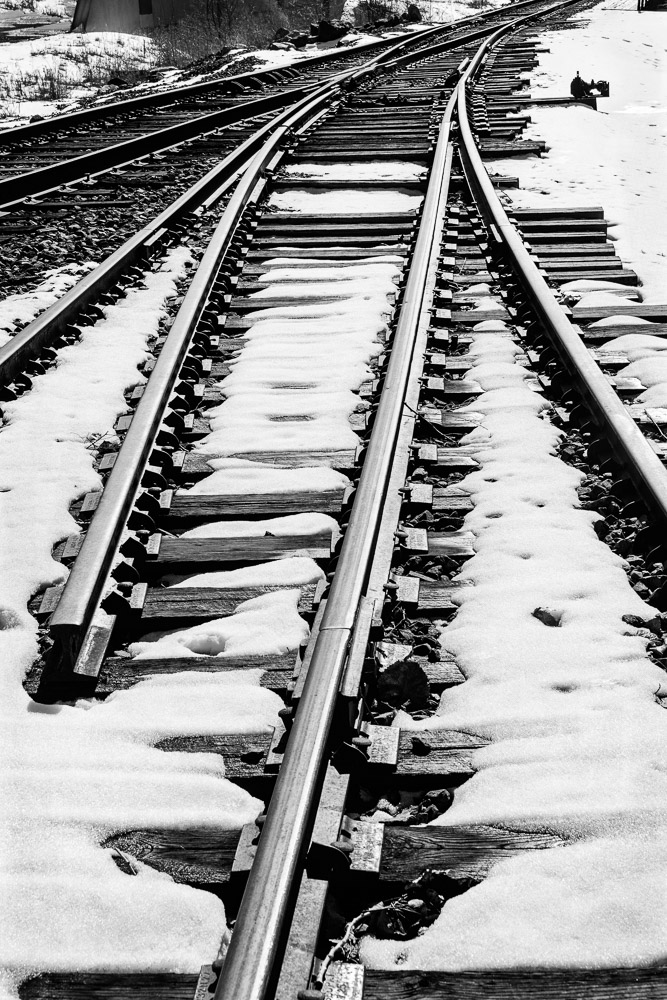
    Take the photo at the top of this article for example. Midday, flat light, hazy, featureless sky, not what I would usually look for. But I think this works. 🙂

    Maybe it is too far of a stretch, but it seems to be an attitude of gratitude. Be thankful for what you have and learn to find surprises that delight everyday. Who knows where it will take you?

  • The Histogram

    The Histogram

    Please permit me to rant briefly. I get incensed by the practice of most photo instructors to “dumb down” what we do. They assume people are incapable or afraid of anything technical. So they give a very short and often unintelligible description of something we, as photographers need to know, then go on. One example of this is the lowly histogram.

    I’m sorry to have to tell you, but all art has a technical component to it. Photography is one of the most technical.

    The histogram is like taking your temperature or looking at a graph of your portfolio performance. It is data that does not mean anything in itself but it is very useful to check. In this case, the histogram is just a measure of our image. It is valuable, but it is only one of many possible measures.

    What I hope to do here is do what your dad probably did (or should have done) in this situation – tell you to get over it. You need to know this, so get on with it. 🙂

    Not high tech

    The histogram is not a complex, fancy piece of technology. It is just counting and marking.

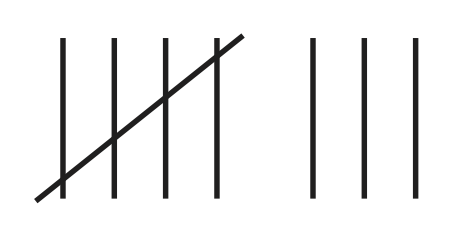
    Let’s say for simplicity that your image is black & white and is 8 bit depth. You know that this means the image is a grid of pixels, each having a value of 0-255. Now you decide to go through each pixel one at a time and keep track of a count of each pixel value you find. You come to a pixel that has the value 87. Go to your row of 87’s and increment it by one. You know, like

    Keep on going. If the next pixel is 127, go and increment the count for that bucket.

    After you count the values of all the pixels, you will have up to 256 groups of counts. Now, draw a graph (technically a column chart) or put the data in Excel and have it graph it. If you put the numbers 0-255 on the x axis (the horizontal line) and draw a point above each number corresponding to the count you made for that number, you will have a histogram.

    That’s all it is, just a count of the number of each pixel value. The actual number in each bin does not matter. What counts is the overall shape of the curve.

    An example

    Here is a fairly balanced black & white image and its histogram.

    People would call this a “good” histogram. It shows that the tones have counts from very close to 0 to almost 255, a full range from black to white The tones are spread fairly evenly. There is a bump in the distribution of the light tones – the right side- which is natural because there are big areas of snowfields and light gray clouds.

    There is no magic. You could manually follow the pattern I described and derive this yourself. It doesn’t “mean” anything of itself. It is just a way to get some information about your image.

    Descriptive, not prescriptive

    This is where people get confused, partly because they are misled by their instructors. The histogram does not tell you if you have a good or bad image. The histogram is descriptive, not prescriptive. That is, it is just information for you. It does not grade your image or tell you you exposed it wrong.

    IN GENERAL, if your histogram shows values bunched up far at the left or far at the right, that is a warning sign. It is telling you the image may be too underexposed or over exposed. Those values at the extremes show that you may be losing data that cannot be recovered.

    Whenever you see this situation it is a warning flag, not a stop sign. It may be necessary for the effect you want.

    Expose To The Right example

    You often hear the advice to “expose to the right“. This is good advice in general. It means bias your exposure higher – more histogram to the right – as long as there is no clipping of the highlights. This is because of some of that scary technical stuff you need to know. The dark areas of an image are more subject to noise. If you have to boost the dark areas that magnifies the noise. The best results are often obtained by overexposing a little and reducing the exposure of the whole image in post processing. Digital data retains more information when you are scaling it down than when you are scaling it up.

    Expose to the right is an example of a good way to use histograms. I always have the histogram view turned on in my viewfinder. As a matter of fact, possibly the single best reason to go to mirrorless cameras is to be able to get a real-time histogram. I always check it, before and after taking a frame.

    Let me emphasize again that this is information for you to use and make your own judgment. Do not let the histogram take your pictures. Keep artistic control.

    Yours can look anyway you want

    It is not unusual for me to shoot images that have a “bad” histogram. When I do this it is deliberate and I do not have to answer to the data police (yet).

    One class of very low key images is night photography. Often these are nearly all dark with only a few points of light. This is an example:

    It is hard to see at this size, but you can tell what is important from the histogram. Most data is clustered at the dark end. There is a spike at the brightest whites. These are the stars. Your instructor would tell you it is not a good histogram, but the image is exactly what I wanted. An image is properly exposed if it comes out the way you want.

    At the other extreme, a high key image is almost all white. This fence in a snowy field is almost all bright values:

    The distribution (the arrangement of the data values) is skewed way to the right, but not overexposed. But there is a spike at the left representing the black fence posts. Very high contrast. This is the result I wanted, so it is correct.

    These 2 examples of “wrong” exposures should broaden your understanding of what is allowed. Anything that matches your intent is a properly done image.

    A great tool, but just a tool.

    I hope I have given you a better feel of what a histogram represents. It is just an overall look at the data values in the image. It is there for information to help you make the images you want. A histogram is neither good or bad. It is just information. Other people have given their own interpretation of histograms and their importance. This is a good one.

    I am very thankful for the invention of histograms and their availability in modern cameras and post processing tools. It is an indispensable tool. I use them every day. But remember it is a tool. It is not there to tell you what you can do. You are the artist. Only you can decide the result you want.